

FiiO launches RETRO BOX Bluetooth speaker for its DAPs
From: Vitor Valeri
A headphone hobbyist for over 15 years, he founded the Hi-Fi Hub website and is an administrator of the "Fones High-End" and "Fones Low-End" groups on Facebook.


Published in: 28/04/26 at 14:37 - Updated in: 18/06/26 at 11:00
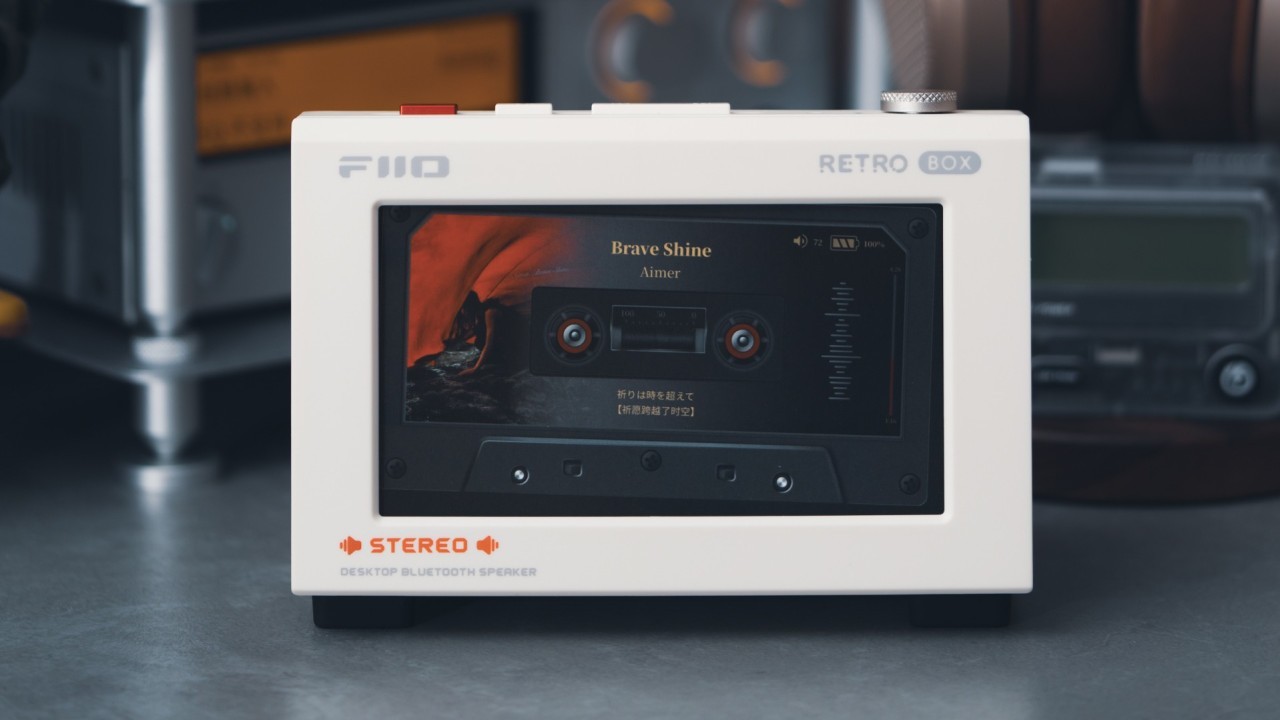
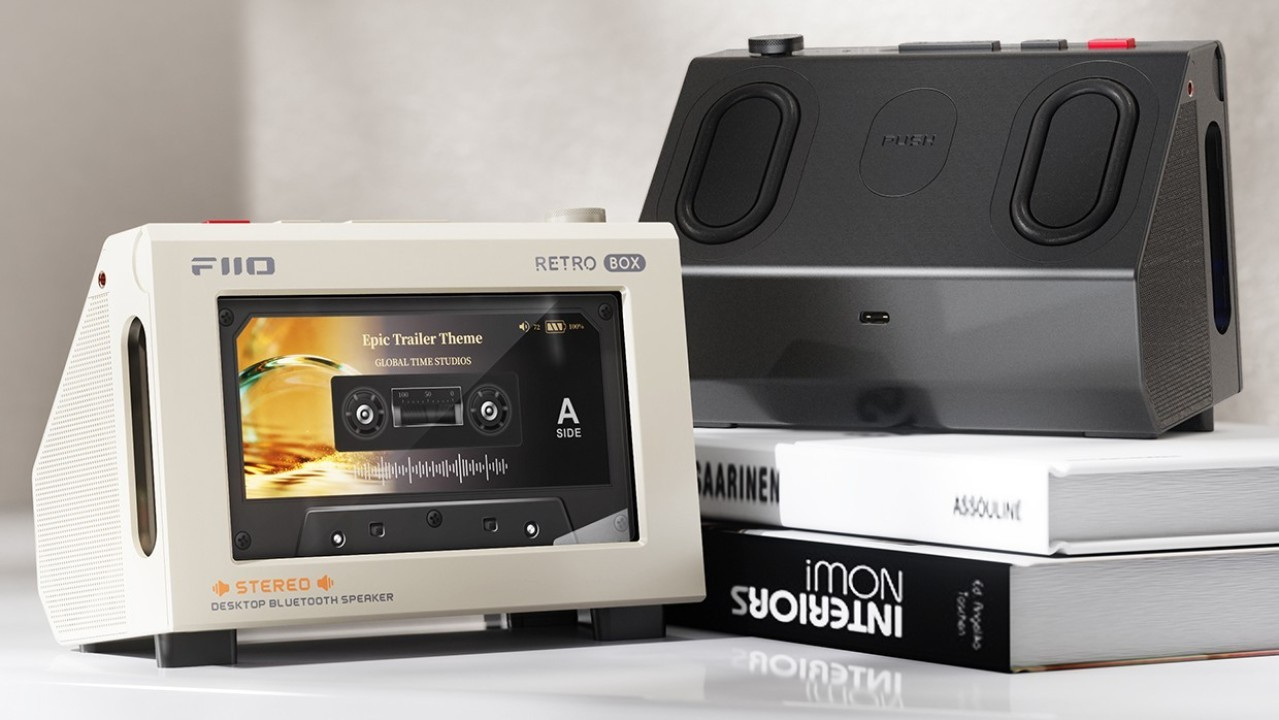 FiiO RETRO BOX Bluetooth speaker (Image: FiiO)
The FiiO RETRO BOX was launched today (April 28) in mainland China. Designed to be used alongside FiiO DAPs (Digital Audio Players), the Bluetooth speaker features a dedicated compartment for docking the devices. The concept is to activate the “tape mode” available on FiiO music players while tracks are being played. Below are the details about this new release.
Update (June 18): The FiiO RETRO BOX is now available through FiiO’s official store on AliExpress.
RETRO BOX adds speakers to FiiO DAPs for desktop music listening
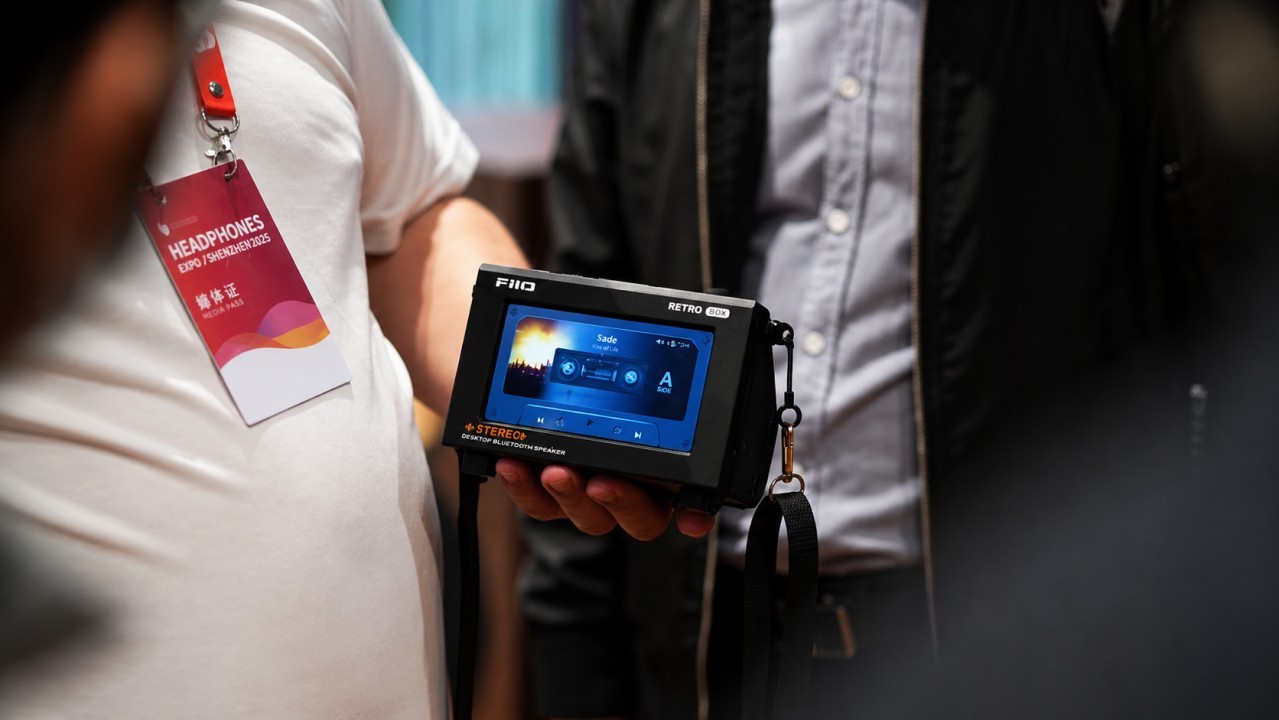
The RETRO BOX Bluetooth speaker was specifically developed to integrate with FiiO DAPs. By opening the front cover and inserting the Digital Audio Players, they automatically connect to the RETRO BOX via Bluetooth.
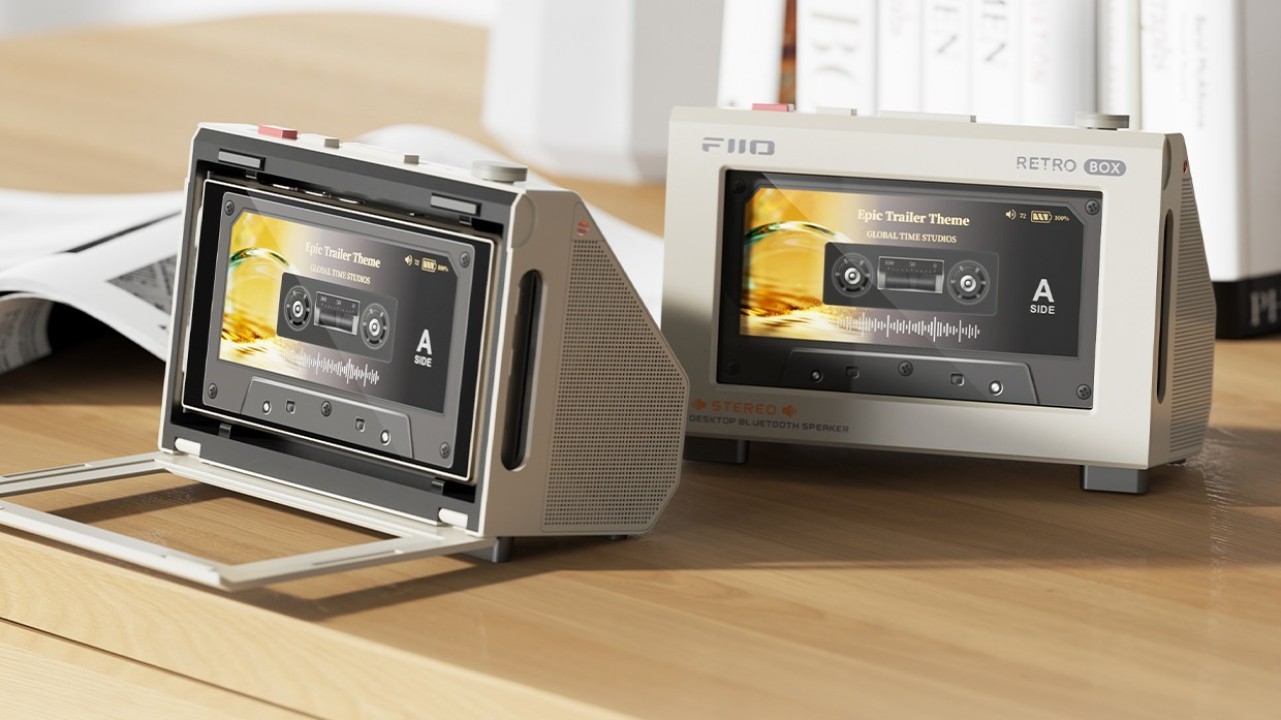
Which FiiO DAPs are compatible with the RETRO BOX?
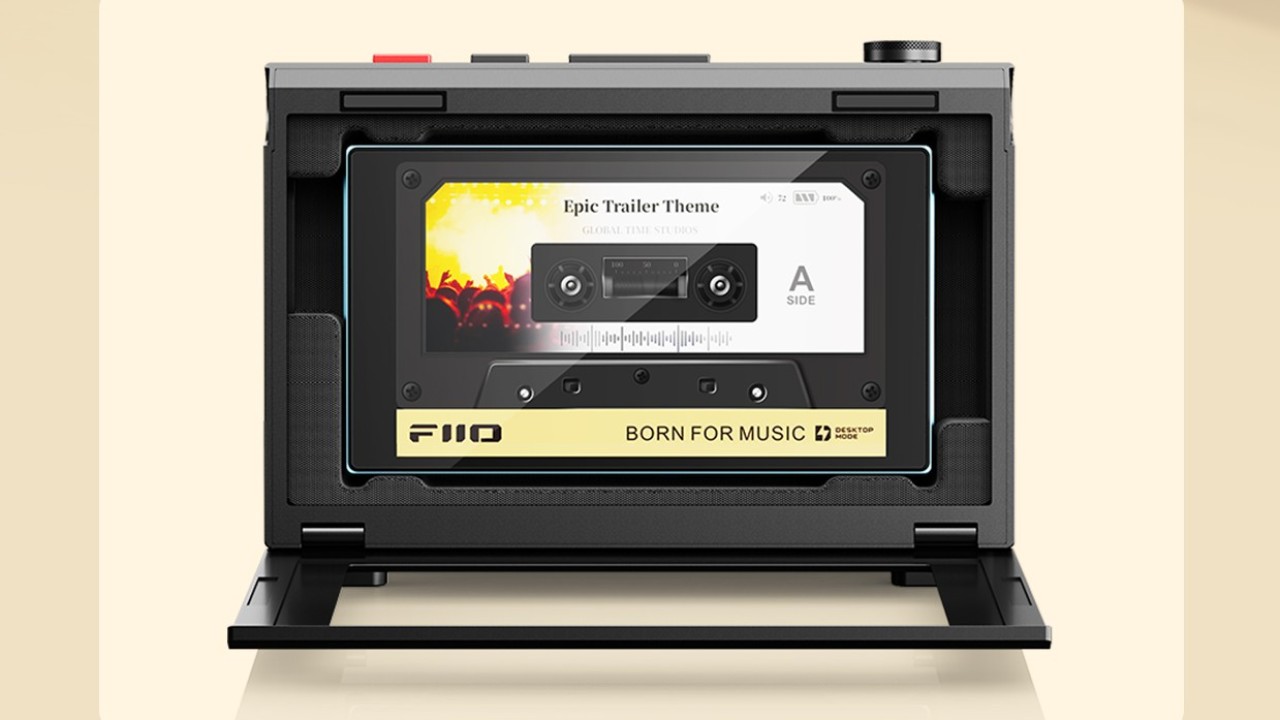
The DAP models compatible with the RETRO BOX Bluetooth speaker are the JM21, M21, M33 R2R, and the upcoming M25. For the JM21 and M21, it is necessary to install a 3D-printed insert included in the product packaging. Below is an image illustrating the appearance of this adapter used for smaller DAPs.
Speaker placement and output power of the RETRO BOX
The RETRO BOX features two 40 mm speakers positioned on the left and right sides of the enclosure. In addition, there are two passive radiators located on the rear panel of the Bluetooth speaker.
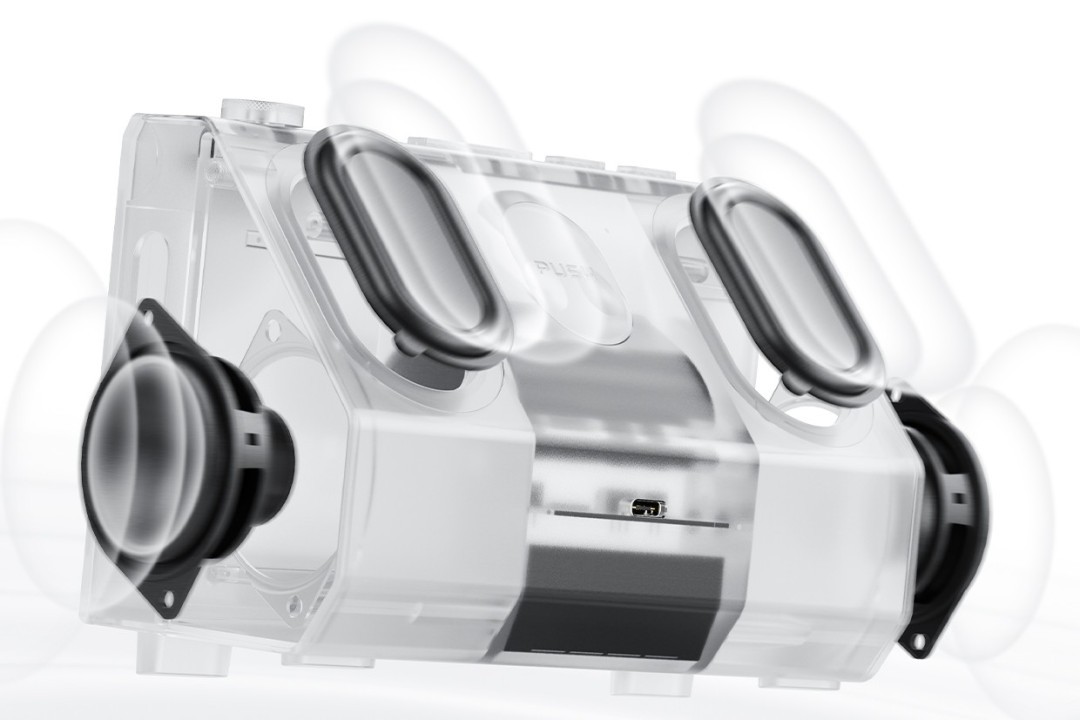
The RETRO BOX amplifier is capable of delivering a maximum output power of 10W. Output is rated at 5W per channel, but the gain settings are described by FiiO as “conservative” to prevent clipping. As a result, the speaker may occasionally sound quiet even at maximum volume.
In a future firmware update, the manufacturer promised to add gain adjustment functionality through the FiiO Control app.
“In a future firmware update, a gain adjustment function will be added to the control app to allow finer tuning of the sound output according to your preference.”
RETRO BOX battery life
The RETRO BOX uses two 18500 lithium-ion batteries configured in parallel. According to FiiO, the reason for using a pair of batteries is to “minimize internal resistance and provide ample power to the amplifier.”
Maximum battery life is rated at 10.5 hours of continuous playback.
Connect wired and wireless devices to the RETRO BOX
In addition to connecting FiiO DAPs to the RETRO BOX via Bluetooth, the speaker also supports PC connectivity through a USB cable using “DAC mode.” Once connected, the USB connection automatically transmits both data and power, potentially drawing more than 1.4A according to the manufacturer. For this reason, the company does not recommend using the RETRO BOX with smartphones or tablets, as the battery of mobile devices may drain rapidly.
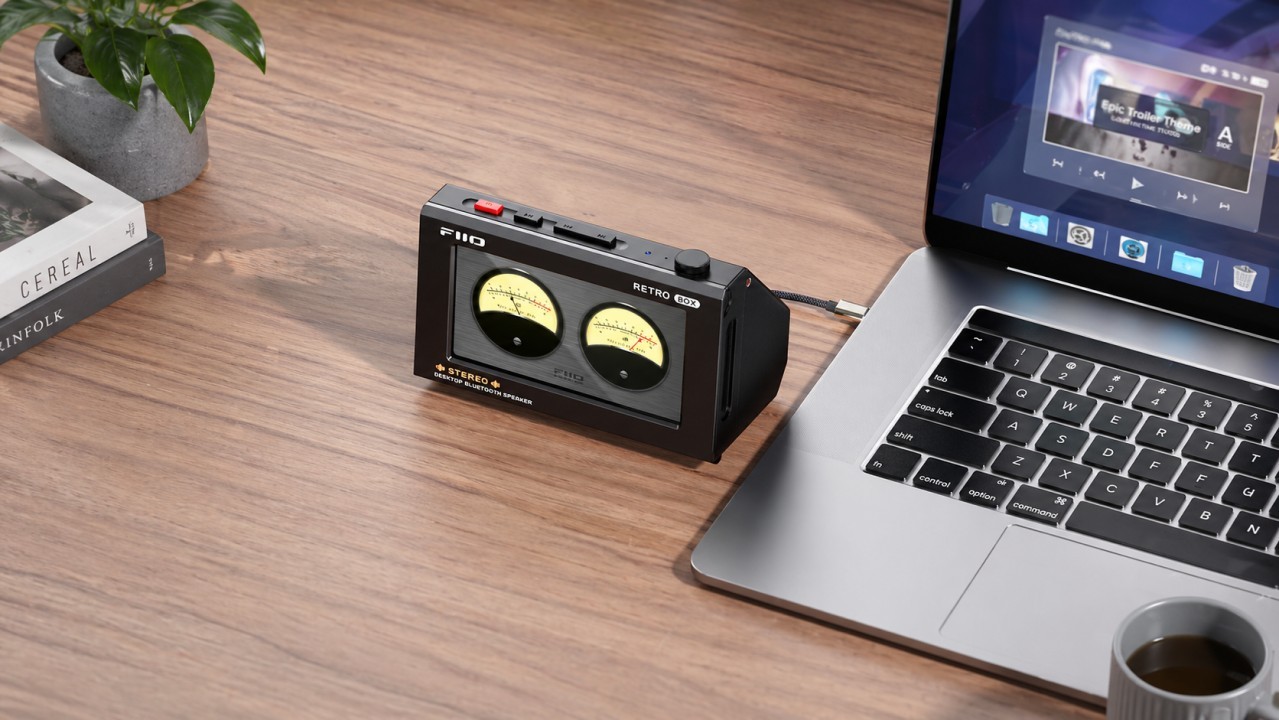
It is important to note that the RETRO BOX supports UAC 1.0, meaning no driver installation is required for PC use. Additionally, because it utilizes USB Audio Class 1.0, the maximum supported sampling rate is limited to 96 kHz.
Equalization on the RETRO BOX
There are two ways to apply equalization on the RETRO BOX. The first is through built-in presets stored directly on the Bluetooth speaker. In this case, users can choose between four options:
• HiFi
• Retro
• Pop
• Warm
The second method of applying EQ to the RETRO BOX is through the FiiO Control app. The application offers additional equalization features, making it more appealing to audio enthusiasts.
What else can the FiiO Control app do on the RETRO BOX?
The FiiO Control app can also be used to switch Bluetooth codecs and update the speaker’s firmware.
The physical buttons on the RETRO BOX and their functions
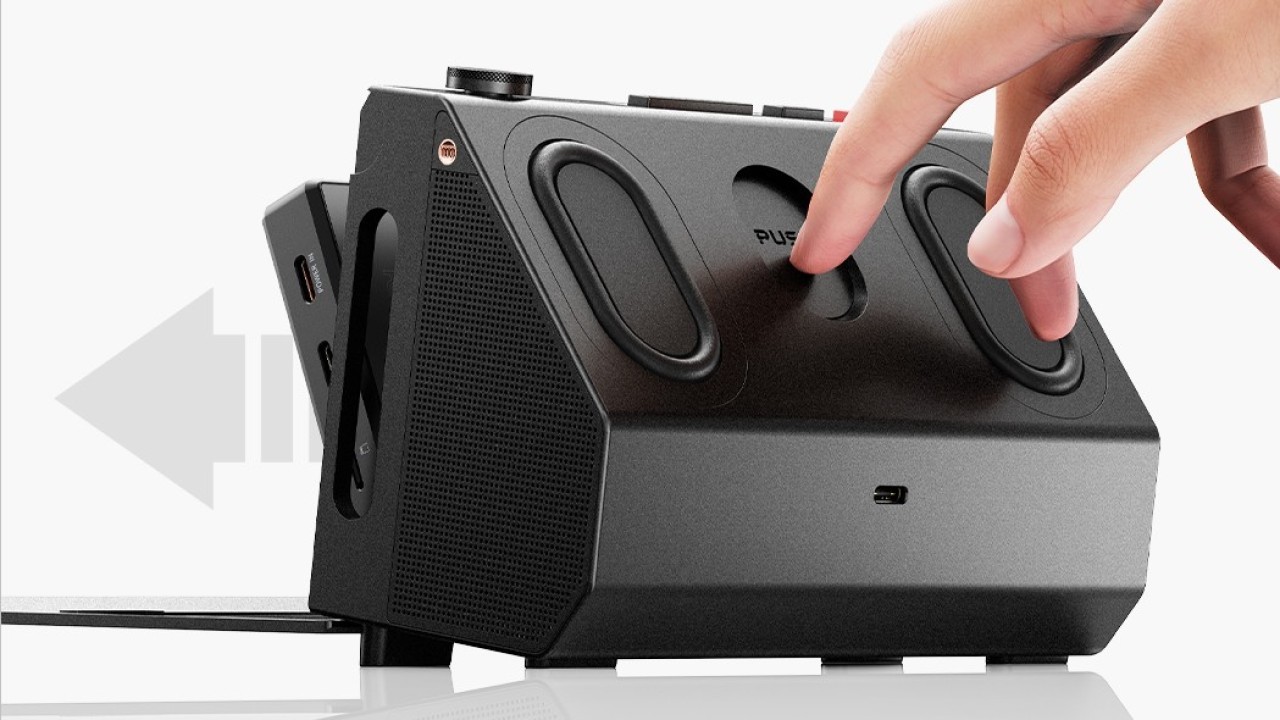
Most of the physical controls on the RETRO BOX are located on the top panel of the Bluetooth speaker. However, there is also a large button labeled “PUSH” on the rear panel.
What is the “PUSH” button used for on the RETRO BOX?
The “PUSH” button is used to eject the FiiO DAP from the compartment designed to hold it inside the RETRO BOX. To prevent the button from jamming, the manufacturer recommends pressing the center of the button rather than its edges.
The top-mounted buttons on the RETRO BOX and their functions
The buttons located on top of the RETRO BOX resemble those found on the Echo Mini and Echo DAPs. However, the layout is somewhat different.
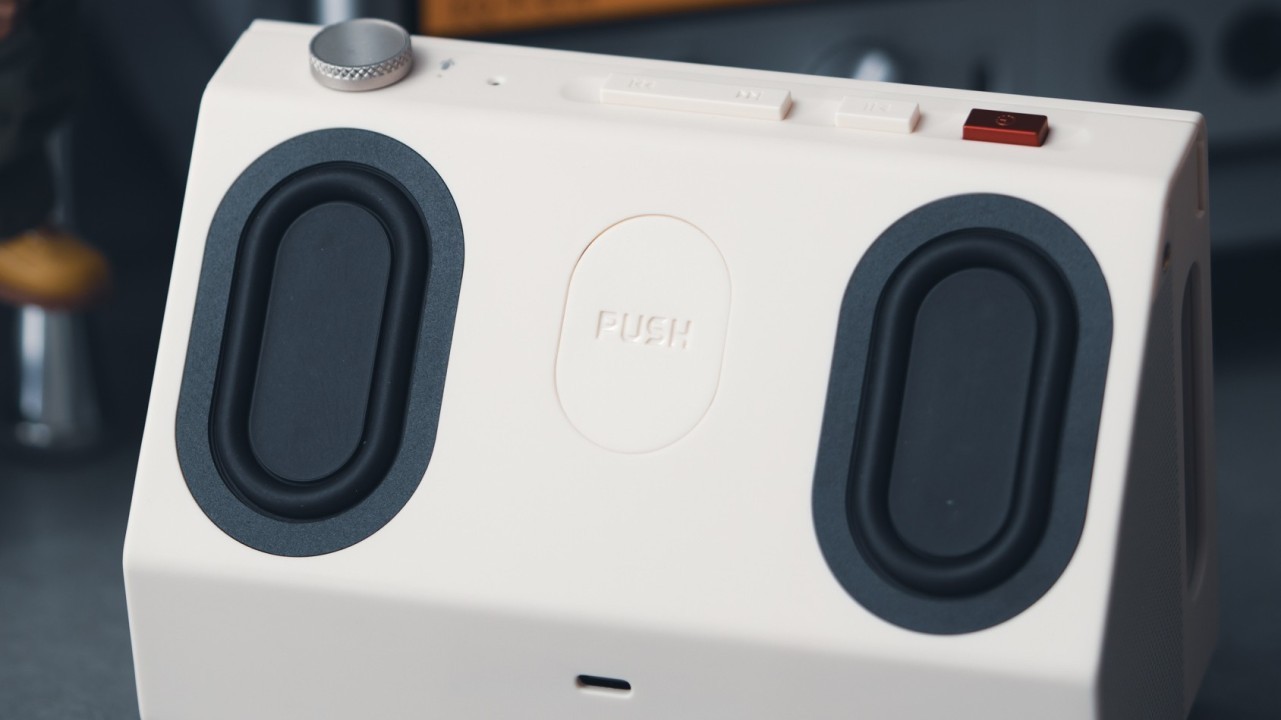
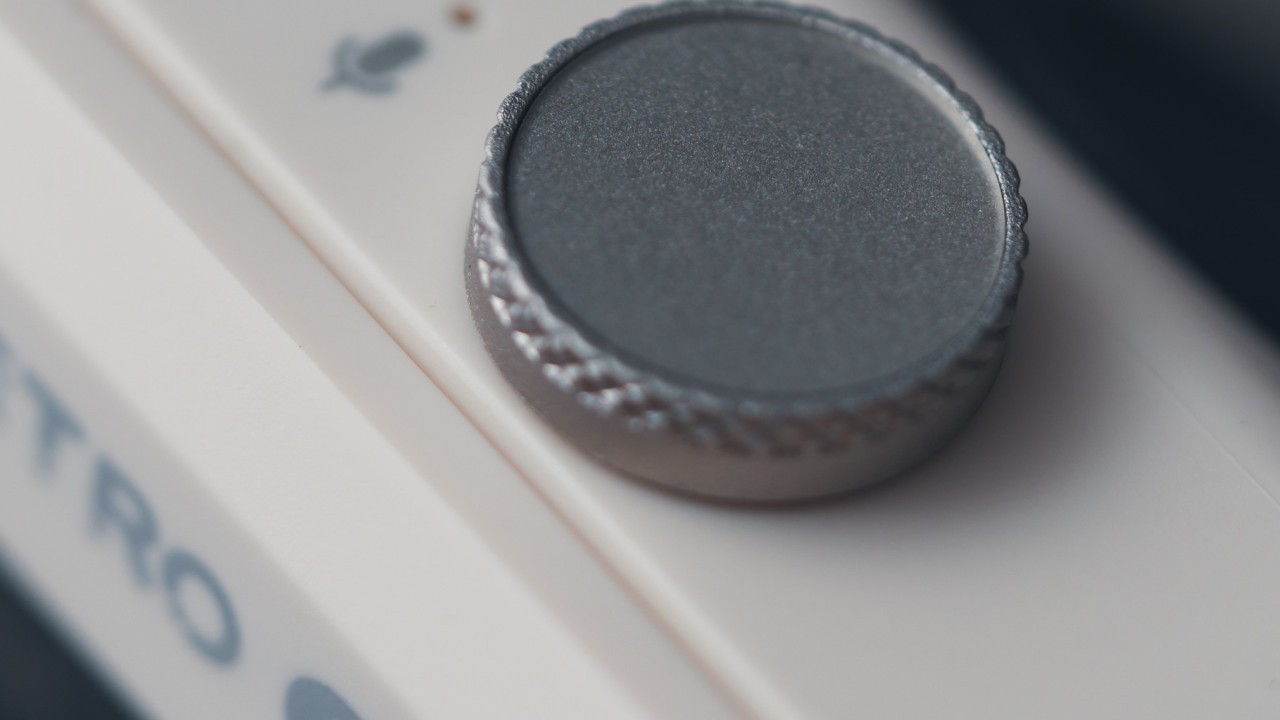
There is a rotary knob used for volume adjustment, switching sound presets during music playback, and activating the voice assistant.
In addition to the knob, there is a power button, a play/pause button, and finally a track forward/back button. Each of them also provides secondary functions beyond its primary purpose.
The power button can turn the FiiO DAP display on and off, in addition to switching between operating modes (Bluetooth mode and USB DAC mode).
Meanwhile, the play/pause button allows the RETRO BOX to enter Bluetooth pairing mode. Additionally, pressing and holding the button for 10 seconds clears saved Bluetooth devices and volume memory.
Finally, the track forward/back button allows users to switch between “tape mode” themes available on the FiiO JM21, M21, and M33 DAPs.
Shoulder strap support for carrying the RETRO BOX
The RETRO BOX can be carried using a shoulder strap. To do so, simply attach the strap to the mounting points located on the sides of the Bluetooth speaker. Note that this accessory is sold separately and is not included in the package.
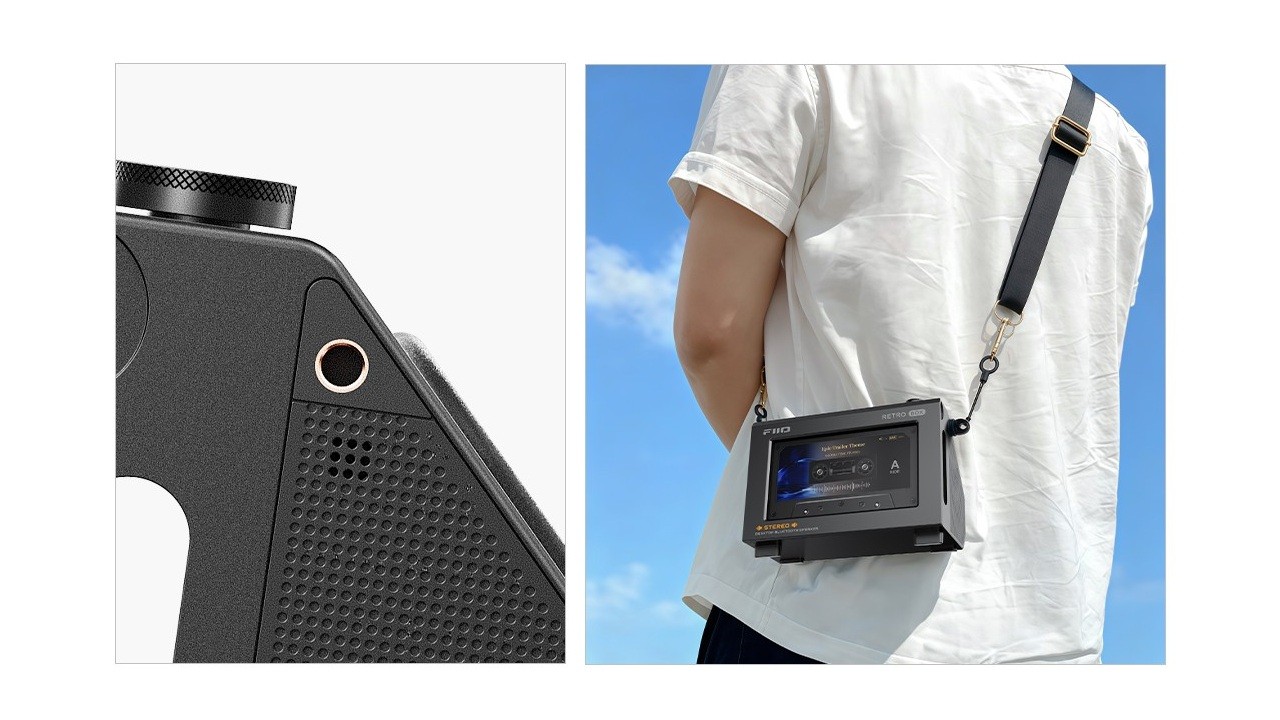
It is important to mention that the RETRO BOX weighs 683 g without any FiiO DAP attached. For this reason, the manufacturer does not recommend transporting it frequently and advises users to “avoid sudden movements or violent shaking during transport.”
FiiO RETRO BOX: Specifications
General specifications
• Bluetooth 6.0
• Colors: White/Black
• Dimensions: 15.28 cm × 9.88 cm × 7.6 cm (excluding foot pads and the knob)
• Operating modes: Bluetooth receiver mode and USB DAC mode
• Speakers: 2 full-range drivers with 40 mm diaphragms and 4 Ω impedance
• Weight: 683 g
Battery specifications
• Battery life: Approximately 10.5 hours (using the SBC Bluetooth codec)
• Battery type: 2 × 18500 lithium-ion batteries
• Charging time: 2.5 hours
• Power supply specification: DC 5V/2A
General audio specifications
• Frequency response: 65Hz–20kHz
• Output power: 10.6W (5.3W ×2)
Bluetooth audio specifications
• Bluetooth reception only
• Supported Bluetooth audio codecs: SBC and LDAC
USB audio specifications
• USB DAC sampling rate support: 44.1kHz / 48kHz / 96kHz, 16/24/32-bit
Release date, price, and availability
The FiiO RETRO BOX is now available on the international market in Black and White color options for US$56.32 through FiiO’s official store on AliExpress.
Share:


Product launches
YBA VIBE P1: Portable R2R DAC/Amp Announced
Product launches
FiiO FT15 Launches With New Planar Driver and Lighter Build
Product launches
No comments have been made yet, be the first!