

Android Audio Path Explained: How Bit-Perfect Playback Works
From: Vitor Valeri
A headphone hobbyist for over 15 years, he founded the Hi-Fi Hub website and is an administrator of the "Fones High-End" and "Fones Low-End" groups on Facebook.


Published in: 01/06/26 at 22:49
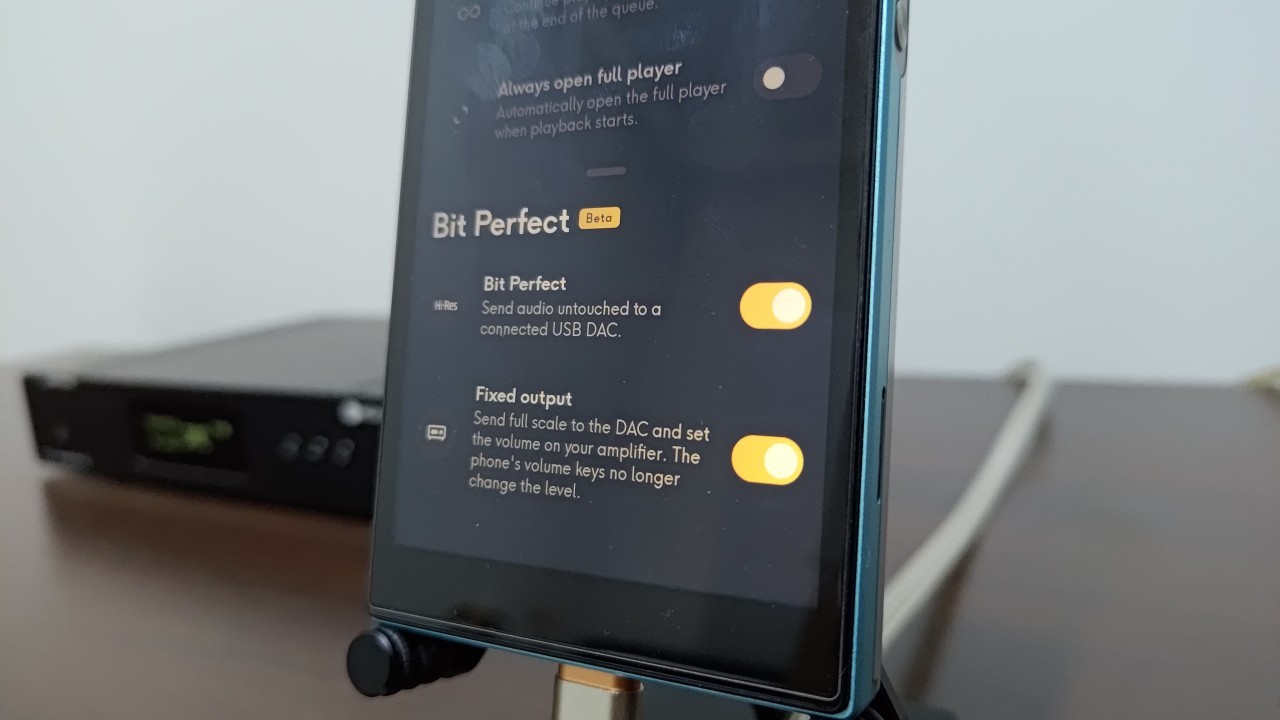
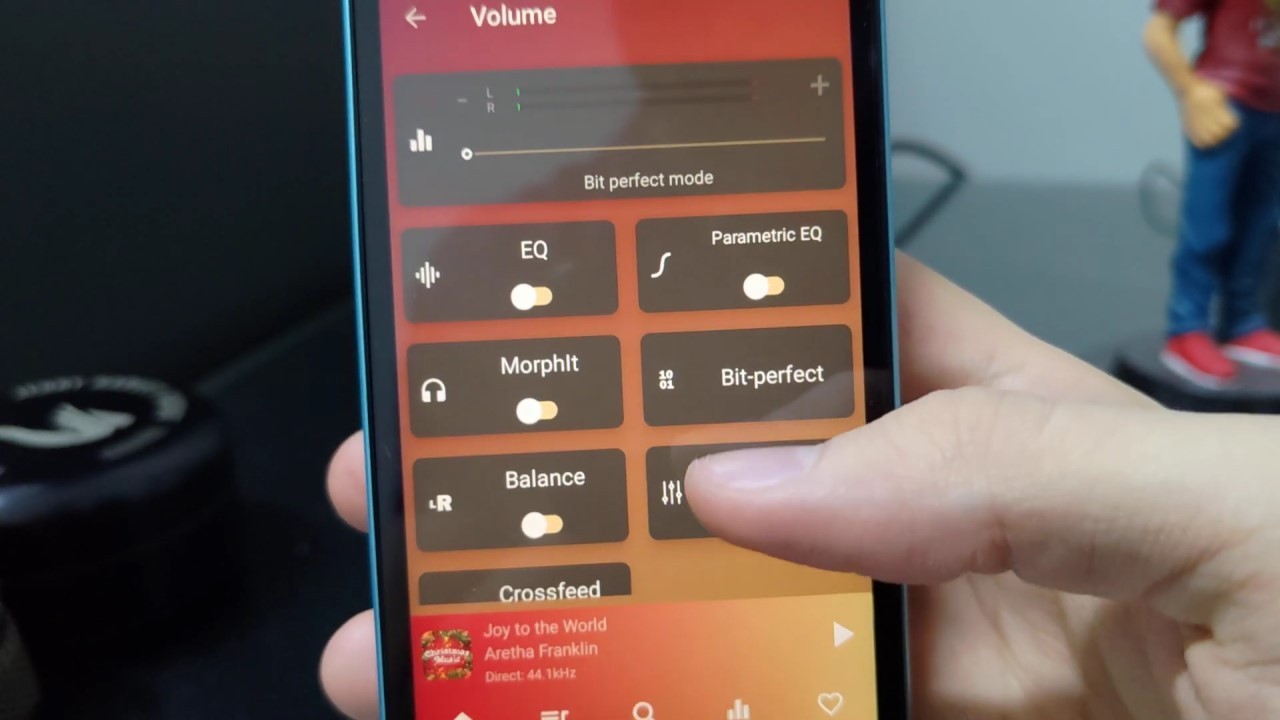 Bit-perfect playback enablement feature in the USB Audio Player Pro app (Image: Vitor Valeri/Hi-Fi Hub)
There are two possible audio paths in Android devices. The first uses the internal DAC, while the second relies on an external DAC connected via USB or S/PDIF. Because Google’s operating system (OS) can modify audio file characteristics and volume levels, audiophiles seek solutions to avoid such alterations. Fortunately, there are ways to prevent these changes, and when the original audio data remains intact throughout the playback chain, the process is referred to as bit-perfect playback.
Before explaining how the audio signal path works in Android, it is necessary to understand the role of a DAC. This is essential for comprehending everything that occurs during the processing of a music file.
What Is a DAC and What Is Its Function?
A DAC (Digital-to-Analog Converter) is a chip soldered onto the printed circuit board (PCB) of an electronic device, such as a smartphone. Its function is to convert a digital signal (binary data) into an analog signal (voltage or current). This signal conversion is necessary for headphones or loudspeakers to generate sound.
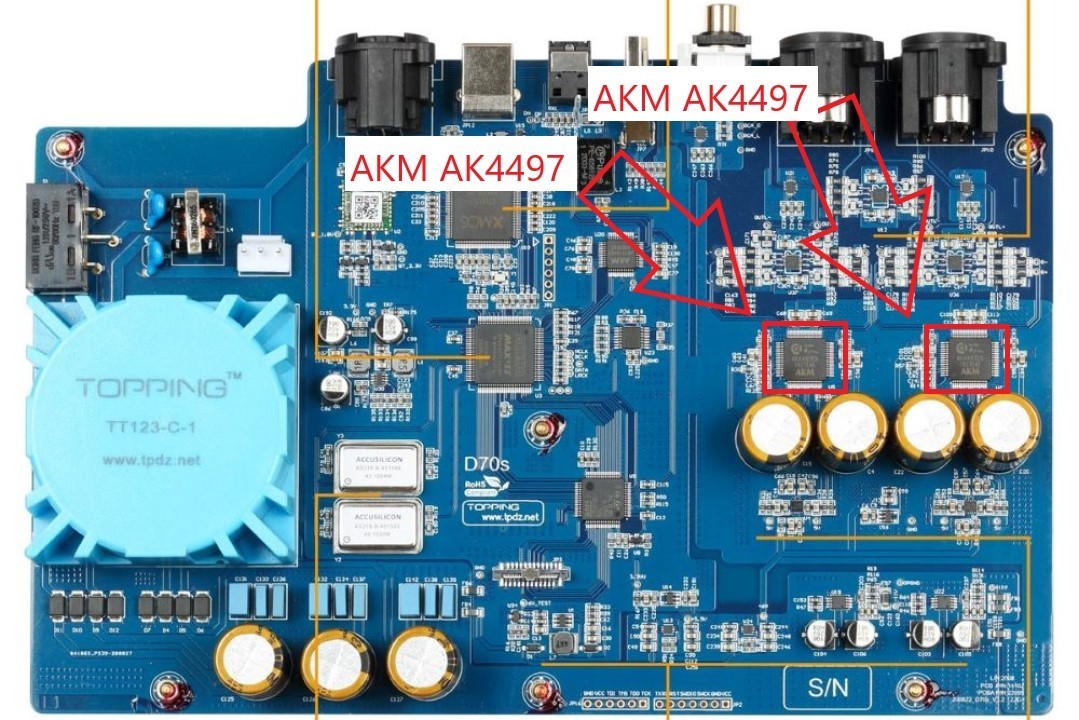
The Need for an Amplifier (Amp)
It is important to note that, in addition to a DAC, an amplifier (amp) is also required. The analog signal generated by the DAC is extremely weak, and a speaker diaphragm cannot move properly without amplification. For this reason, an amplification stage is used to increase (amplify) the amplitude of the analog signal (voltage or current).
The Audio Path in Android
There are two possible audio paths in Android. The first uses the DAC chip soldered onto the smartphone or Digital Audio Player (DAP) circuit board. The second involves connecting an external DAC via USB. Each path follows different processing stages, although certain similarities exist between them.
Audio Transmission on Android Devices
Audio data transmission is often altered during playback. This commonly occurs on Android devices that are not specifically designed for music reproduction, such as smartphones and tablets. The primary component responsible for these modifications is AudioFlinger.
The Component Responsible for Preventing Bit-Perfect Playback
AudioFlinger is the Android audio framework service. One of its functions is audio mixing, which includes controlling application volume levels, bit depth (e.g., 16-bit/24-bit), and sample rates (e.g., 44.1 kHz, 48 kHz, 192 kHz).
The mixer converts PCM streams [1] with different specifications into a unified format, typically operating at a 48 kHz sample rate. This standardization is intended to improve system stability, facilitate multitasking audio processing, and ensure compatibility across applications and hardware.
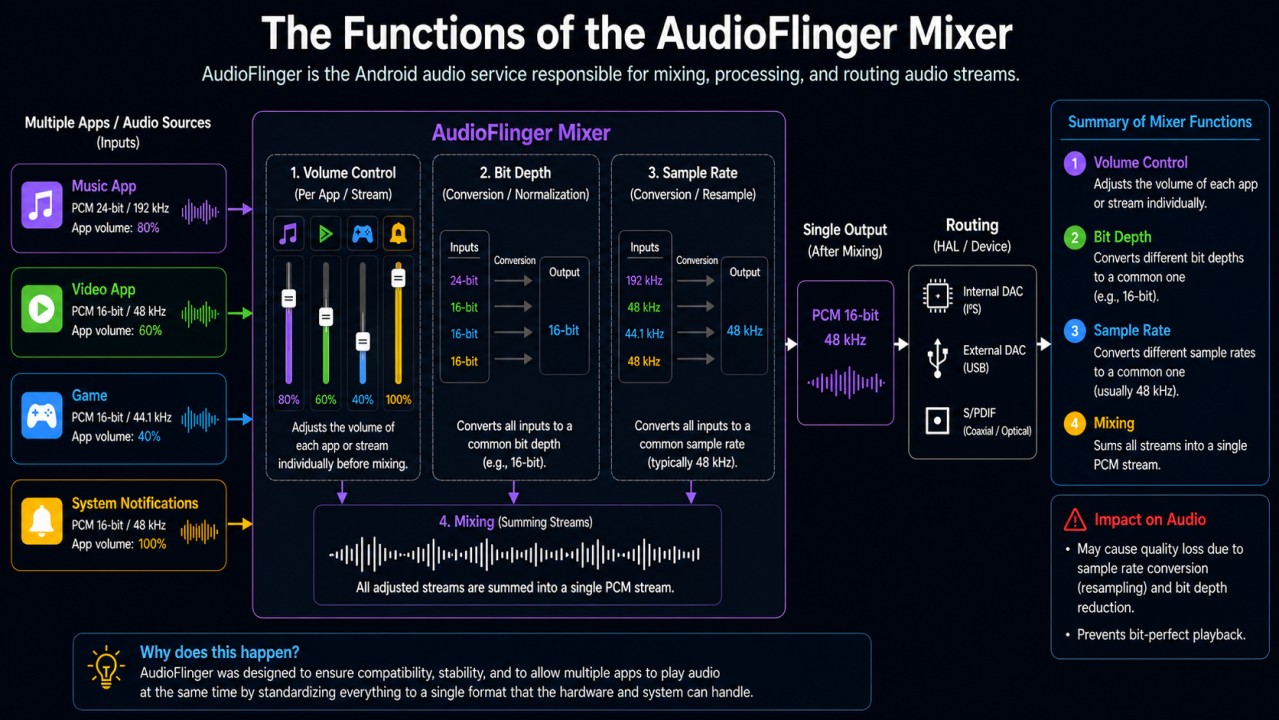
By customizing AudioFlinger, it is possible to bypass Android’s Sample Rate Conversion (SRC). However, the HAL must also be modified to allow these changes to propagate down to the driver layer, as explained later in this article.
[1] PCM (Pulse Code Modulation) is a format used to represent digital audio signals.
How to Achieve Bit-Perfect Playback
There are two distinct scenarios in which bit-perfect playback must be considered. The first involves standard Android devices such as smartphones and tablets. The second concerns dedicated music playback devices, such as Digital Audio Players (DAPs).
Bit-Perfect Playback on Android Smartphones and Tablets
For smartphones and tablets, the most effective solution is to connect an external DAC via USB, especially since modern devices no longer provide a headphone output. However, simply connecting an external DAC is not sufficient. The music application developer must also implement specific software modifications.
With this goal in mind, Marcelo Silva developed decent-player, a USB audio driver designed to bypass modifications introduced by the Android audio framework.
The decent-player project is freely available to music application developers on GitHub. It enables additional applications to offer bit-perfect playback beyond existing solutions such as USB Audio Player Pro (UAPP) and HiBy Music.
To understand what decent-player accomplishes, it is first necessary to understand the audio path in the scenario described above.
Recommended article for further reading: USB Audio Player Pro (UAPP) on Android Phones and DAPs
The Typical Android Device Scenario
On a conventional Android device, the ideal approach for achieving bit-perfect playback is to use a custom AudioSink together with a custom USB audio driver. This ensures that the PCM stream generated by the music application is sent directly to a customized USB driver.
Direct transmission of PCM data to the USB audio driver allows AudioFlinger and the Hardware Abstraction Layer (HAL) to be bypassed. Both components can modify or restrict audio processing.
Because the USB audio driver communicates directly with the external DAC hardware, the audio signal remains unaltered. Consequently, the audio file reaching the DAC is identical to the one produced by the playback application.
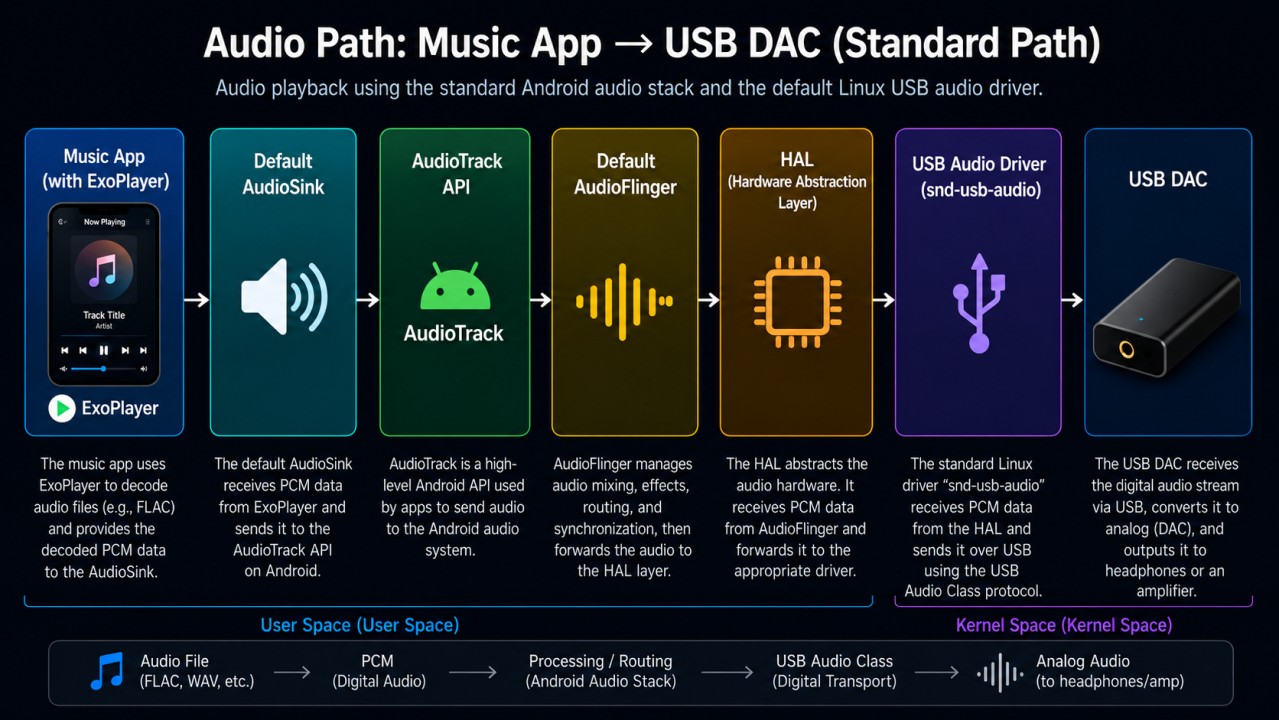
The diagram below illustrates the standard audio path on a typical Android device:
What Is AudioSink?
AudioSink is the interface responsible for receiving decoded PCM data from ExoPlayer and sending audio to the Android operating system. It determines whether the audio stream is routed through an API such as AudioTrack or AAudio, transmitted directly to a USB audio driver, or forwarded to a Digital Signal Processing (DSP) system.
What Is ExoPlayer?
ExoPlayer is a multimedia playback library developed by Google for Android. It is widely used by both local music players and music streaming applications. Its primary function is to read and decode audio formats such as MP3 and FLAC into PCM streams with specifications such as 16-bit, 24-bit, or 32-bit depth and sample rates of 44.1 kHz, 48 kHz, 96 kHz, and 192 kHz.
What Is the HAL?
HAL stands for Hardware Abstraction Layer. It determines which sample rates the hardware supports and which rates are exposed to music applications. The HAL can force all playback to operate at 48 kHz, block automatic sample-rate switching, and restrict exclusive-mode data transmission.
The foundation of the HAL is typically provided by SoC manufacturers such as Qualcomm and MediaTek. Smartphone manufacturers may then modify this HAL by changing policies and adding proprietary features. As a result, audio behavior varies between different Android devices.
What Is a USB Audio Driver?
A USB audio driver communicates directly with the hardware of an external USB DAC by transmitting data packets. Its functions include controlling sample rates, managing clock synchronization, and performing other low-level operations.
Additionally, it implements the USB Audio Class (UAC) specification, including both USB Audio Class 1.0 (UAC1) and USB Audio Class 2.0 (UAC2).
Bit-Perfect Playback on Digital Audio Players (DAPs)
Because DAP manufacturers have control over both hardware and firmware, they can customize AudioFlinger and the HAL. In addition, the drivers responsible for communicating with either internal or external DAC hardware are typically customized as well.
It is important to note that music application developers generally do not have the ability to perform these modifications. For such developers, the alternative is to create a custom AudioSink and custom drivers, as demonstrated by the decent-player project.
Android Customization Performed by DAP Manufacturers
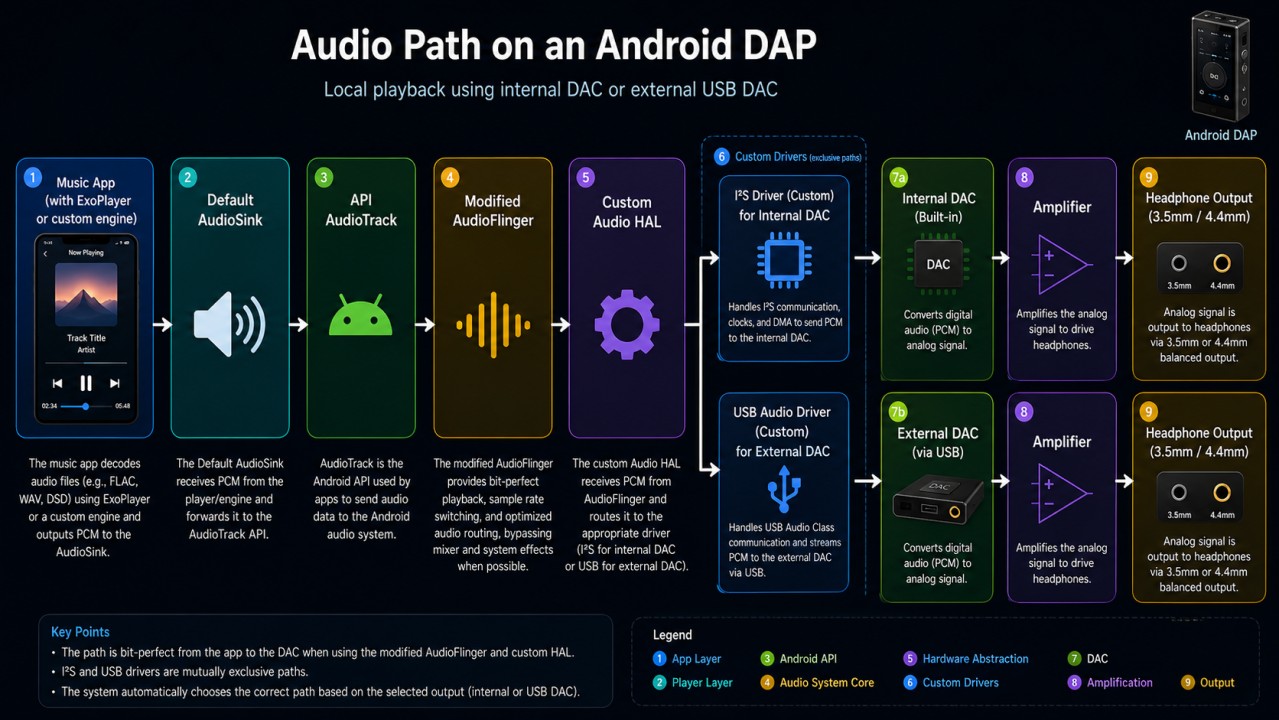
Part of Android customization on DAPs involves modifying AudioFlinger to prevent alterations to PCM streams during playback. Manufacturers also customize the HAL, allowing audio data to reach the driver layer without modification before being delivered to the DAC.
The I²S driver enables the DAP’s internal DAC to communicate correctly with a chipset such as a Qualcomm Snapdragon processor. The USB driver, in turn, enables communication between the SoC and an external DAC. Both drivers are typically customized by the Digital Audio Player manufacturer.
The diagram below illustrates the standard audio path on a Digital Audio Player:
A Limitation That Can Cause Problems
According to the founder and CEO of FiiO, manufacturers purchase modules that include a processor, RAM, flash storage, power-management IC, and other common components, along with a ready-to-use firmware SDK. James explained that, depending on the required modifications, FiiO may not have permission to implement them directly. In such cases, the company must request that the module supplier implement the necessary changes.
“After receiving the module and software package, FiiO requests access to the source code of certain functions so that they can be adapted to our requirements. Some functions are not accessible to us, in which case the module manufacturer must implement them on our behalf.”
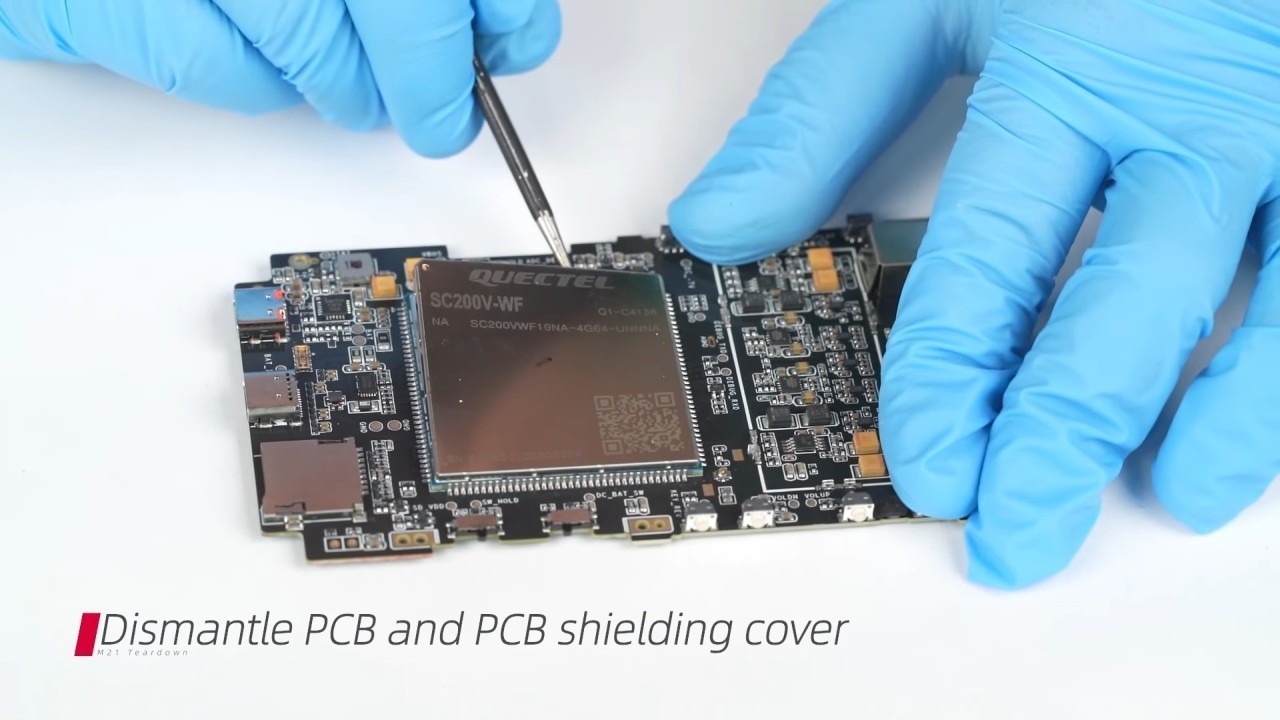
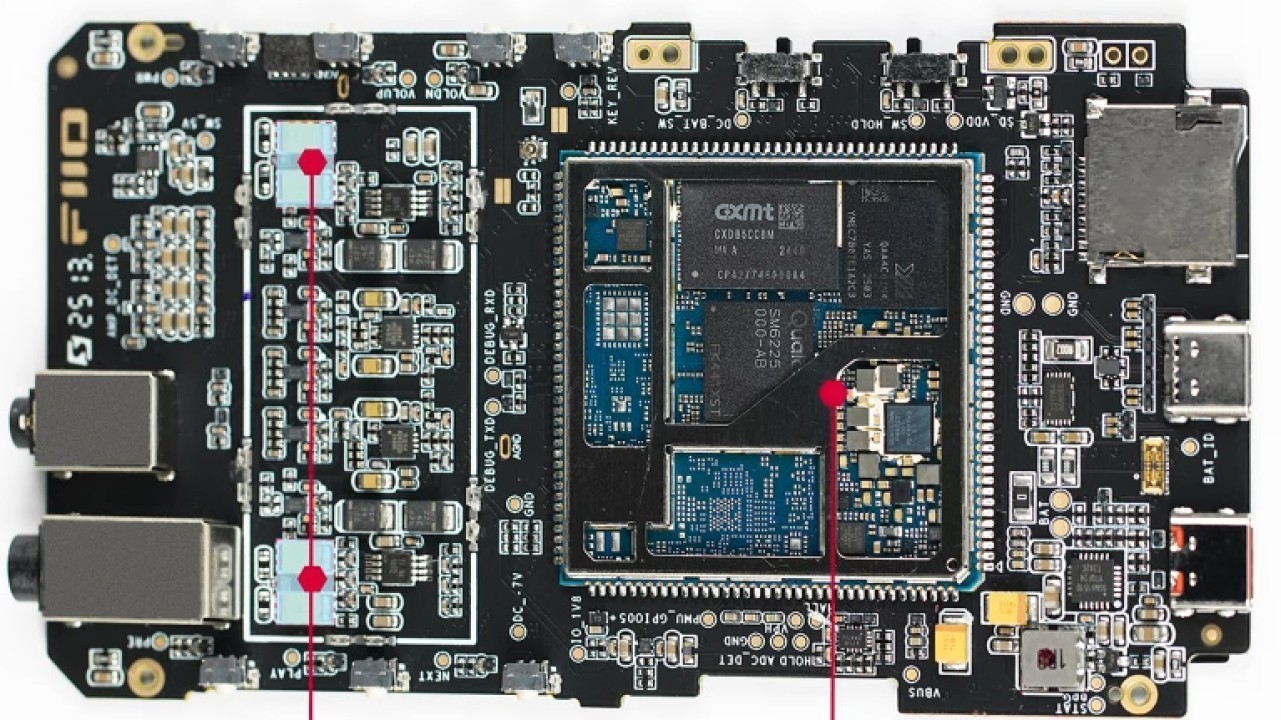
Below is a screenshot showing the Quectel SC200V module with its enclosure removed. It contains a Qualcomm chipset as well as CXMT (ChangXin Memory Technologies) DRAM chips. It is worth noting that this type of module is typically produced by companies specializing in hardware solutions for the Internet of Things (IoT) industry.
Recommended article for further reading: The evolution of chipsets and Android optimization in DAPs
Share:


No comments have been made yet, be the first!