

Review of the FiiO JM21 DAP
From: Vitor Valeri
A headphone hobbyist for over 15 years, he founded the Hi-Fi Hub website and is an administrator of the "Fones High-End" and "Fones Low-End" groups on Facebook.


Published in: 19/12/25 at 14:12 - Updated in: 16/01/26 at 14:36
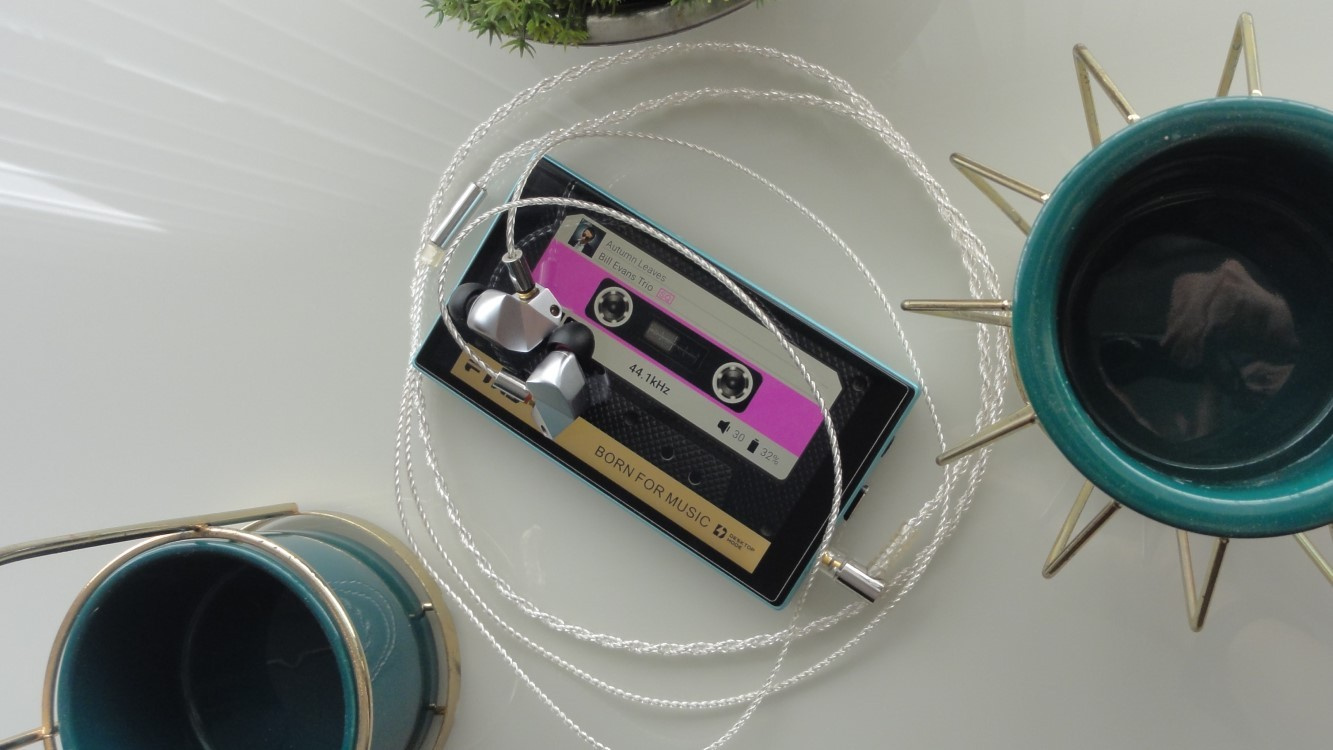 FiiO JM21 Digital Audio Player (DAP) and Final Audio B3 in-ear earphones (Image: Vitor Valeri / Hi-Fi Hub)
In this review of the FiiO JM21 Digital Audio Player (DAP), you will see that it is a device aimed at users who prioritize portability. In addition, FiiO’s Portable Music Player (PMP), priced under US$200, delivers a wide range of features, including the ability to install any music streaming app, download tracks, and store them on a microSD card.
Considering the way I typically use a DAP, the changes that most significantly impacted my user experience with the JM21 were the improvements implemented in FiiO Music, the native music playback app, as well as the ability to charge the battery while the device is powered off. This was only possible thanks to the interaction between the manufacturer’s representatives and users on the Head-Fi forum.
Why such a late review?
The review of the FiiO JM21 was intentionally delayed, but for a good reason. I purchased the Digital Audio Player (DAP) during its pre-sale, and since its launch, numerous changes have been introduced through firmware updates, including bug fixes, optimizations, and the addition of new features.
I bought the JM21 DAP on November 10, 2024, from the brand’s official store on AliExpress and received it on the 29th of the same month. The review was originally written and published in late August 2025, after approximately nine months of use. I can state that my experience with the player changed significantly in several aspects throughout this period.
Build quality of the FiiO JM21
The FiiO JM21 is constructed from plastic and aluminum. In its original version (blue and silver), it is possible to distinguish the materials by color, as the metal portion is blue and the plastic area is silver. There is also an all-black version of the JM21, which was released later by the brand.
With a 4.7-inch display and a resolution of 1334 × 750 pixels, the JM21 screen provides a sufficiently comfortable area for typing album names in music applications. Its color reproduction is of good quality for viewing album artwork.
The physical buttons on the JM21 are well positioned, to the extent that accidental presses of the volume button are unlikely, which frequently happened to me on the FiiO M11S. However, I missed having a tactile reference point on the play/pause button to make it easier to distinguish it from the forward and backward buttons.
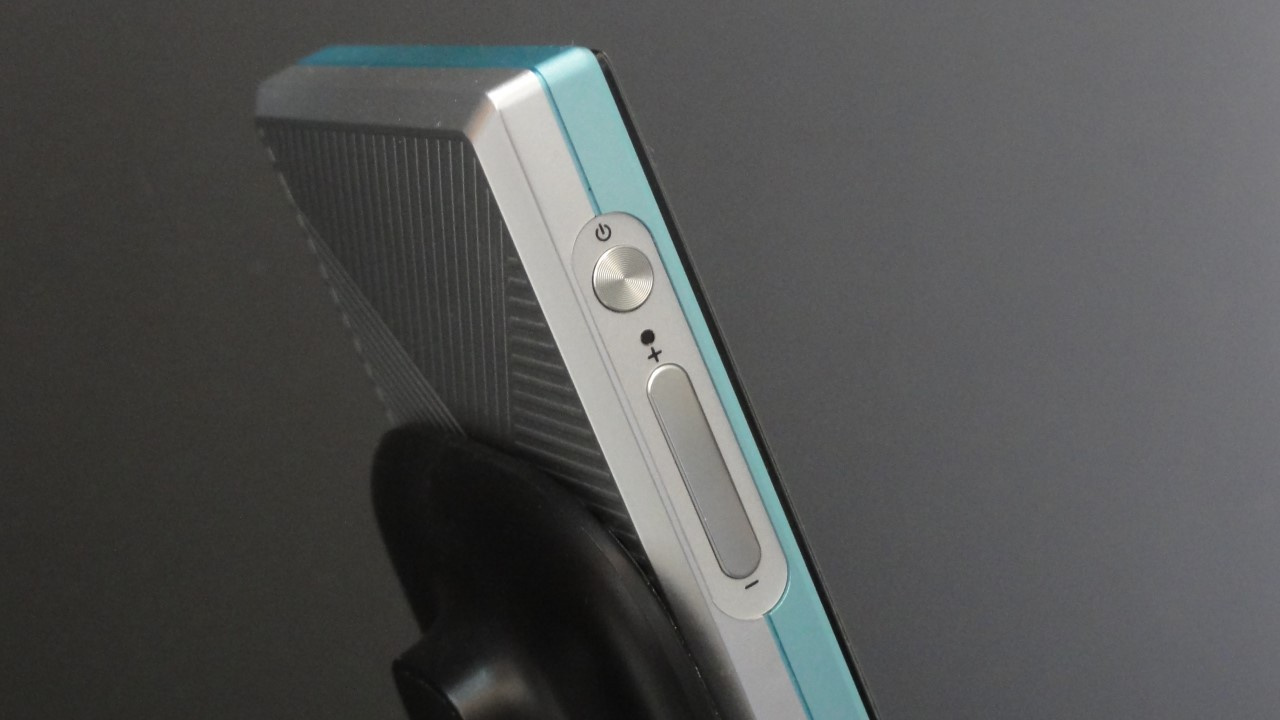
The physical volume button appears to be made of metal. In contrast, the music playback control buttons and the power on/off/lock button gave me the impression of being made of plastic.
At the bottom right corner, the JM21 features a structure for attaching a lanyard, allowing the user to secure the DAP to the wrist. The pin designed for tying the cord is only fitted in place, not glued, which causes a slight noise if the player is shaken.
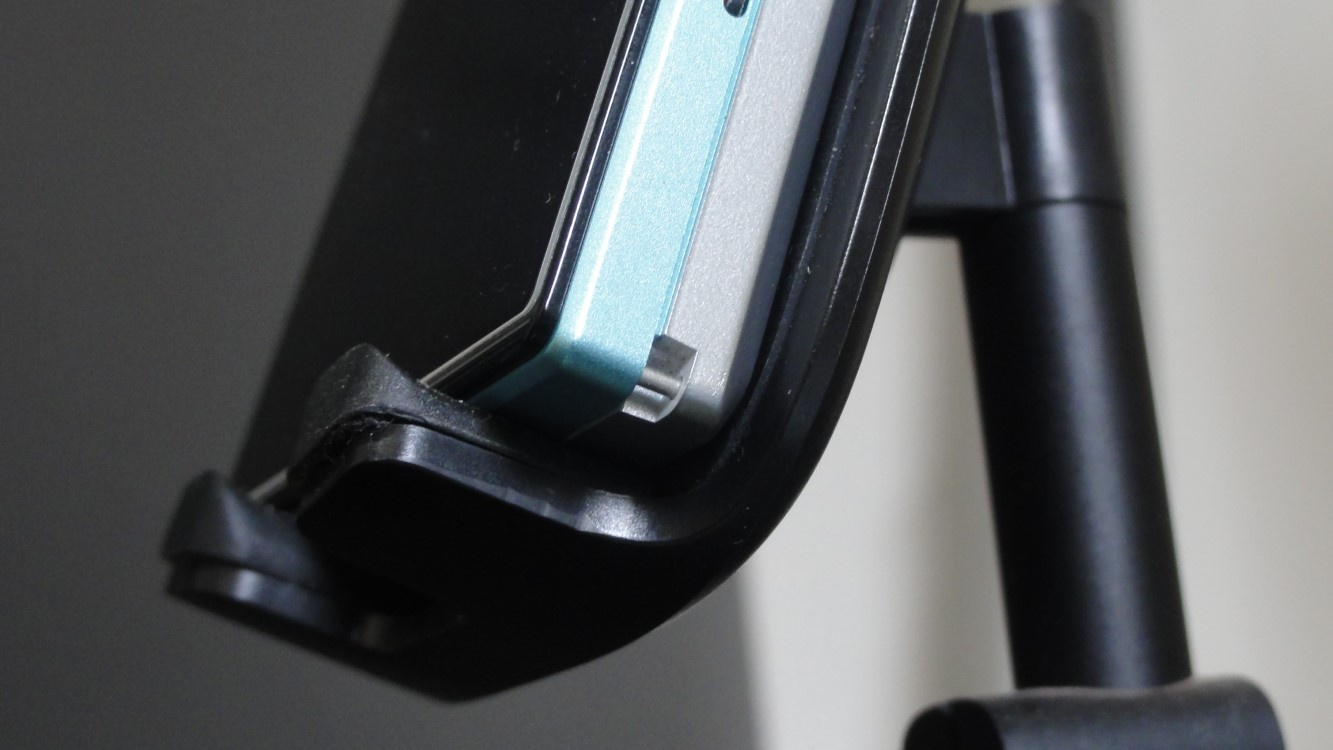
See below the unboxing video of the FiiO JM21, in which I show the structure of the DAP.
Internally, the JM21 is equipped with a pair of Cirrus Logic CS43198 DACs and two SGM8262-2 operational amplifiers (op-amps) from SG Micro. According to the data obtained from measurements conducted by Henrique Rocha, from the YouTube channel Ankramutt Audio, the FiiO JM21 DAP provides the following output power values:
| Impedance | Power (3.5 mm output) | Power (4.4 mm output) |
| 8 ohms | 56 mW (LG) / 233 mW (MG) / 417 mW (HG) | 123 mW (LG) / 422 mW (MG) / 426 mW (HG) |
| 10 ohms | 45 mW (LG) / 189 mW (MG) / 428 mW (HG) | 105 mW (LG) / 453 mW (MG) / 585 mW (HG) |
| 16 ohms | 30 mW (LG) / 131 mW (MG) / 449 mW (HG) | 80 mW (LG) / 345 mW (MG) / 990 mW (HG) |
| 26 ohms | 20 mW (LG) / 85 mW (MG) / 332 mW (HG) | 53 mW (LG) / 231 mW (MG) / 927 mW (HG) |
| 32 ohms | 17 mW (LG) / 69 mW (MG) / 272 mW (HG) | 44 mW (LG) / 191 mW (MG) / 766 mW (HG) |
| 48 ohms | 11 mW (LG) / 47 mW (MG) / 184 mW (HG) | 30 mW (LG) / 133 mW (MG) / 533 mW (HG) |
| 73 ohms | 8 mW (LG) / 31 mW (MG) / 123 mW (HG) | 21 mW (LG) / 90 mW (MG) / 361 mW (HG) |
| 149 ohms | 4 mW (LG) / 16 mW (MG) / 61 mW (HG) | 10 mW (LG) / 46 mW (MG) / 183 mW (HG) |
| 299 ohms | 2 mW (LG) / 8 mW (MG) / 31 mW (HG) | 5 mW (LG) / 23 mW (MG) / 93 mW (HG) |
Replacing the factory-applied screen protector on the FiiO JM21
The JM21 comes with a plastic screen protector applied at the factory. When replacing it with FiiO’s official tempered glass protector, called SF-JM21, the touch response improved considerably. However, I also decided to purchase the one sold by Mr. Shield.
The tempered glass protector sold by Mr. Shield for the FiiO JM21 has higher hardness than the FiiO SF-JM21 (9H versus 6H). In terms of installation, I preferred the tools included with the FiiO SF-JM21, especially the plate designed to press the protector evenly onto the device’s screen and the microfiber cloth, which is of better quality.
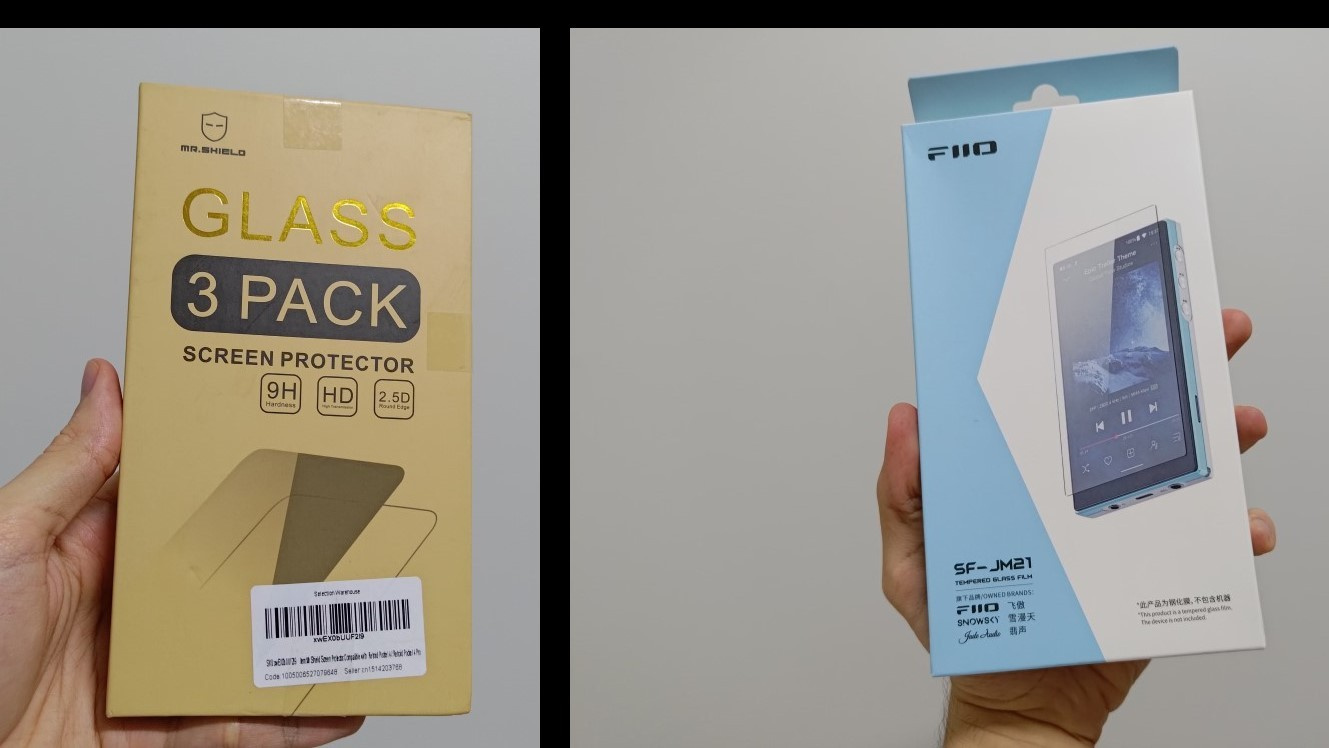
The adhesive quality of the Mr. Shield protector is superior, and I did not experience issues with dust or bubbles during application. It is important to mention that the dust-removal adhesive included in the box is not effective, and I recommend using 3M adhesive tape instead.
How portable the FiiO JM21 is
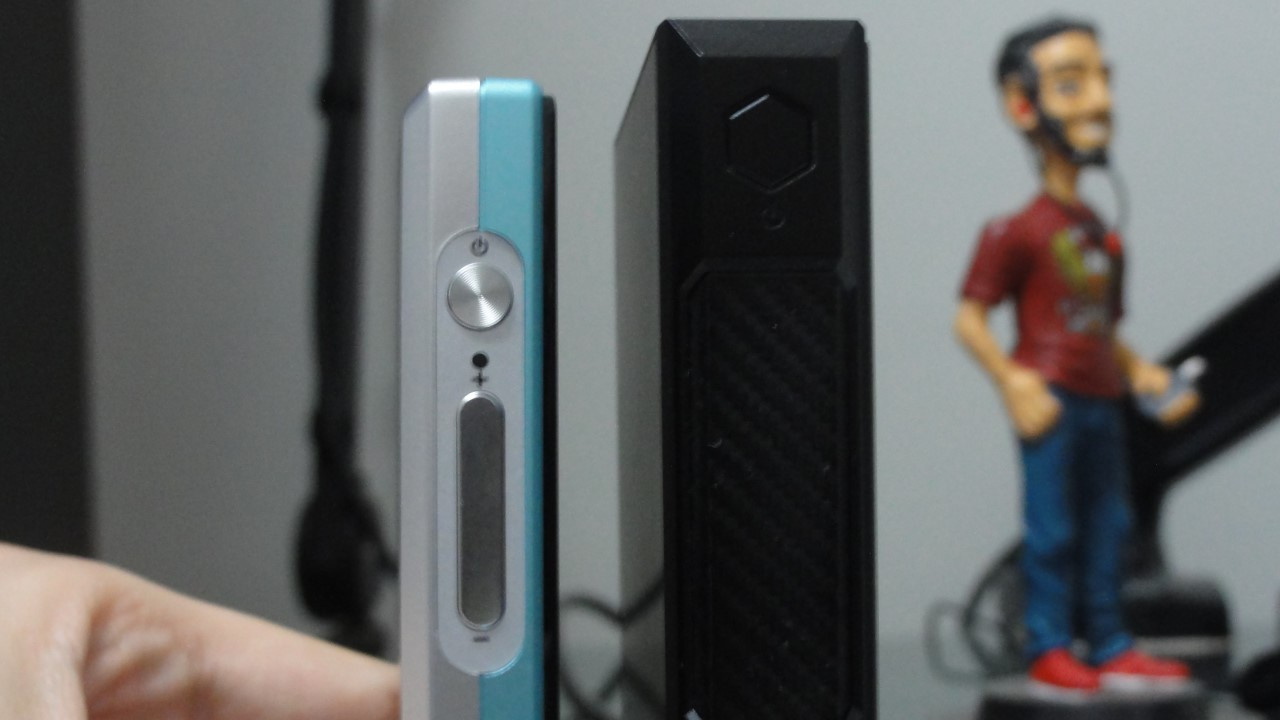
The portability of the JM21 is impressive when compared to most DAPs released in recent years. At only 13 mm thick, the JM21 is almost 10 mm thinner than the FiiO M11S, which is approximately 19 mm thick.
The JM21 weighs 156 g, almost half the weight of the M11S (271 g). With its slim and lightweight body, the result is a more comfortable grip when holding the device, and it is barely noticeable when placed in a pocket.
Boot time when powering on the FiiO JM21
When powering on the FiiO JM21, it takes approximately 30 seconds to complete the boot process. If you connect your wired earphones before turning on the screen, the touch response may fail when swiping to unlock. To avoid this, simply connect the cable after unlocking the screen.
The navigation experience on the FiiO JM21
Navigation on the JM21 proved to be fast and smooth both within the operating system and when using apps downloaded from the Play Store.
Specifically in FiiO Music, at first, I found scrolling through folders and tracks from albums stored on my microSD card to be somewhat slow. There was also a noticeable delay in loading the thumbnail images displayed next to each track.
After several firmware updates for the JM21 and updates to FiiO Music, navigation and image rendering became considerably better. As a result, the overall experience in the player’s native music application became much more pleasant in my view.
Tip: When using the crosshair icon located at the bottom left corner in the folder navigation of FiiO Music, you will be directed to the folder and track that are currently being played.
See below the video I made demonstrating the navigation experience on the FiiO JM21 with firmware version 1.0.7 and FiiO Music version 3.2.8.
Apps pre-installed on the FiiO JM21
The FiiO JM21 comes with the following apps pre-installed:
• Applications (FiiO’s app store)
• Clock
• Enter Sleep (JM21 sleep/hibernate mode)
• Equalizer (global EQ)
• FiiO Cast (allows control of the JM21 via a smartphone)
• FiiO Music (FiiO’s native music player)
• FiiO Roon (to use Roon on the JM21)
• Gallery (image gallery)
• Google Chrome
• Google Files
• Google Play Store
• Tape Mode (music playback mode that displays a cassette tape animation)
• Technical Support (firmware updates and issue feedback)
Using the FiiO JM21 USB DAC mode on Windows PCs
The USB DAC mode on the JM21, when connected to a Windows 10 laptop, exhibited high audio latency when watching YouTube videos through the Microsoft Edge browser, causing the voices to be out of sync with the speakers’ lip movements.
The measured delay was approximately 1 second and can be disturbing. For this reason, I recommend the FiiO JM21 only for music listening when used in USB DAC mode.
Using the USB port of the FiiO JM21 to connect an external DAC
The FiiO JM21 allows the user to connect a DAC or DAC/amp via USB. You may use a portable “dongle” DAC/amp, a desktop DAC/amp, or a dedicated DAC. Doing so is useful to achieve a different performance compared to the internal DAC and amplifier of the JM21.
When connecting the JM21 to a desktop DAC, it is possible to disable power delivery through the USB port, since only data transmission is required. To do this, go to Settings > Battery and enable the option Disable Battery Charging. This prevents sound interference caused by power delivery.
Using the coaxial output on the FiiO JM21
Like the USB port, the JM21’s coaxial output can also be used to connect a DAC or DAC/amp. To use the coaxial output, a digital cable with a 3.5 mm plug on one end and an RCA connector on the other is required.
The JM21 provides coaxial output through the 3.5 mm headphone jack. Digital signal transmission must be enabled before connecting the cable. To do this, go to Settings > Audio > Select 3.5 mm output mode and tap SPDIF.
Connecting the FiiO JM21 to an amplifier or active speakers
The JM21 allows you to connect it to an amplifier or active speakers to transmit audio. To do so, simply use the line out mode of the 3.5 mm and 4.4 mm outputs.
To enable line out mode, go to Settings > Audio > Select 3.5 mm output mode (or Select 4.4 mm output mode) and tap LO. Do not do this if a wired headphone is connected to the DAP. When using headphones, always select PO.
You can use the following cables with the JM21 line out:
• 3.5 mm to 3.5 mm cable
• 4.4 mm to 4.4 mm cable
• 3.5 mm to RCA cable
• 4.4 mm to XLR cable
Music playback in apps installed on the FiiO JM21
In all apps, two unusual behaviors occur during music playback on the FiiO JM21:
• When pausing the music for about 30 seconds and then pressing play, a “pop” noise occurs.
• When the next track has a different sample rate from the current one, a “pop” noise occurs at the beginning of playback (for example, the current track is at 44.1 kHz and the next one is at 96 kHz).
If you want to check the sample rate in any app, go to Settings > Display > Sample rate display.
It is important to note that all music applications installed on the JM21, when connected via USB or when headphones are plugged into the 3.5 mm or 4.4 mm outputs, bypass Android’s SRC (Sample Rate Conversion), which normally converts all audio to 48 kHz.
Tip: Properly format the microSD card used in your FiiO JM21
To properly format the microSD card for use in the FiiO JM21, you should format it directly using the DAP itself rather than using a desktop application on a PC. This ensures that data are written and read more efficiently.
Real-world battery life of the FiiO JM21
The battery life of the FiiO JM21 reached a maximum of 10 hours and 30 minutes in my tests. The minimum observed duration was 6 hours and 42 minutes. In terms of energy efficiency, I found that the average battery consumption [1] of the JM21 ranges from a minimum of 228.5 mA to a maximum of 373.8 mA.
Based on my tests, I obtained the following average battery life and average current consumption, respectively, considering the 2400 mAh capacity of the FiiO JM21 lithium-ion cell:
• 8 h 30 min / 282.3 mA – Listening to music in FiiO Music and Apple Music (downloaded tracks) with Wi-Fi off, 4.4 mm balanced output, volume 30, low gain.
• 6 h 42 min / 373.8 mA – Using Tidal in the USB Audio Player Pro (UAPP) app with Wi-Fi on, 4.4 mm balanced output, volume 30, low gain.
• 10 h 30 min / 228.5 mA – Listening to music in FiiO Music and Apple Music (downloaded tracks) with Wi-Fi off, 3.5 mm single-ended (SE) output, volume 60, low gain.
• 8 h 42 min / 285 mA – Using Tidal in UAPP with Wi-Fi on, 3.5 mm SE output, volume 60, low gain.
The factors that most influenced battery life were having Wi-Fi enabled and using the balanced output. When leaving the JM21 powered on continuously without turning it off after listening, with no application open, that is, in idle state, consumption was only 0.5% per hour.
I recommend performing three full battery cycles to achieve optimal battery performance. A full cycle corresponds to using the device from a fully charged state until the battery is completely depleted.
[1] Average battery consumption is the average usage rate, calculated by dividing the battery capacity, measured in milliampere-hours (mAh), by the battery life, which is the time the battery supplies power to the device, measured in hours (h) and/or minutes (min). The lower the value, the better the energy efficiency. Example: 2400 mAh / 10.5 h = 228.57 mA.
What is the correct way to charge the FiiO JM21 battery?
FiiO recommends using a charger rated at a minimum of 5 V / 2 A for the JM21. The charger must be capable of supplying at least 2 amperes; therefore, it should not be, for example, a 5 V / 1 A charger. Note that the JM21 does not support fast charging.
Is the Wi-Fi signal of the FiiO JM21 good?
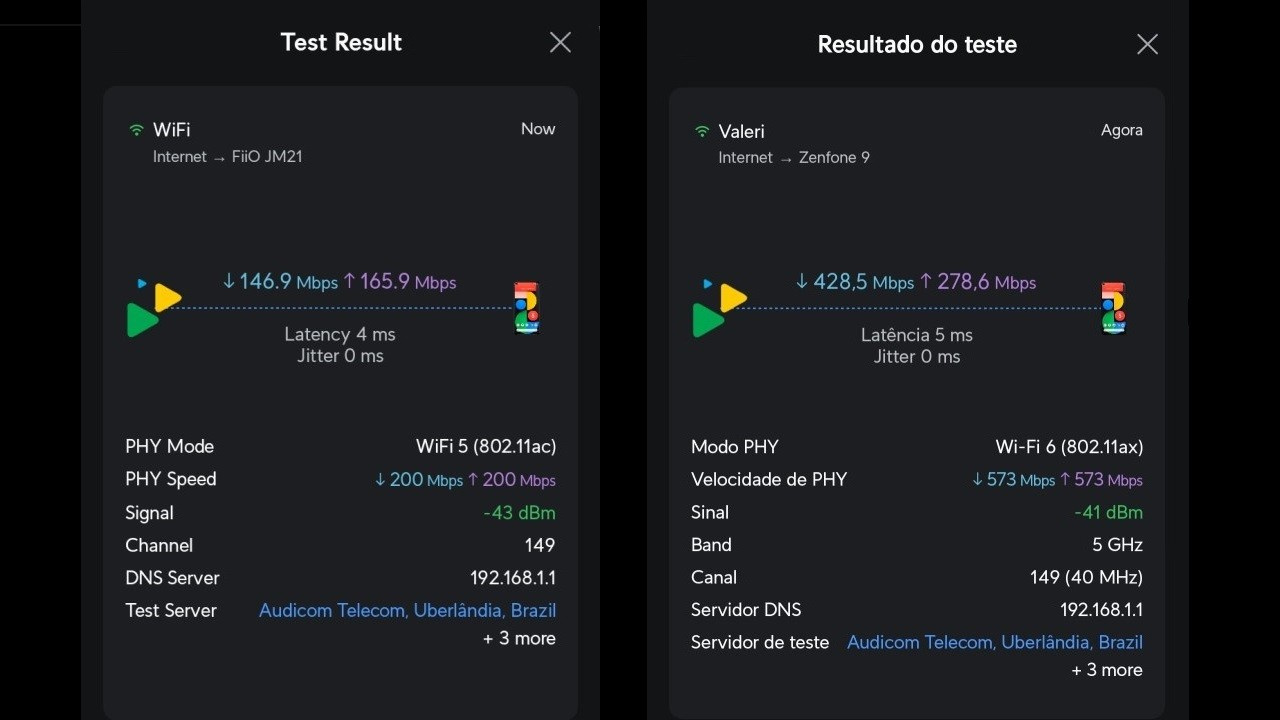
The FiiO JM21 shows good Wi-Fi reception compared to smartphones. To verify this, I used my Asus Zenfone 9 as a reference device. The application used for the measurements was Wifiman, developed by Ubiquiti, a manufacturer of network distribution equipment.
Both devices were placed on a phone stand and positioned so that there were no obstacles between them and the Ubiquiti UniFi U6 Lite access point. The Zenfone 9 achieved a Wi-Fi signal approximately 2 dB stronger than that of the JM21. In terms of latency, interestingly, the JM21 achieved a value 1 ms lower than the Zenfone 9.
Regarding download and upload speeds, the difference was significant. The Zenfone 9 achieved 428 Mbps (download) and 278 Mbps (upload), whereas the JM21 reached 146 Mbps (download) and 165 Mbps (upload).
Sound characteristics of the FiiO JM21
In my perception, the sound of the FiiO JM21 tends toward neutrality, with a slight emphasis in the treble and less voluminous bass. This sonic signature favors long listening sessions lasting several hours without causing listening fatigue.
Initially, when listening to the JM21 for the first time, I had the impression of a very calm sound, in which nothing stood out. However, over time, my perception changed, and I now consider it balanced and, at the same time, musical. I noticed that the bass gained slightly more weight and the treble became more refined after six months of use.
The bass of the JM21 has less quantity than what is typically found in other portable music players. Personally, I consider this an excellent characteristic, as it makes the music less congested and more pleasant to listen to for hours without fatigue. At the same time, I observed a good level of depth and texture in the lower frequencies.
The midrange is present and lively, benefiting from the transition into the treble region. In the higher frequencies, there is a good level of brightness, providing clarity to the sounds of instruments and voices. Over time, I perceived improvements in extension and decay in the treble, resulting in greater detail retrieval.
The level of background silence of the JM21 particularly caught my attention, especially in genres such as jazz and classical music. With a “blacker” background, it becomes easier to perceive subtle nuances in the reproduced sounds.
The soundstage and instrument separation of the JM21 are not as strong as those of DAPs such as the FiiO M11S and other higher-end models. However, this does not constitute a critical weakness, and it is possible to adapt to it after some listening time.
Music playback on the FiiO JM21 via Bluetooth
When using the Sennheiser Momentum True Wireless 4 TWS in-ear headphones, I noticed that when pressing play for the first time, the sound of the first few seconds of the track played on Apple Music did not play. I had to restart the track to hear its beginning. This issue did not recur for the remainder of the playlist.
To use the aptX codec, it is necessary to access the JM21’s Settings app, select Audio, tap Bluetooth Audio Encoder, and choose aptX before connecting the Bluetooth device to the DAP. If this procedure is not followed, the codec selected automatically will be AAC or SBC.
Some users reported issues with audio lag during playback, but fortunately, I did not encounter this problem in my tests. Music playback, even with different sample rates, occurred normally with tracks downloaded from Apple Music for offline listening.
If your headphones or Bluetooth speaker support the LDAC codec, it is possible to adjust the bitrate used. This is useful for achieving good audio quality and improving signal stability while reducing battery consumption. Access this feature via Settings > Audio > Bluetooth Audio LDAC Encoder: Playback Quality.
Conclusion
The FiiO JM21 not only delivers excellent value for money in terms of sound quality, but it also returns to the essence of what is expected from a portable player, making it a strong choice for those looking for something lightweight, slim, and compact to carry anywhere in a pocket.
In my view, the JM21 is the best player on the market under US$200 with support for music streaming, capable of downloading tracks for offline listening, offering the greatest number of features, the best processing capability, the highest output power, and the widest range of connectivity options.
With firmware version 1.0.7, FiiO added Tape Mode, bringing an interesting touch of nostalgia for some users. Check it out in the video below.
No comments have been made yet, be the first!