Apple Music dark mode showing white background? Fix it
From: Vitor Valeri
A headphone hobbyist for over 15 years, he founded the Hi-Fi Hub website and is an administrator of the "Fones High-End" and "Fones Low-End" groups on Facebook.
Published in: 25/03/26 at 13:52 - Updated in: 25/03/26 at 15:00
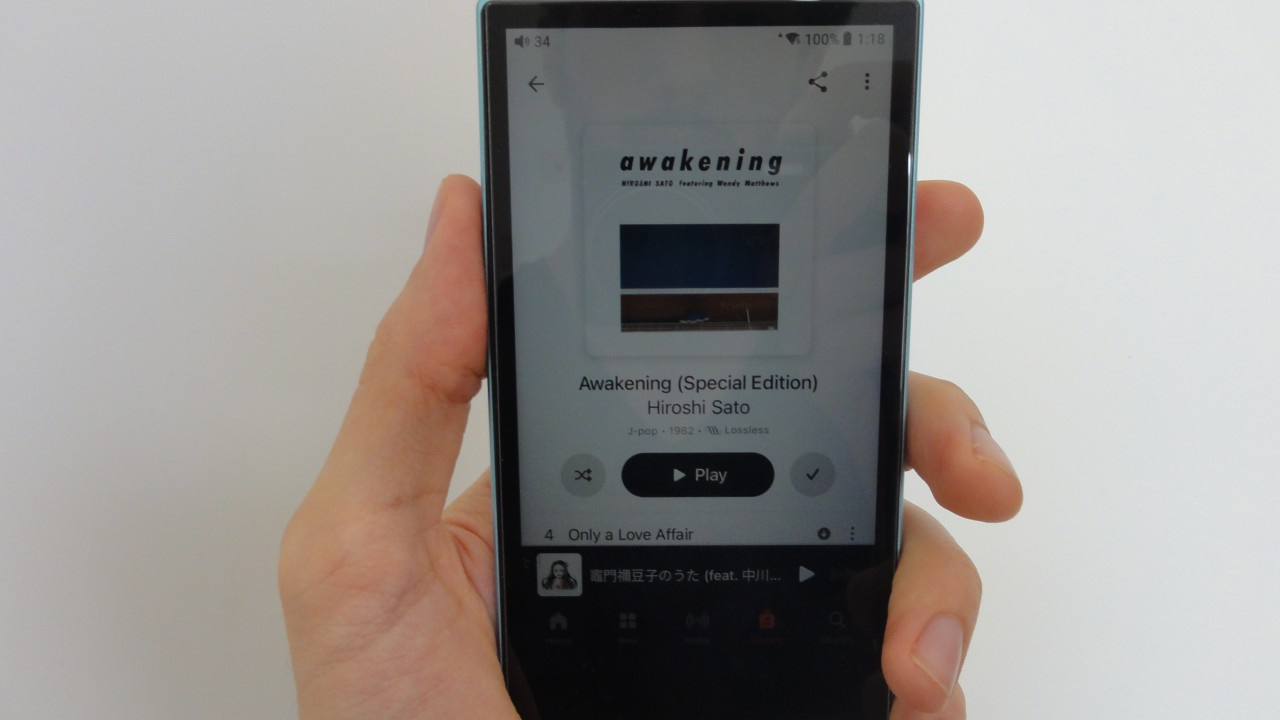
Photo of Apple Music in dark mode after installing update 5.2.0 (1541) (Image: Vitor Valeri/Hi-Fi Hub)
Apple Music began displaying a white background even when dark mode is enabled following the latest update. The issue affects Android smartphones. This behavior occurs only when the album artwork contains white tones. The following explains why this occurs and how to resolve it.
Apple Music update 5.2.0 (1541) causes issues in dark mode
With update 5.2.0 (1541), Apple Music for Android introduced a new design for the screens displaying album artwork and track listings. The background color of the interface now dynamically adapts to the dominant colors of the album artwork. However, this change has led to issues when using the application in dark mode.
When the selected album contains white tones, the background becomes white. This issue occurs even if dark mode is enabled in the Apple Music settings.
Screenshot showing a white background in dark mode (Image: Vitor Valeri/Hi-Fi Hub)
How to fix the white background in Apple Music dark mode
The steps below describe how to resolve the white background issue in dark mode for the Apple Music app on Android.
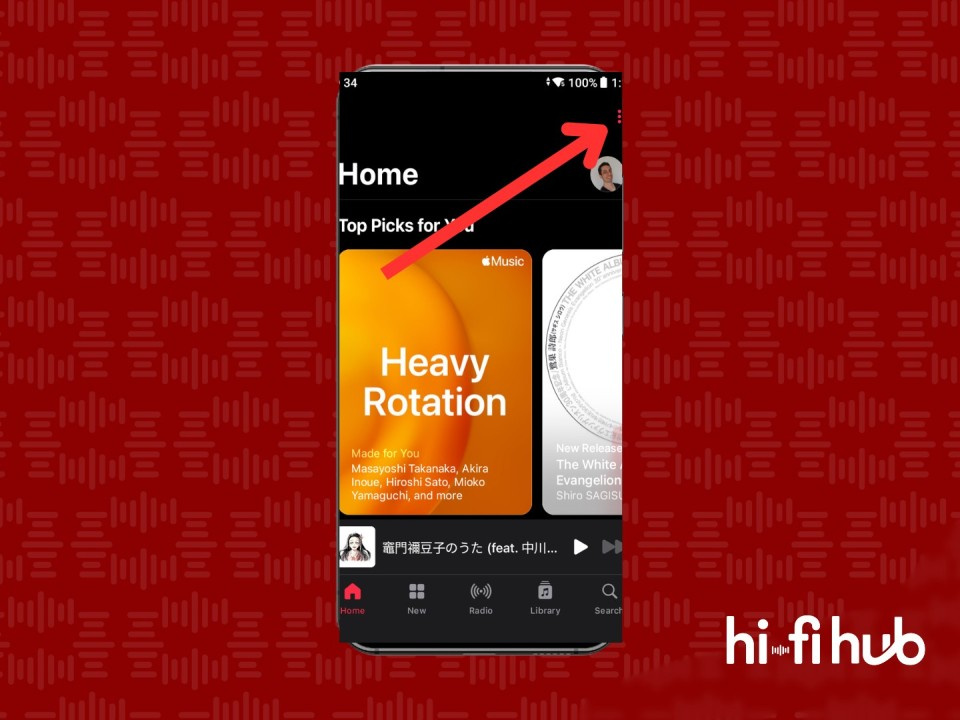
Step 01: On the Apple Music home screen, tap the three-dot icon in the upper-right corner to open the dropdown menu.
Step 01 – How to fix the white background in Apple Music dark mode (Image: Vitor Valeri/Hi-Fi Hub)
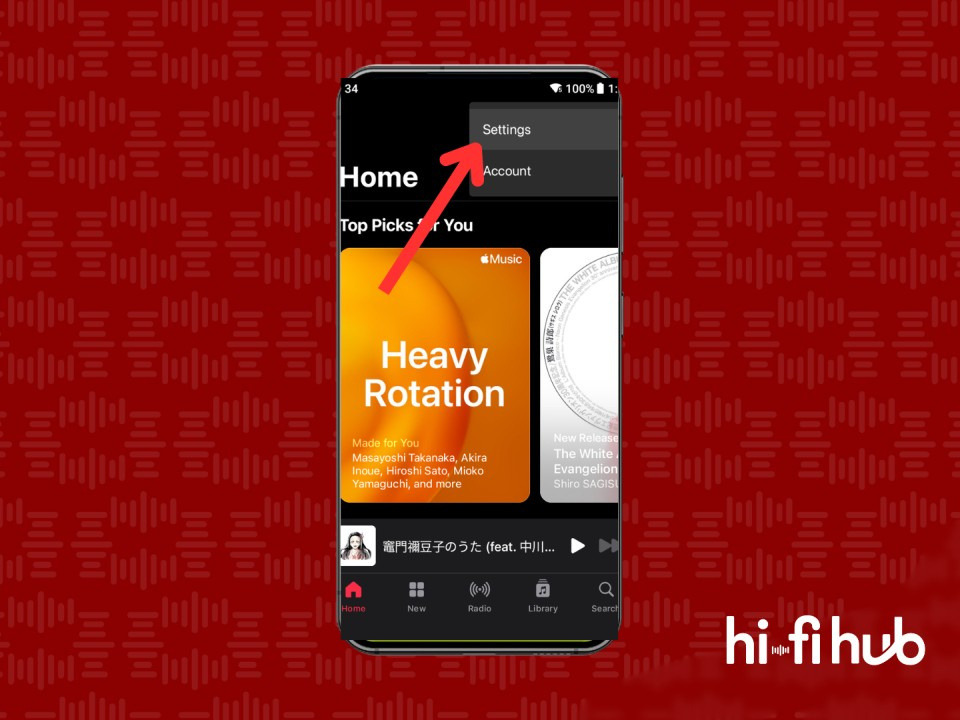
Step 02: From the dropdown menu, select “Settings.”
Step 02 – How to fix the white background in Apple Music dark mode (Image: Vitor Valeri/Hi-Fi Hub)
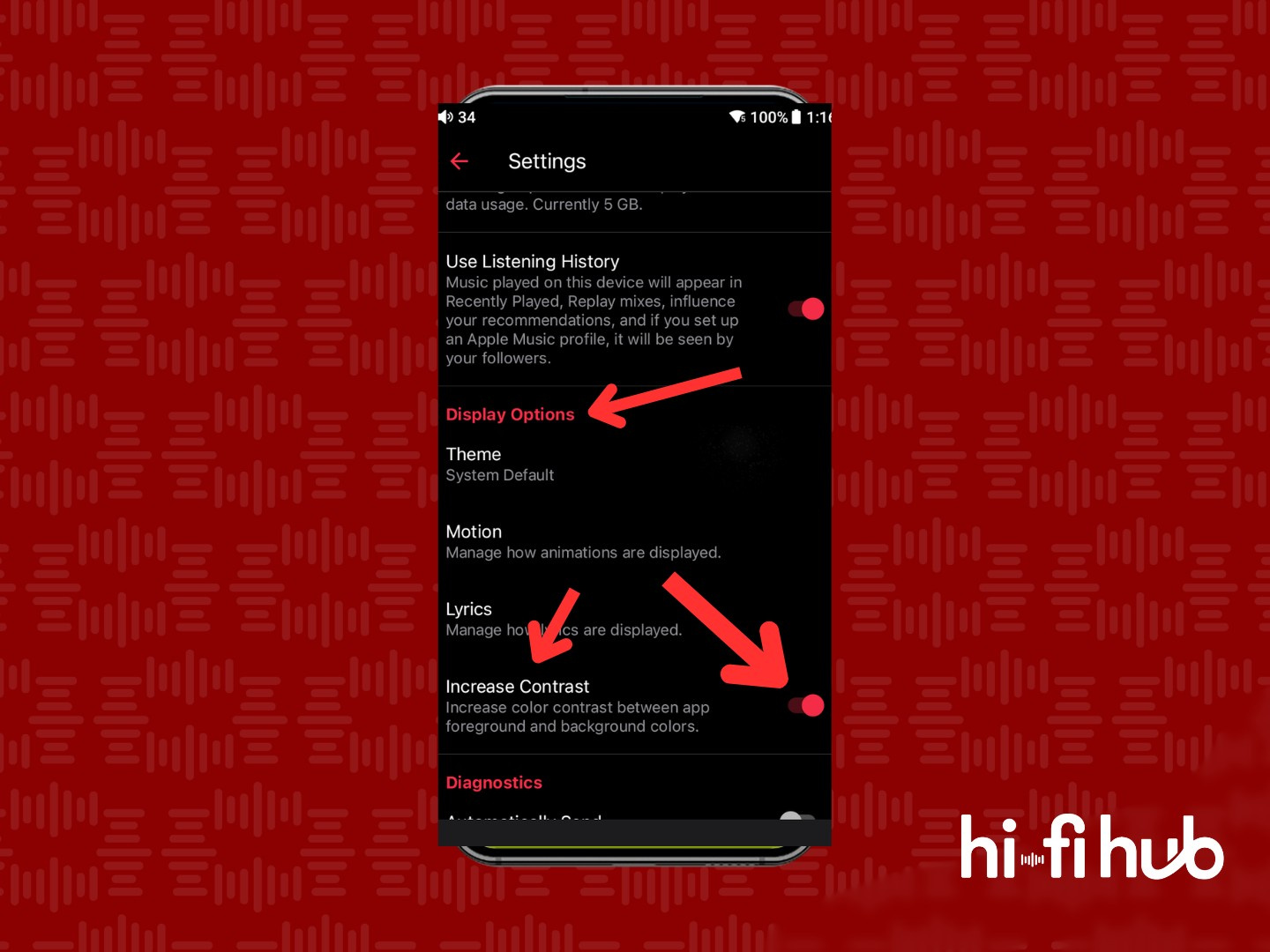
Step 03: Scroll down to the “Display Options” section and toggle on the “Increase Contrast” feature.
Step 03 – How to fix the white background in Apple Music dark mode (Image: Vitor Valeri/Hi-Fi Hub)
Once completed, album pages with white tones will no longer display a white background, even when dark mode is enabled in Apple Music settings.
Screenshot showing the white background issue in dark mode fixed (Image: Vitor Valeri/Hi-Fi Hub)
Thank you! I was in Light mode and suddenly multiple playlists were in white text on navy/maroon background. The whole reason I switched to apple music after google music got folded into youtube was because youtube had a white text on black- which I can't read without suffering a headache.
I was on the support line and They just kept telling me to go to media and purchases, which aren't even options in any of my settings! I was fully prepared to have to switch music service again. Thank you!