

Snowsky DISC Firmware 2.09 Adds Gapless Playback and Bluetooth Receiver Mode
From: Vitor Valeri
A headphone hobbyist for over 15 years, he founded the Hi-Fi Hub website and is an administrator of the "Fones High-End" and "Fones Low-End" groups on Facebook.


Published in: 05/06/26 at 16:30 - Updated in: 06/06/26 at 08:48
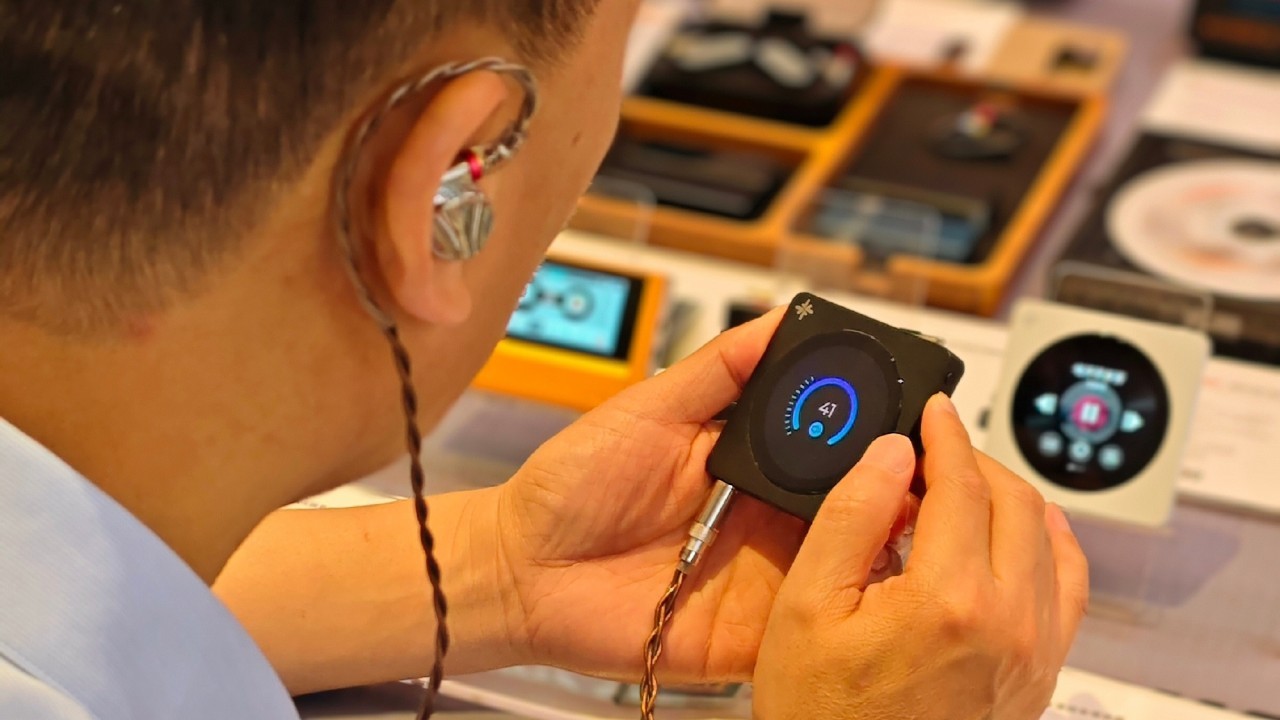 Snowsky DISC Digital Audio Player (DAP) (Image: FiiO/Weibo)
The V2.09 firmware for the Snowsky DISC began rolling out today (June 5) and finally brings the long-awaited gapless playback feature. The new update introduces five new features, two optimizations, and one bug fix. Although the update has not yet been officially announced by FiiO, users on Reddit have confirmed its OTA availability.
DISC Gains Gapless Playback, Bluetooth Receiver Mode, and More
Firmware version 2.09 enables the Snowsky DISC to play music seamlessly without interruptions between tracks through gapless playback. This feature had been promised since the launch of the Digital Audio Player (DAP) but has only now been implemented.
In addition, Bluetooth Receiver Mode has been added, allowing the DAP to receive audio from external devices, such as music streaming applications running on a smartphone.
Another highly requested feature among DISC users was the addition of sorting options by “Artist” and “Album Artist” in category-based playback. Alongside this enhancement, a customizable equalizer has also been introduced, allowing users to create their own EQ settings.
Last but not least, the update adds the ability to remember the previously selected operating mode when switching between the DISC’s available modes.
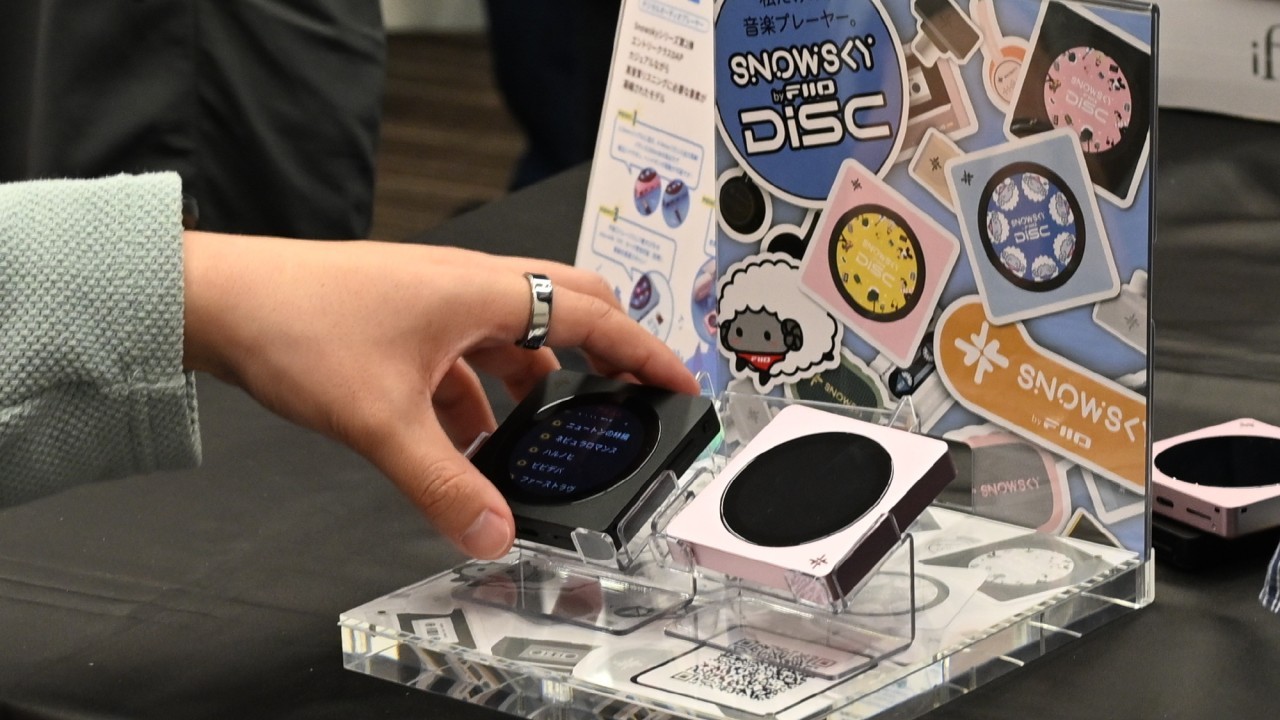
Fixes and Optimizations for Bluetooth Transmission and USB DAC Mode
Firmware V2.09 for the Snowsky DISC also includes compatibility improvements for Bluetooth transmission. In addition, compatibility with external devices when using the DAP in USB DAC mode has been enhanced.
Snowsky DISC Firmware V2.09 Changelog
The complete changelog for Snowsky DISC firmware V2.09 is provided below.
• New Feature 01: Bluetooth Receiver Mode.
• New Feature 02: Gapless Playback.
• New Feature 03: Memory function for the selected mode when switching between modes.
• New Feature 04: Custom EQ adjustment.
• New Feature 05: Sorting toggle between Artist and Album Artist in category-based playback.
• Optimization 01: Improved connection compatibility in Bluetooth Transmitter Mode.
• Optimization 02: Improved USB audio connection compatibility.
• Fix 01: Resolved an issue that prevented tracks from being added to the “Favorites” and “My Playlists” menus after updating.

Where to Submit Feedback for the DISC
To report issues, suggest new features, or request enhancements for the DISC, the best place to contact FiiO is the DAP’s dedicated discussion thread on the Head-Fi forum. Through the thread, users can interact directly with the FiiO representative known as “FiiO ALAN.”
How to Update the Snowsky DISC Firmware
Before updating the Snowsky DISC firmware, it is recommended that the DAP’s battery level be above 30%.
The easiest way to install the update is via Wi-Fi, although it can also be performed manually by downloading the firmware package. Additionally, FiiO recommends using a microSD card formatted in either FAT32 or exFAT during the update process.
How to Update the DISC via Wi-Fi
Step 01: Enable Wi-Fi, then go to Settings and tap System Settings.
Step 02: Locate and tap System Update, then select Online Upgrade.
Please note that the update process takes approximately 10 minutes to complete. The DAP will automatically restart once the firmware installation has finished.
How to update by downloading the firmware file
Step 01: On a computer, download the firmware file using the provided link.
Step 02: On the DISC, go to “Settings,” select “Working mode,” and tap “Storage mode.”
Step 03: Connect the DISC to the computer via a USB cable.
Step 04: Copy the firmware file to the DISC storage. Do not place it inside any folders.
Step 05: Disconnect the USB cable and exit “Storage mode.”
Step 06: Go to “Settings” and select “System Settings.”
Step 07: Scroll down, tap “System Updates,” and select “Local Upgrade.”
Step 08: Confirm the selection and wait.
Once completed, simply wait for the update process to finish, after which the DISC will restart with the new firmware installed.
Share:


Product launches
FiiO BTR25 Launches With aptX Lossless and Magnetic Clip
Product launches
SNOWSKY MAGE: Gaming USB DAC With Mic Input at US$ 20
Product launches
No comments have been made yet, be the first!