

Snowsky Echo, Echo Mini and Retro Nano receive firmware update
From: Vitor Valeri
A headphone hobbyist for over 15 years, he founded the Hi-Fi Hub website and is an administrator of the "Fones High-End" and "Fones Low-End" groups on Facebook.


Published in: 07/07/26 at 15:17
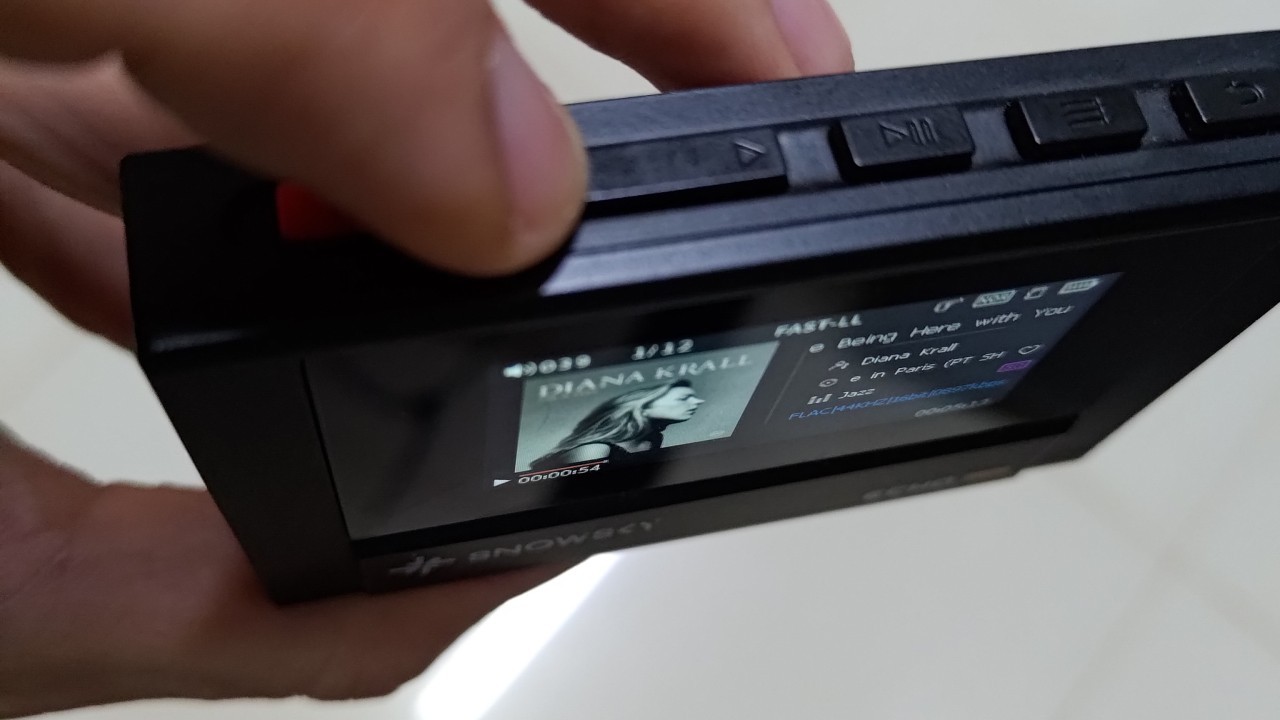
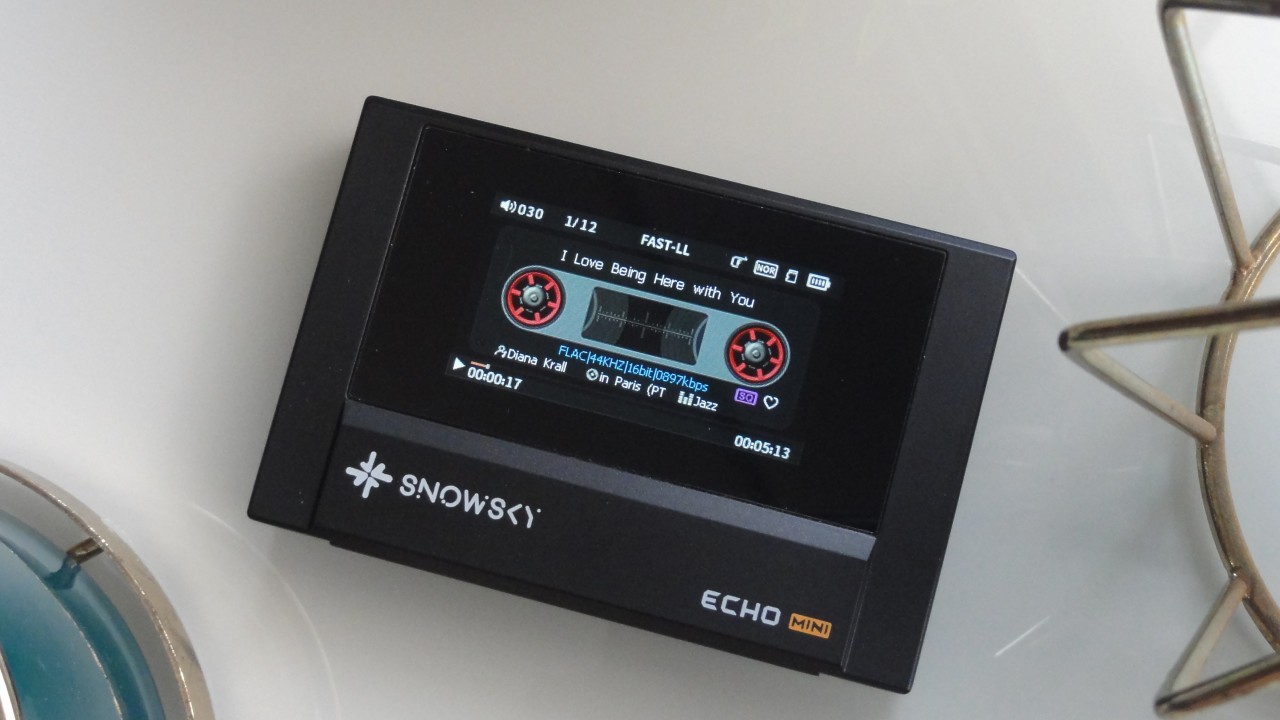 Snowsky Echo Mini Digital Audio Player (DAP) (Image: Vitor Valeri/Hi-Fi Hub)
Snowsky released new firmware today (July 7) for the Retro Nano and its Echo and Echo Mini Digital Audio Players (DAPs). While the Echo series introduces a new button operation mode, the Retro Nano receives a new robot-themed display with animated facial expressions. In addition to these new features, the updates also fix FLAC tag display issues and refine the logic for returning to the previous track.
Echo and Echo Mini receive a new button mode, FLAC tag display fixes, and more
Updating the Echo Mini to firmware v3.7.0 and the Echo to firmware v1.7.0 fixes the display of metadata tags for FLAC files. In addition, Snowsky has introduced a new button operation mode for both DAPs.
The update also refines the logic for returning to the previous track. Below are the details of all the changes introduced in the latest firmware for the Echo and Echo Mini.
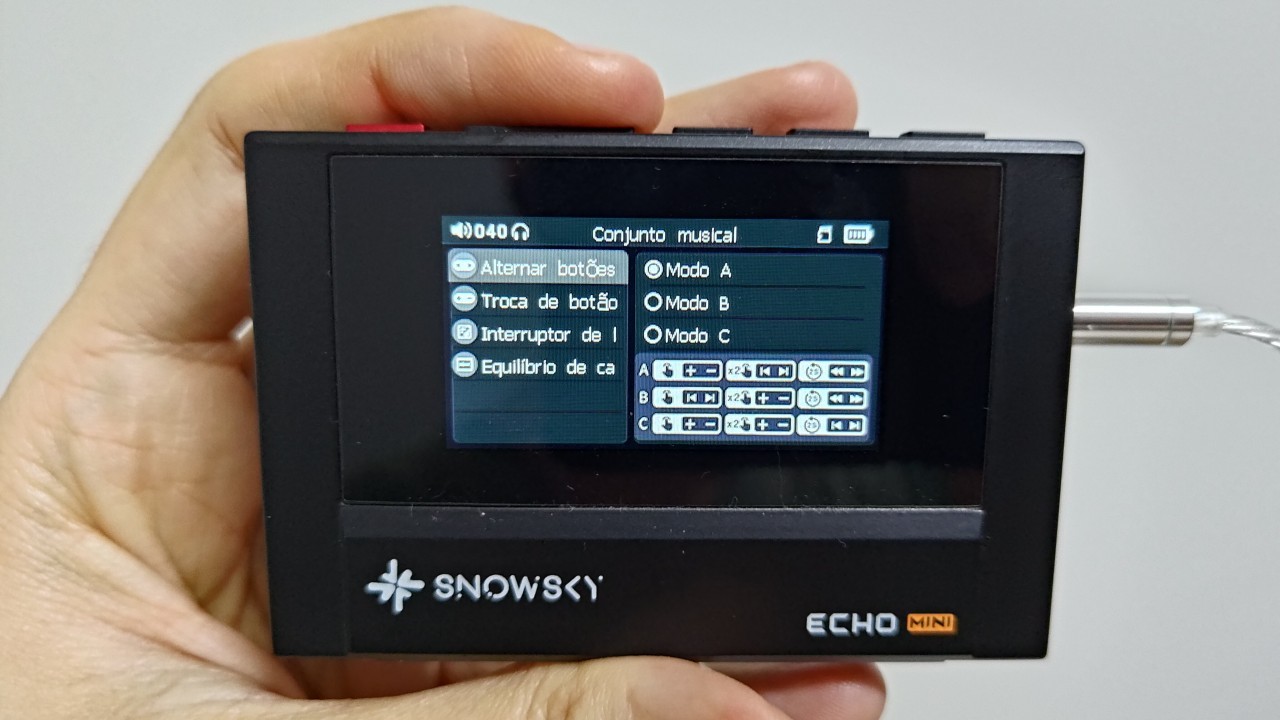
How the new “Button Mode C” works
Previously, the Echo and Echo Mini offered Button Modes A and B, allowing users to adjust volume, skip tracks, and fast-forward within a track. The latest firmware adds a third option, Button Mode C.
In Button Mode C, users can adjust the volume by pressing the previous or next track buttons once or twice. Holding either button for approximately two seconds skips to the previous or next track. See the image below for an overview of the functions available in Button Modes A, B, and C.
FLAC metadata display issue fixed
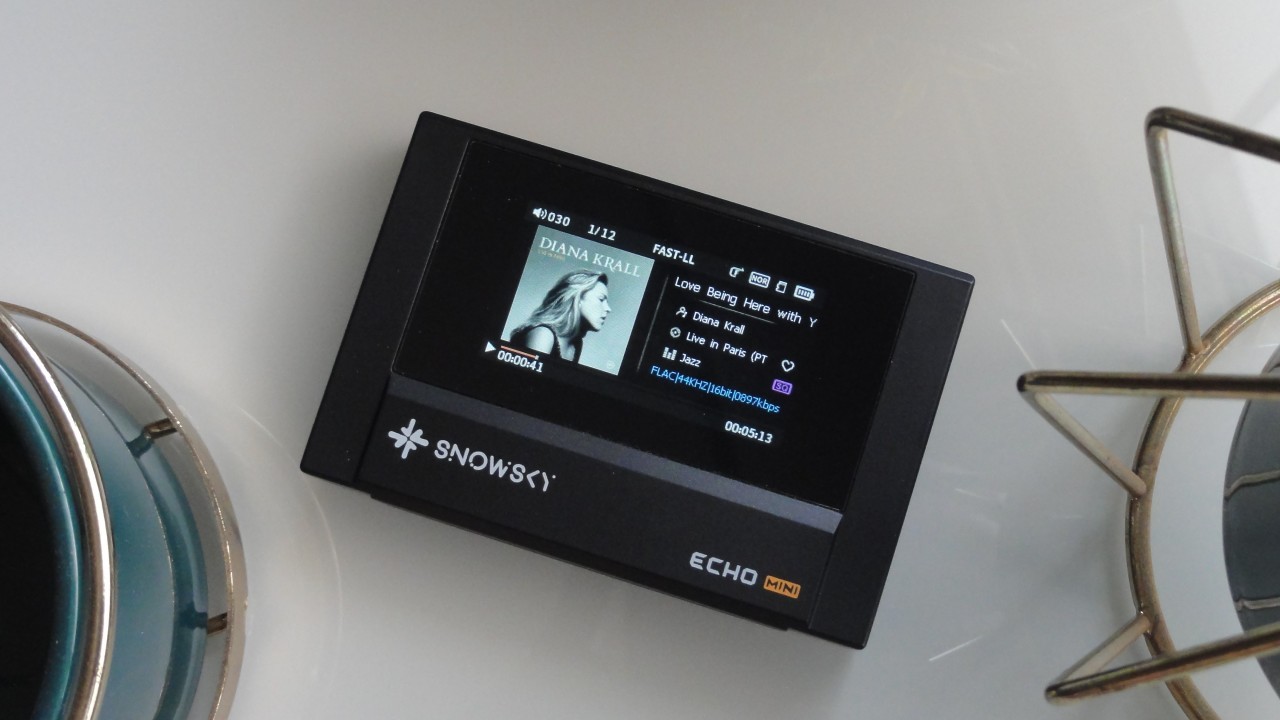
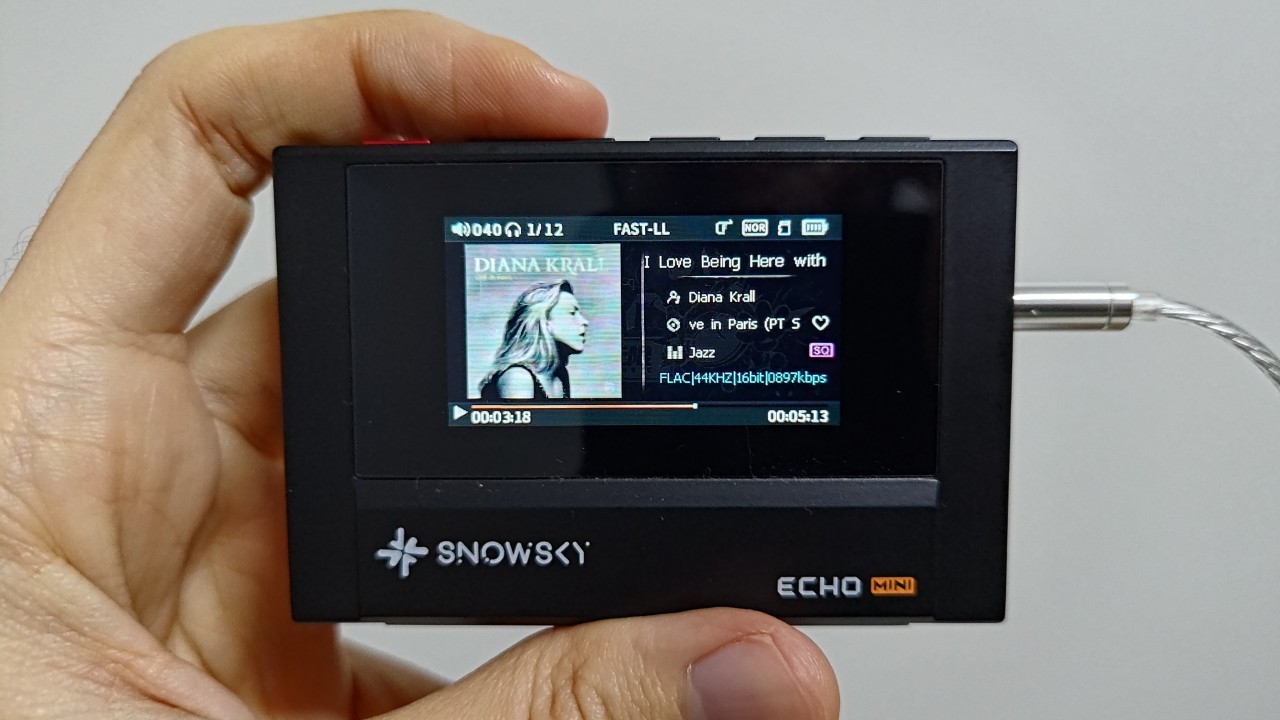
In previous firmware versions for the Echo and Echo Mini, users reported that metadata from certain FLAC files was not displayed correctly. In particular, information such as the music genre, album name, and artist name could fail to appear. Firmware v3.7.0 for the Echo Mini and v1.7.0 for the Echo resolve this issue.
Updated previous-track behavior
When Button Mode A is selected, pressing the previous-track button twice within the first three seconds of playback switches to the previous song. After the three-second mark, pressing the button twice restarts the current track from the beginning instead of returning to the previous one.
Retro Nano receives a new robot expression theme
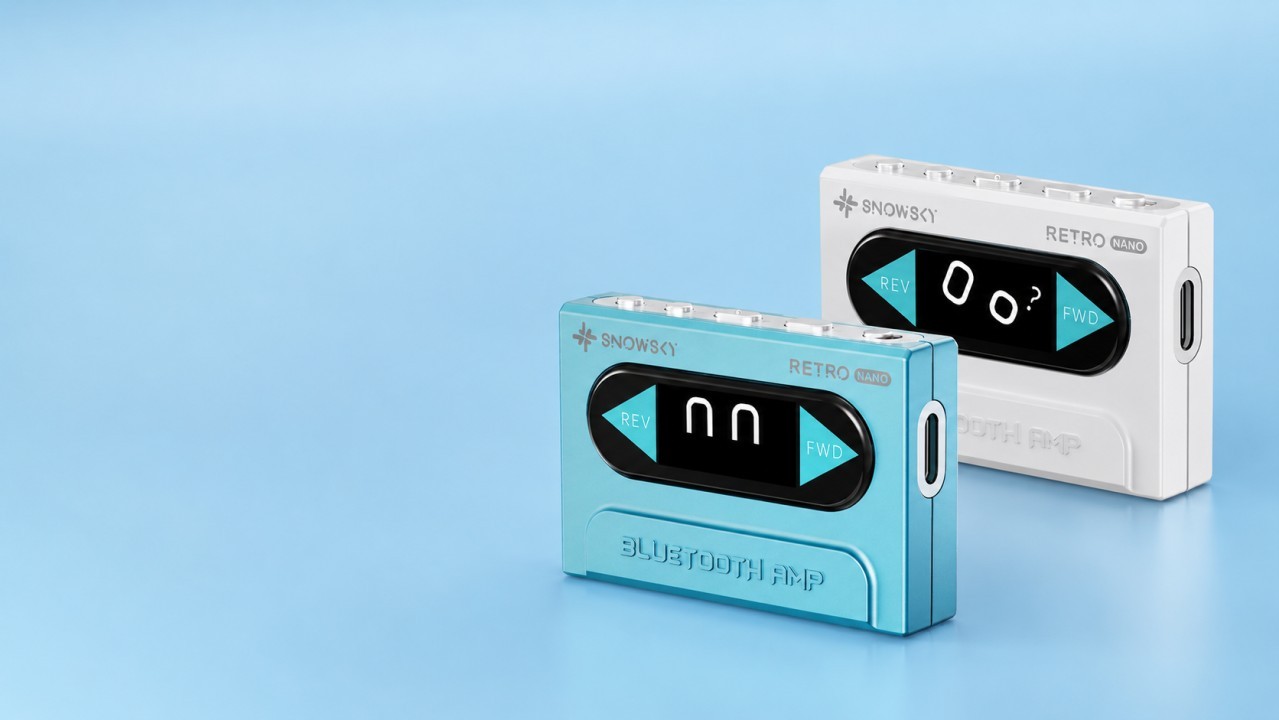
After updating to firmware v6.7, the Retro Nano gains a new Robot display theme featuring six animated facial expressions. These expressions appear randomly whenever the display is turned on or off.
Where to submit feedback for the Echo, Echo Mini, and Retro Nano
To report bugs, request new features, or suggest improvements for the Echo, Echo Mini, or Retro Nano, the best place is the Head-Fi forum. Each product has its own dedicated discussion thread, where FiiO/Snowsky representatives communicate directly with users.
• Snowsky Echo Head-Fi thread – FiiO representative: FiiO Kang
• Snowsky Echo Mini Head-Fi thread – FiiO representative: FiiO Kang
• Snowsky Retro Nano Head-Fi thread – FiiO representatives: FiiO-Yellow and FiiO Support Lin Lin
Snowsky Echo firmware v1.7.0 changelog
Below is the official changelog for Snowsky Echo firmware v1.7.0.
• Added the new Button Mode C.
• Fixed an issue where ID3 tags for certain FLAC files were not displayed.
• Optimized the previous-track logic.
• Improved media library loading speed.
• Other system optimizations.
Snowsky Echo Mini firmware v3.7.0 changelog
Below is the official changelog for Snowsky Echo Mini firmware v3.7.0.
• Added the new Button Mode C.
• Fixed an issue where ID3 tags for certain FLAC files were not displayed.
• Optimized the previous-track logic.
• Improved media library loading speed.
• Other system optimizations.
Snowsky Retro Nano firmware v6.7 changelog
Below is the official changelog for Snowsky Retro Nano firmware v6.7.
• Added a new Robot Expressions theme.
How to update the SnowSky Echo Mini and Snowsky Echo firmware
Because neither the Echo Mini nor the Echo supports Wi-Fi, firmware updates must be installed manually using a downloaded firmware file.
Step 1 – Download the appropriate firmware package using one of the following links:
• Echo Mini 8GB firmware v3.7.0 (HIFIEC file)
• Echo Mini 512MB firmware v3.7.0 (MINI file)
• Echo 8GB firmware v1.7.0
Step 2 – Remove the microSD card from the Echo Mini or Echo, then connect the player to a computer using a USB cable.
Step 3 – After connecting the DAP, select “USB DATA” instead of “USB DAC.”
Step 4 – Extract the downloaded archive and copy the HIFIECxxx.img firmware file to the Echo Mini or Echo’s internal storage.
Step 5 – Safely eject the Echo Mini or Echo from the computer.
Step 6 – Disconnect the USB cable.
Step 7 – Restart the Echo Mini or Echo to begin the firmware installation.
How to update the SnowSky Retro Nano firmware
The SnowSky Retro Nano supports both online and local firmware updates. During the update process, do not leave the firmware update screen in the FiiO Control app, as doing so may cause the installation to fail.
Online update
Step 1: Enable Bluetooth on your smartphone, install the FiiO Control app, and connect the SnowSky Retro Nano.
Step 2: On the Retro Nano page in the FiiO Control app, tap the Settings icon in the upper-right corner.
Step 3: Select “Firmware Upgrade”, then tap “Online Upgrade.”
Step 4: If a newer firmware version is available, a pop-up window will appear. Tap “OK” to begin the update.
Local update
Step 1: Download the firmware package using the corresponding download link.
Step 2: Copy the RETRO NANO_Vxxx.bin firmware file to your smartphone.
Step 3: Install the FiiO Control app and connect the SnowSky Retro Nano to your smartphone via Bluetooth.
Step 4: On the Retro Nano page in the FiiO Control app, tap the Settings icon in the upper-right corner.
Step 5: Select “Firmware Upgrade”, choose “Local Upgrade,” and then select the firmware file you copied to your smartphone.
About the SnowSky Echo and Snowsky Echo Mini
The SnowSky Echo and SnowSky Echo Mini are Digital Audio Players (DAPs), commonly referred to as MP3 players. Both devices rely exclusively on physical buttons for navigation and do not feature a touchscreen. Their cassette player-inspired design and non-Android operating system appeal to users seeking a distraction-free listening experience without smartphone notifications.
The Echo Mini is priced at approximately US$50, while the Echo retails for around US$70. The primary difference in price stems from the Echo Mini’s plastic chassis, whereas the Echo features an aluminum alloy enclosure. Both models are available through FiiO’s official AliExpress store via this link and this link.
Recently, Snowsky also introduced lower-capacity storage variants of both the Echo and Echo Mini.
About the SnowSky Retro Nano
The SnowSky Retro Nano is a portable Bluetooth DAC/headphone amplifier featuring a user-replaceable battery. Its design is inspired by a classic cassette player while maintaining an extremely compact footprint, measuring 5.5 × 3.7 × 1.3 cm and weighing only 28 g. The Retro Nano is available from FiiO’s official AliExpress store through this link.
Share:


Product launches
FiiO BTR25 Launches With aptX Lossless and Magnetic Clip
Product launches
SNOWSKY MAGE: Gaming USB DAC With Mic Input at US$ 20
Product launches
No comments have been made yet, be the first!