

Cayin CP6 Firmware 1.0.8 Adds Smartphone Control
From: Vitor Valeri
A headphone hobbyist for over 15 years, he founded the Hi-Fi Hub website and is an administrator of the "Fones High-End" and "Fones Low-End" groups on Facebook.


Published in: 24/11/26 at 15:00
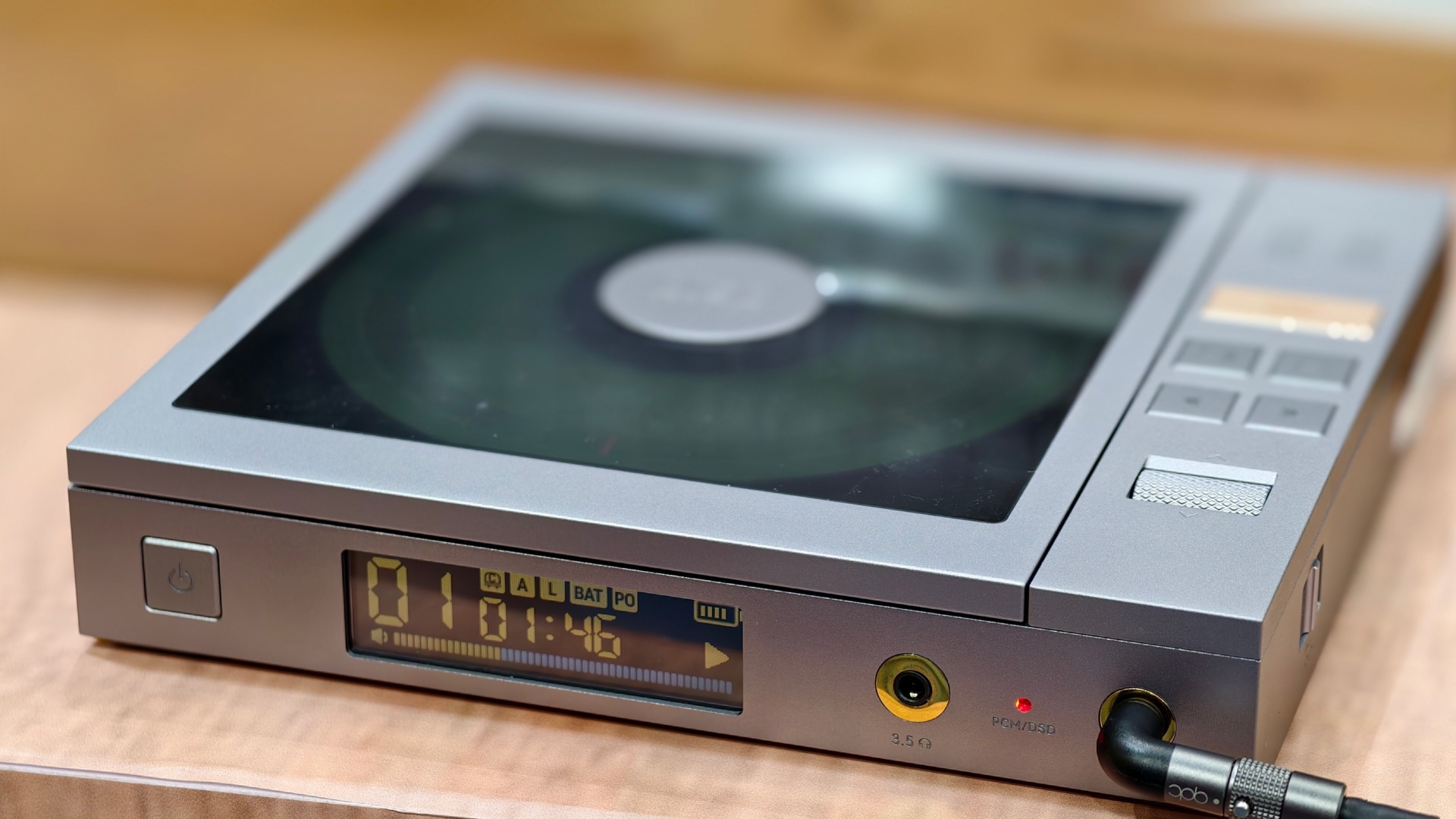 Cayin CP6 portable CD player (Image: 耳机林sir/weibo)
Cayin released a firmware update for the CP6 today (November 24) that allows a smartphone or tablet to serve as a remote control. With firmware version 1.0.8, users can now operate Cayin’s portable CD player remotely. The following sections describe which CP6 functions users can control from a mobile device and how to install the new firmware.
The CP6 now supports smartphone control
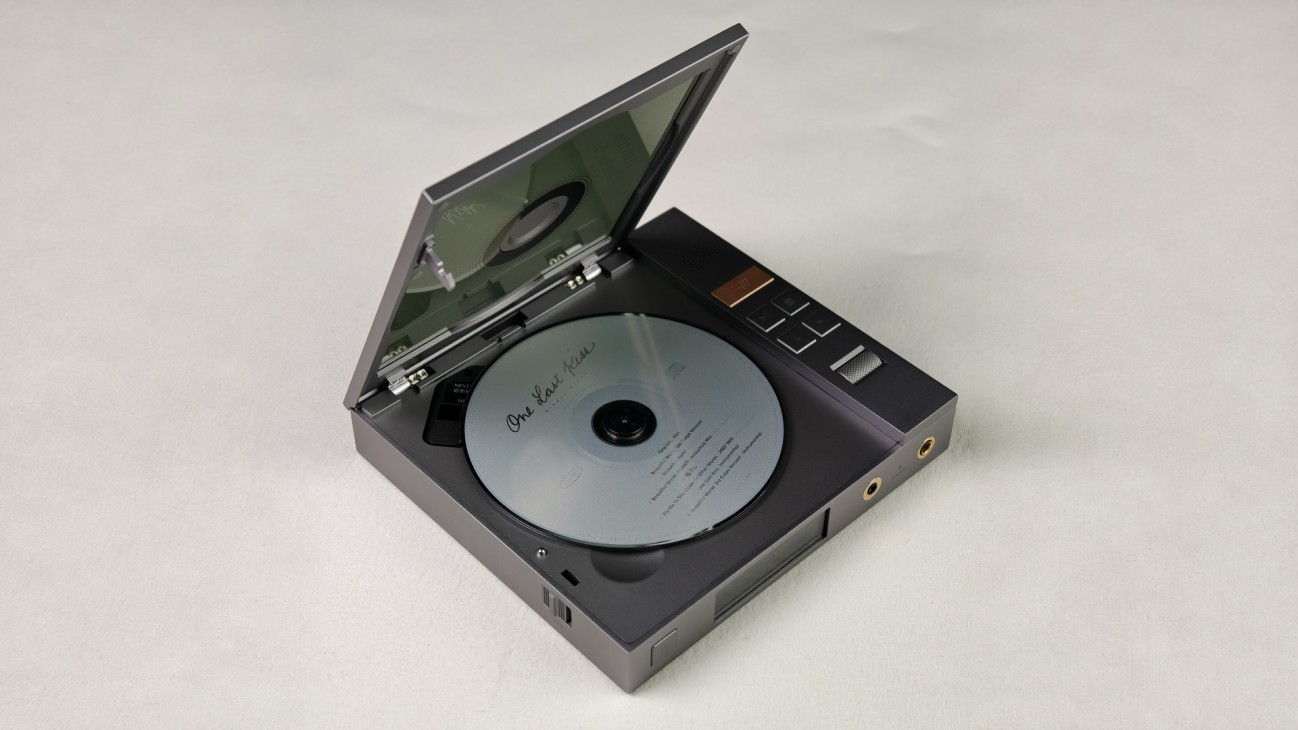
After updating the Cayin CP6 to firmware version 1.0.8, users can adjust its settings from the couch using a smartphone. This feature is useful for those who use Cayin’s portable CD player as a desktop source in a speaker system. In this setup, users can enable DC mode, which bypasses the battery to help preserve its lifespan.
What is required to control the CP6 remotely?
To control the Cayin CP6 remotely, users must install the Cayin Control app on their smartphone. The app is available for Android and iOS. Remote control of the CP6 requires Cayin Control version 1.1.5 or later.
Which CP6 functions can users control with Cayin Control?
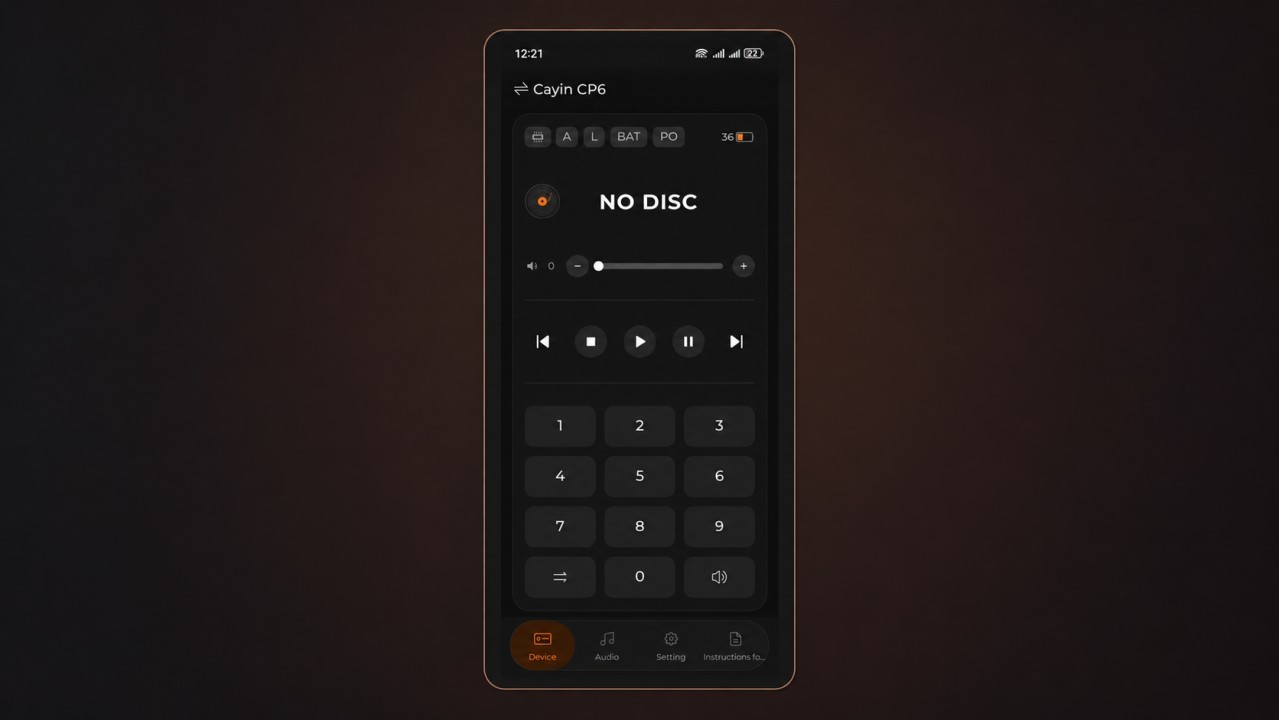
With CP6 firmware version 1.0.8 and Cayin Control version 1.1.5, users can control CD playback and adjust the volume. The screenshot below shows these controls in the app.
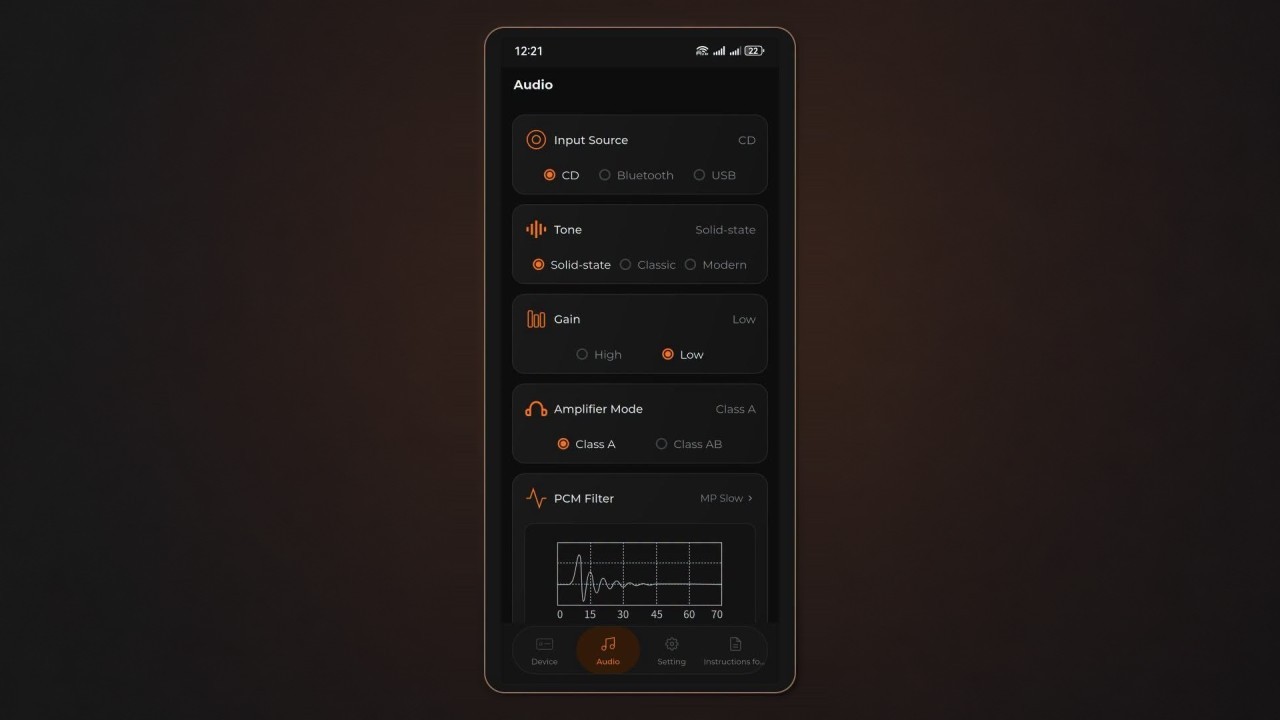
Users can also switch between inputs and select a sound signature. The CP6 offers three playback sources (CD, USB, and Bluetooth) and three sound signatures (Classic, Modern, and Solid-State). The following screenshot shows these options in the Cayin Control app.
How to update the Cayin CP6 firmware
Updating the Cayin CP6 firmware requires the Cayin Control app. If you have not yet installed it, download it from the Google Play Store for Android or the App Store for iOS. Once the app is installed, follow the steps below.
Step 1: Select CD mode on the Cayin CP6 and make sure the battery is at least 50% charged.
Step 2: Connect the Cayin Control app to the CP6.
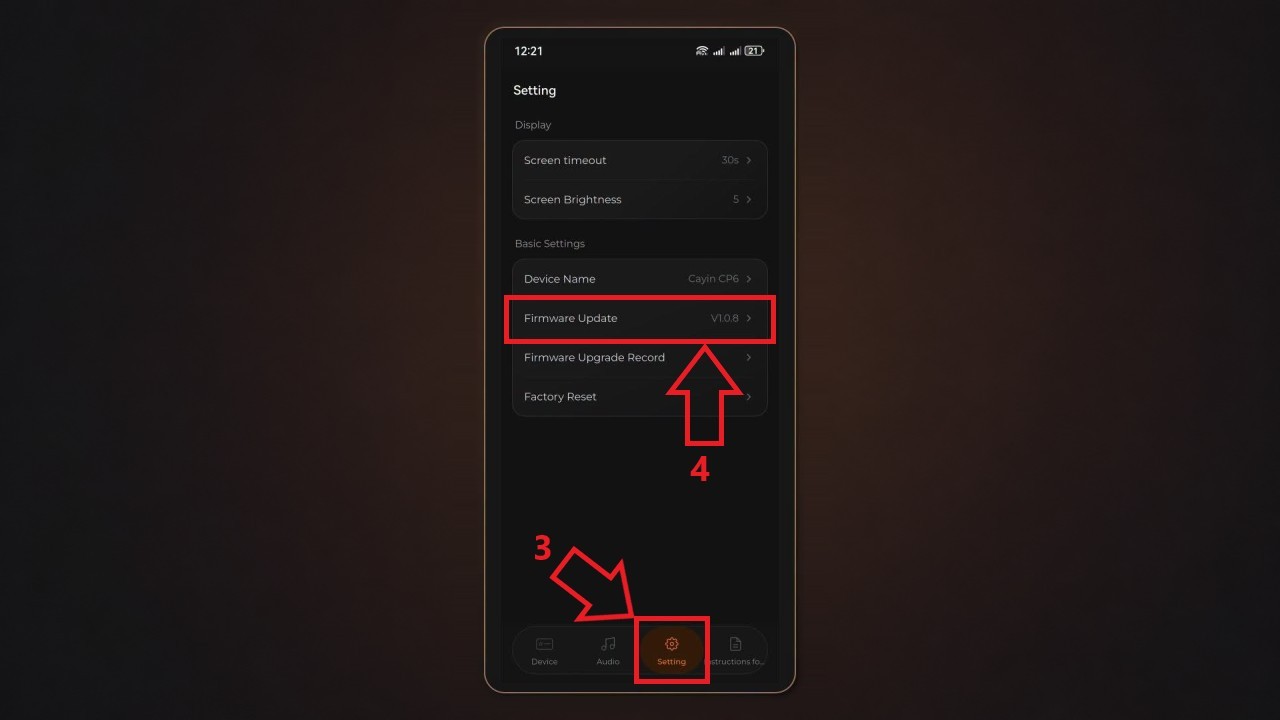
Step 3: Select Setting at the bottom of the screen.
Step 4: Tap Firmware Update. Keep the app open and the smartphone screen on. During the update, it is advisable to keep the CP6 near the smartphone and avoid handling the CD player.
Step 5: Once the firmware installation is complete, the CP6 will turn off automatically. Turn it back on manually and check the CD player’s settings menu to confirm that the firmware version is 1.0.8.
You can now use the Cayin CP6’s new remote control feature.
About the Cayin CP6
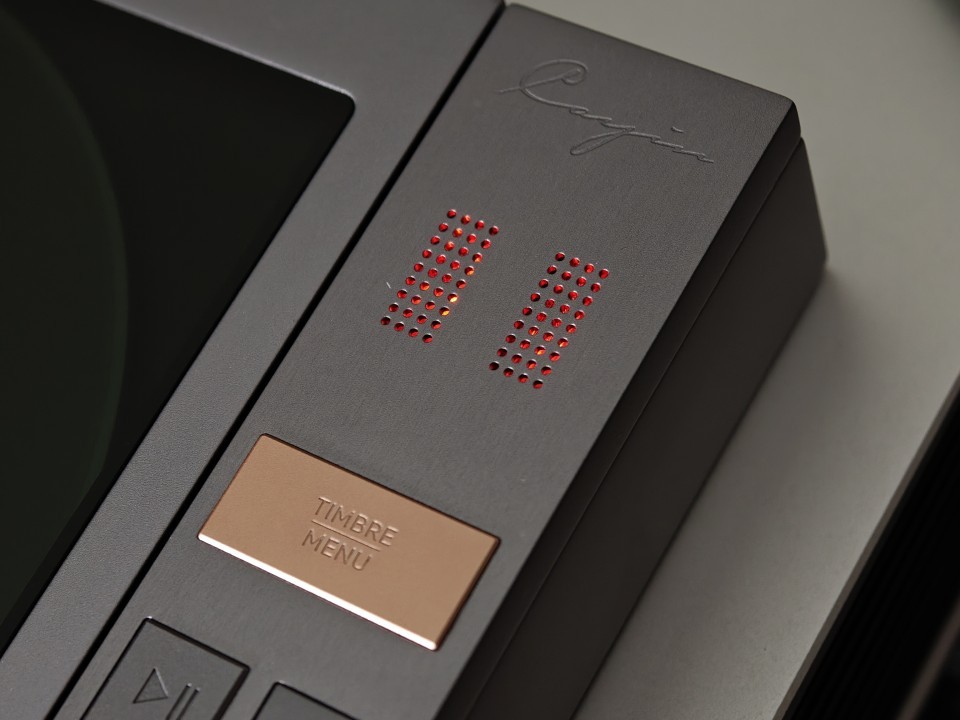
Released on May 14, 2026, the Cayin CP6 is a portable CD player that uses vacuum tubes in its amplification circuit. It incorporates a pair of new old stock (NOS) Raytheon 6418 JAN military tubes. According to Cayin, the left and right channels operate independently, forming a stereo Class A common-cathode amplifier circuit.
Selectable sound signatures
Users can select one of three sound signatures using either a physical button on the CP6 or the Cayin Control app. The selected sound signature can be heard through the headphone output, the line output, or a Bluetooth connection.
Line output and Bluetooth
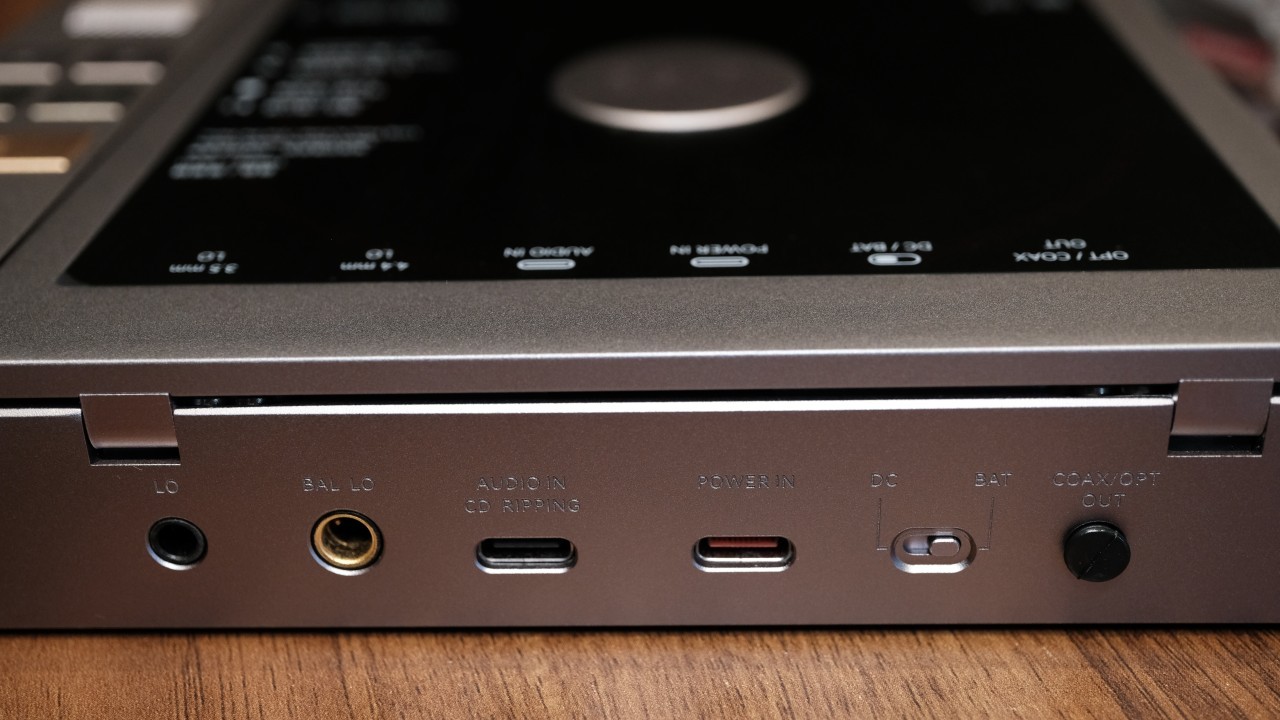
The line output allows users to connect the CP6 to an amplifier or a pair of powered speakers, making the CD player more versatile. When connected to a device via Bluetooth, the CP6 can act as either a transmitter or a receiver. It can transmit CD audio to a Bluetooth speaker or receive music from a streaming service playing on a smartphone.
Headphone output power
The CP6 delivers up to 1,100 mW into 32 Ω through its 4.4 mm balanced headphone output. Its 3.5 mm single-ended (SE) headphone output delivers up to 420 mW under the same conditions.
Battery life and DC mode
The CP6’s internal battery provides up to 10.2 hours of playback, depending on the output used and the sound signature selected. To prevent battery drain, users can activate DC mode using a physical switch.
Where to buy
The Cayin CP6 portable CD player is currently available internationally for US$591.71 from Cayin’s official store on AliExpress.
Share:


Product launches
FiiO NEST-M21: Leather Case With a Magnetic DAC Mount
Product launches
Questyle MEX Dongle DAC Launches at $199 With Parametric EQ
Product launches
No comments have been made yet, be the first!