Qobuz Adds Bit-Perfect Audio on Android: How to Enable It
From: Vitor Valeri
A headphone hobbyist for over 15 years, he founded the Hi-Fi Hub website and is an administrator of the "Fones High-End" and "Fones Low-End" groups on Facebook.
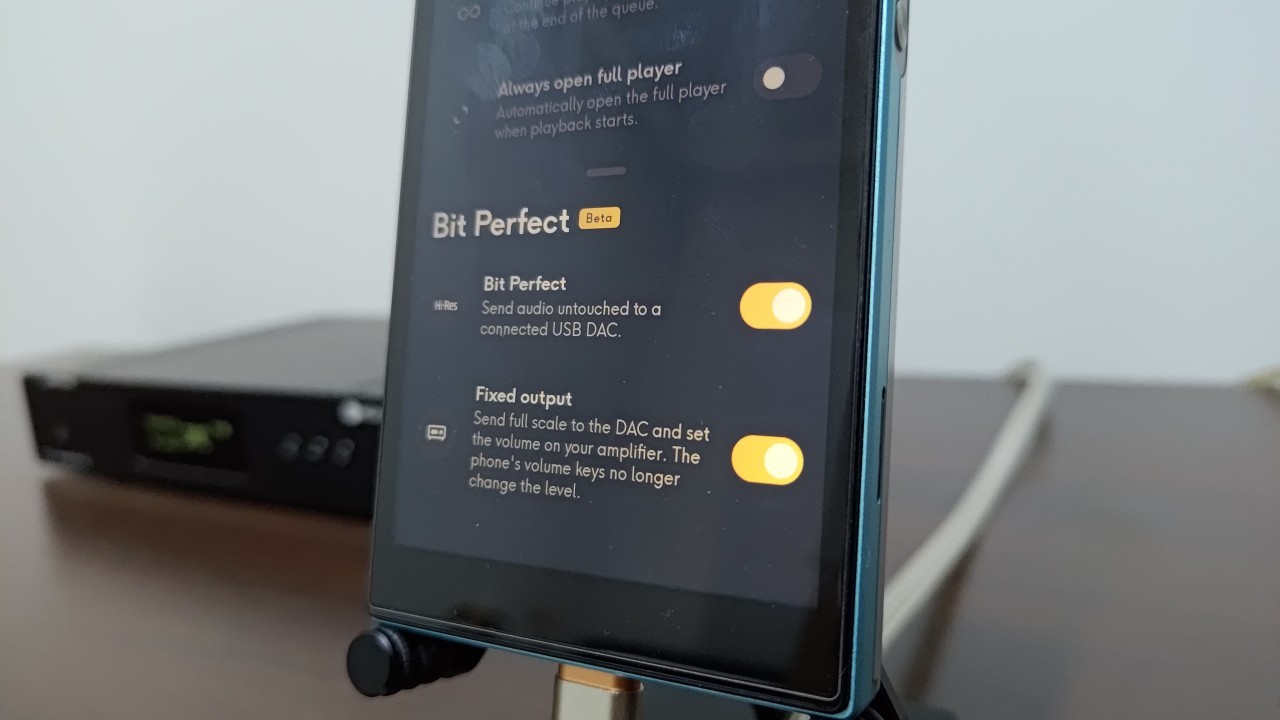
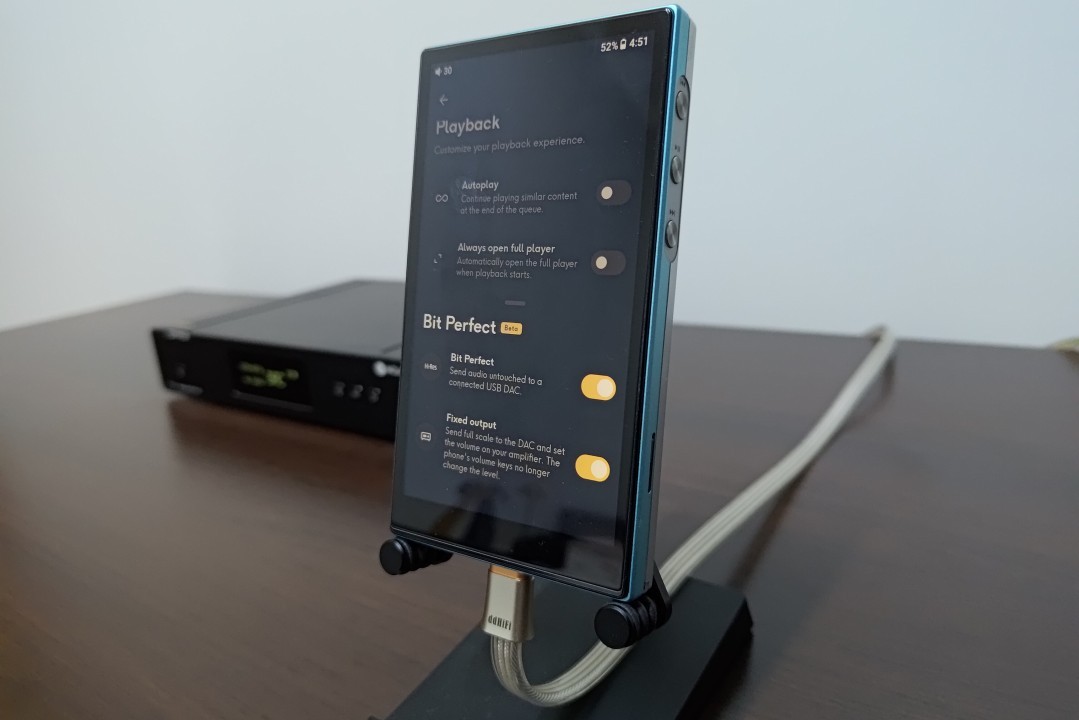
Bit-perfect feature functions in the Qobuz app for Android (Image: Vitor Valeri/Hi-Fi Hub)
Qobuz finally supports bit-perfect audio output. The feature was first implemented on September 10, 2026, in version 10.1.0.0-beta of Qobuz for Android. You can now retire USB Audio Player Pro (UAPP) if you use it solely to access the French music streaming service. Read on for all the details about this new feature.
Bit-perfect audio comes to Qobuz for Android
Three years ago, I posted a request on the Qobuz Club forum asking for bit-perfect audio support in the Qobuz app for Android. With the release of version 10.1.0.0-beta, the feature I had long hoped for finally arrived. I can now play my music without having its sampling rate altered by AudioFlinger, a service within the Android audio framework.
FiiO JM21 digital audio player (DAP) running the Qobuz app with bit-perfect enabled (Image: Vitor Valeri/Hi-Fi Hub)
One of AudioFlinger’s functions is audio mixing, which controls the sampling rate, bit depth, and volume of audio from apps. To learn more about how the Android audio path works, see this article.
However, the aforementioned version still had a minor bug that affected the volume when connecting a smartphone or digital audio player (DAP) to a DAC. At that point, I decided to report the issue to the Qobuz developers, as I participate in the beta program.
Testing and development of a new feature linked to bit-perfect audio
On September 20, I reported the low-volume issue I was experiencing to the developers. When I connected my FiiO JM21 DAP to my Topping D70S DAC, the volume was lower than normal. Fortunately, the Qobuz team responded promptly and sent me a Qobuz APK for testing the following day.
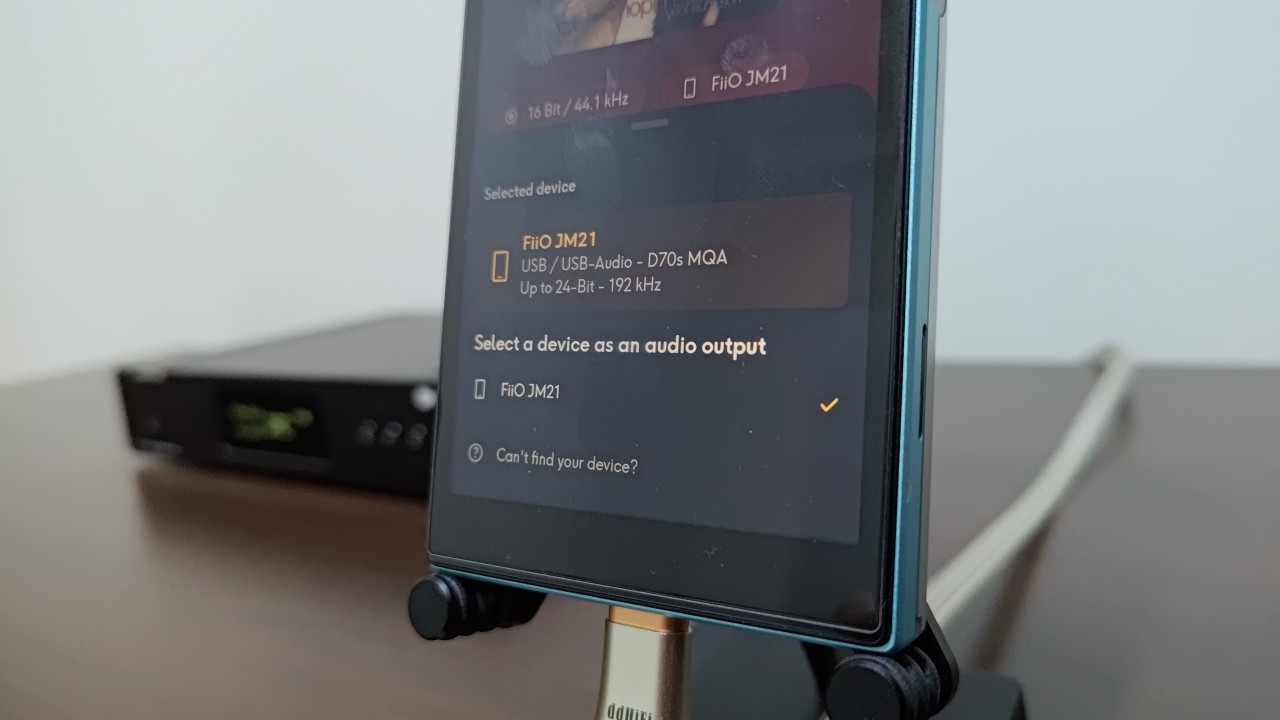
FiiO JM21 DAP screen showing its connection to the Topping D70S DAC (Image: Vitor Valeri/Hi-Fi Hub)
The APK was shared through the Qobuz app developers’ chat, and I downloaded it using a link. After testing it, I noticed that the volume had returned to normal, but the sound disappeared when the next track began playing, and the sampling rate also changed.
After testing two additional versions of the Qobuz APK for Android, the desired result was achieved without playback issues. These tests led to a feature called “Fixed Output.”
Disabling volume control on an Android smartphone or DAP
To prevent low audio levels when connecting an Android smartphone or DAP to an external USB DAC, volume control must be disabled.
The app’s volume control must be disabled so that the external amplifier can control the listening volume. For this reason, a feature called “Fixed Output” was developed for Qobuz for Android and implemented in version 10.1.1.0-beta.
The app describes this new feature as follows:
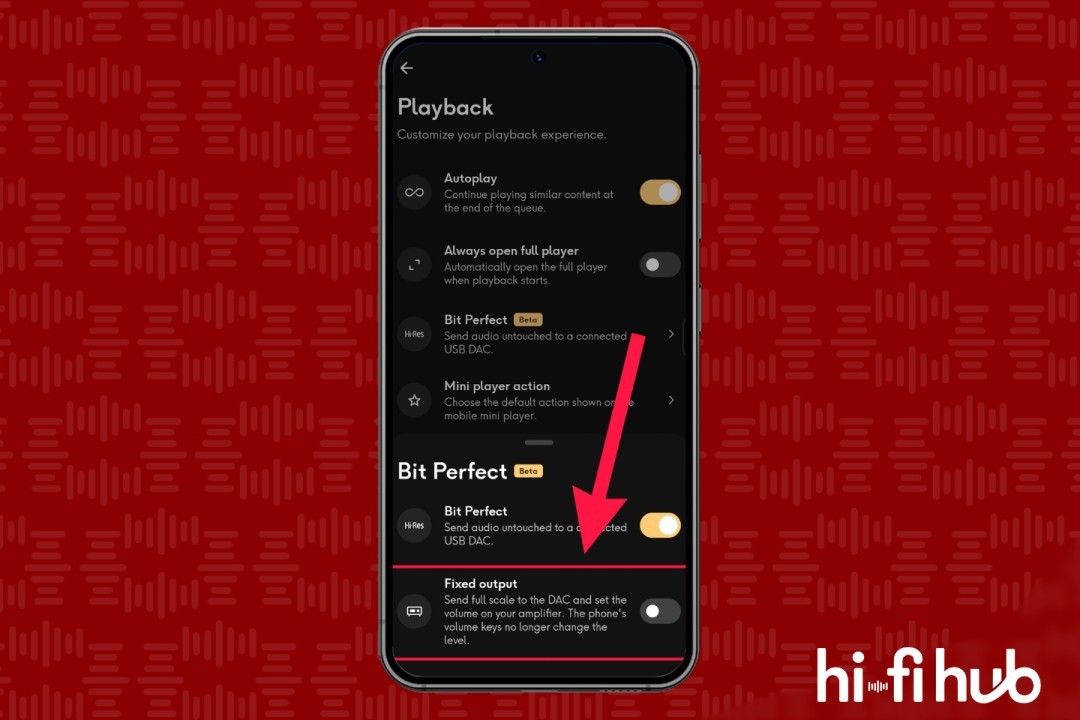
“Send the full-scale signal to the DAC and adjust the volume on your amplifier. The smartphone’s volume buttons will no longer change the level.”
How can you access the new features in the Qobuz app for Android?
If you would like to access the “Bit Perfect” and “Fixed Output” features in the Qobuz app for Android, simply visit the Qobuz Club forum here.
How to enable bit-perfect audio and fixed output in the Qobuz app
Follow the steps below to access and enable bit-perfect audio and the fixed output feature in the Qobuz app for Android.
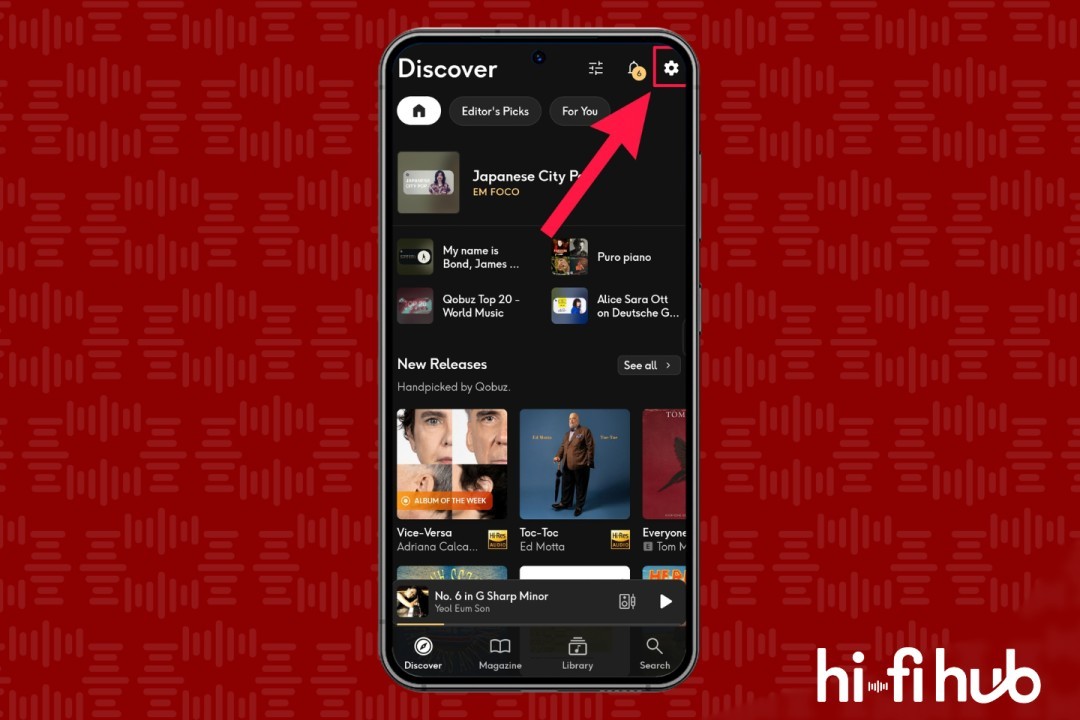
Step 01: On the home screen, tap the gear icon in the upper-right corner.
Step 01: How to enable bit-perfect audio and fixed output in the Qobuz app (Image: Vitor Valeri/Hi-Fi Hub)
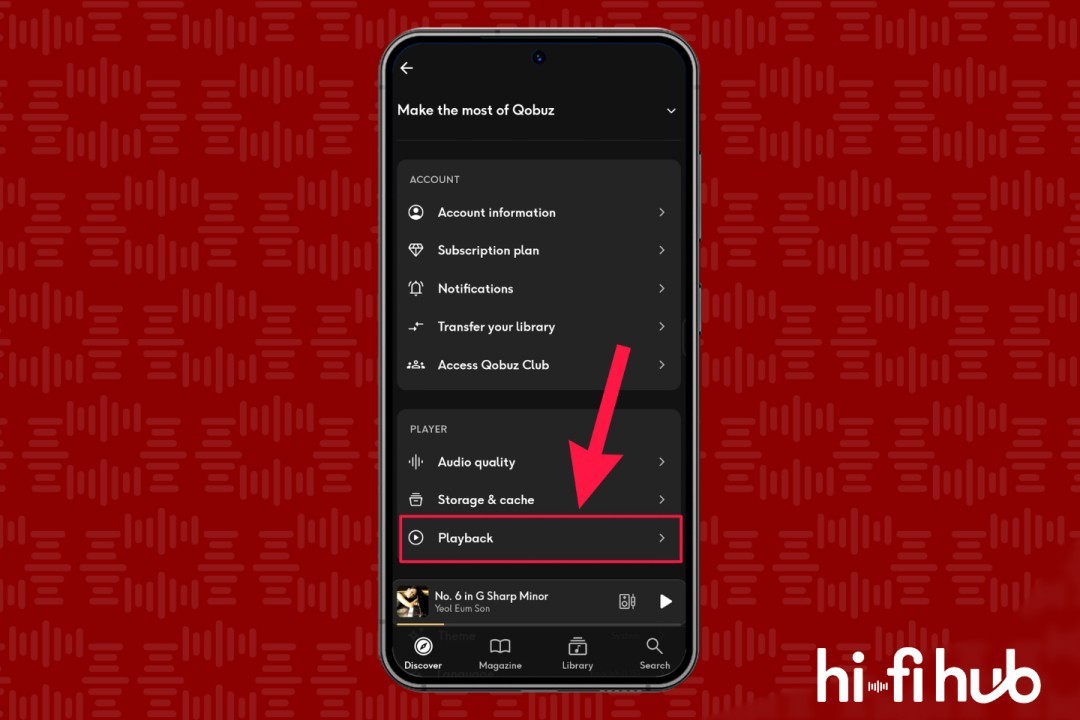
Step 02: Scroll down to the “Player” section and select “Playback.”
Step 02: How to enable bit-perfect audio and fixed output in the Qobuz app (Image: Vitor Valeri/Hi-Fi Hub)
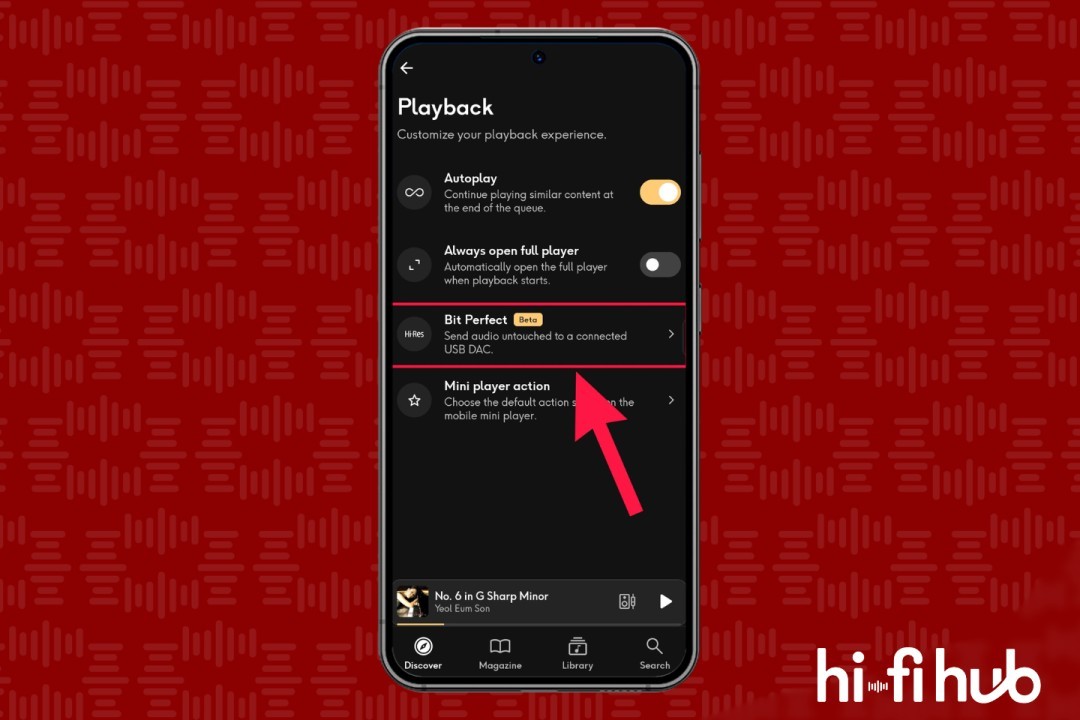
Step 03: Tap “Bit Perfect.”
Step 03: How to enable bit-perfect audio and fixed output in the Qobuz app (Image: Vitor Valeri/Hi-Fi Hub)
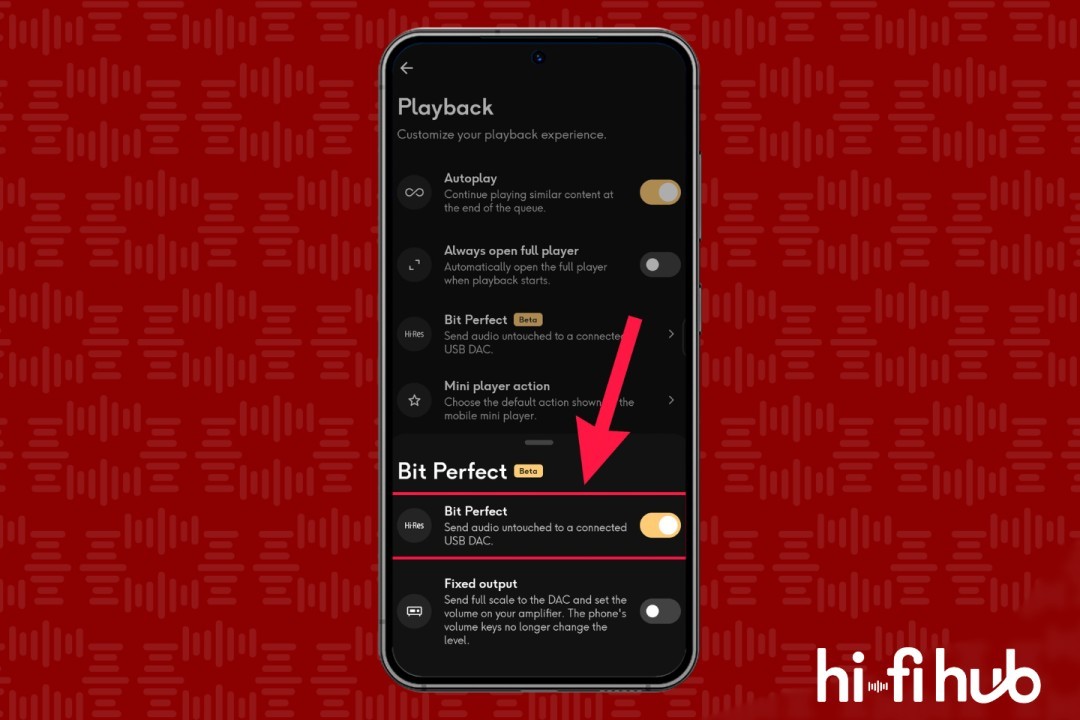
Step 04: Turn on the toggle next to “Bit Perfect” so that it turns yellow.
Step 04: How to enable bit-perfect audio and fixed output in the Qobuz app (Image: Vitor Valeri/Hi-Fi Hub)
Step 05: Tap the toggle next to “Fixed Output” to enable the feature.
Step 05: How to enable bit-perfect audio and fixed output in the Qobuz app (Image: Vitor Valeri/Hi-Fi Hub)
You are now ready to connect your Android smartphone or DAP to the external USB DAC.
Seb, since I don't own an Apple device, I don't know the status of a "Bit Perfect"-like feature in the Qobuz app for iOS or iPadOS. I'll try to find out by asking other users.