

What Is a DAC (Digital-to-Analog Converter)? Understanding Digital Audio Conversion
From: Vitor Valeri
A headphone hobbyist for over 15 years, he founded the Hi-Fi Hub website and is an administrator of the "Fones High-End" and "Fones Low-End" groups on Facebook.


Published in: 07/01/26 at 12:26 - Updated in: 16/01/26 at 11:54
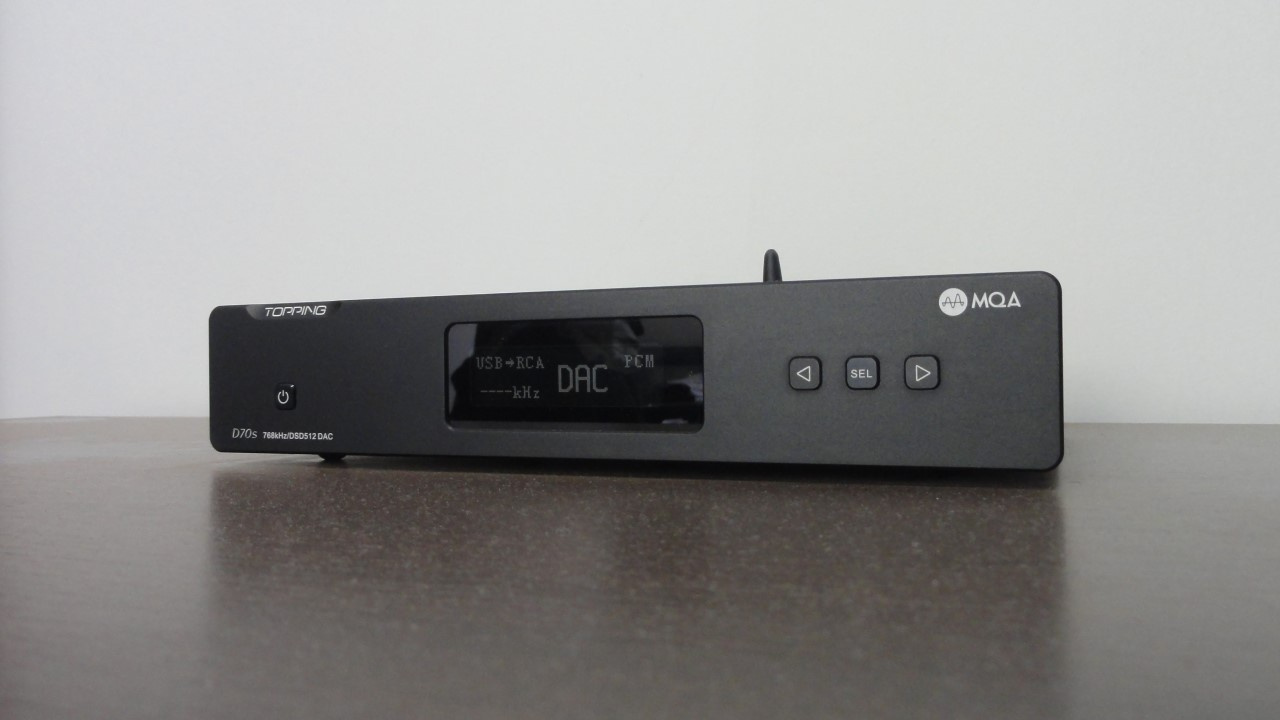 Illustrative image of a dedicated desktop DAC — In the photo, the Topping D70S model (Image: Vitor Valeri / Hi-Fi Hub)
The DAC (Digital-to-Analog Converter) in audio is used to convert digital sound into analog. It is a chip that is present in any device that reproduces digital music formats. It is necessary so that headphones or loudspeakers can play files in MP3, FLAC, WAV, among other formats.
What is a DAC?
A DAC (Digital-to-Analog Converter) is an integrated circuit (IC) whose function is to convert a digital signal (binary data) into an analog signal (voltage or current). Physically, a DAC is extremely small, for example, smaller than a fingernail.
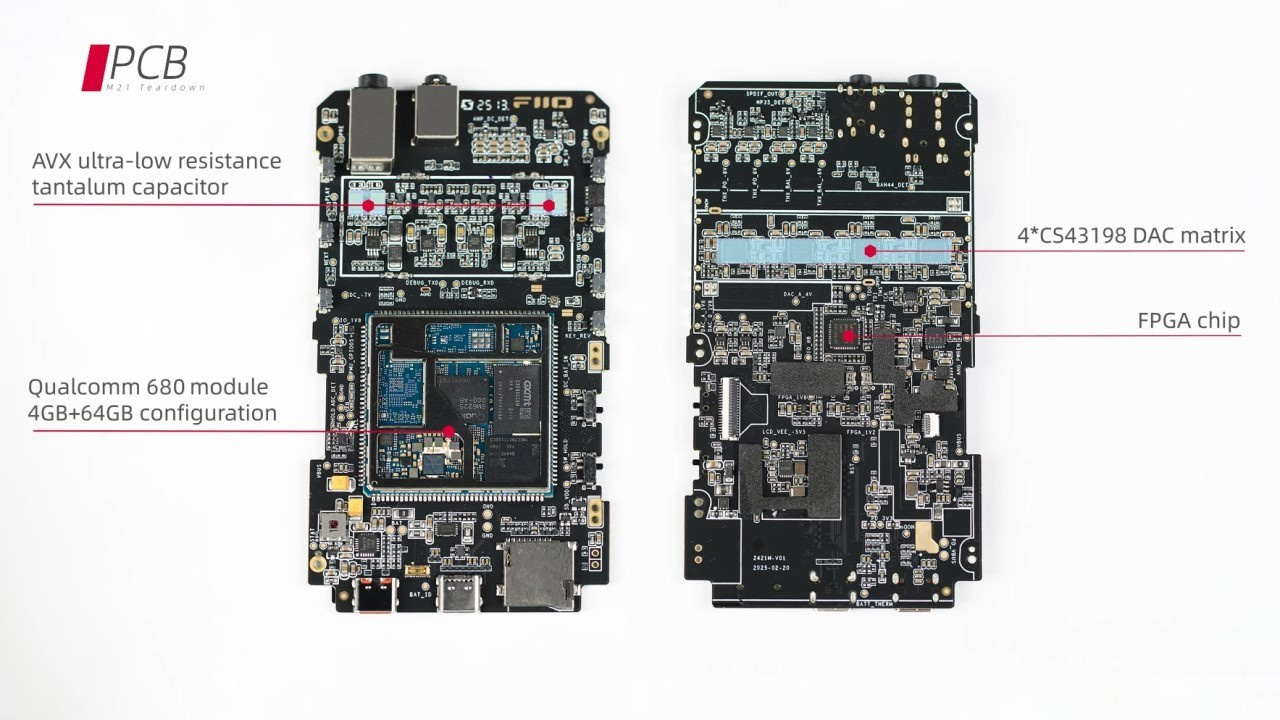
Below is an image of the circuit boards of the FiiO M21 DAP (Digital Audio Player), which features four CS43198 DAC chips and measures 6.8 cm in width by 12.1 cm in height.
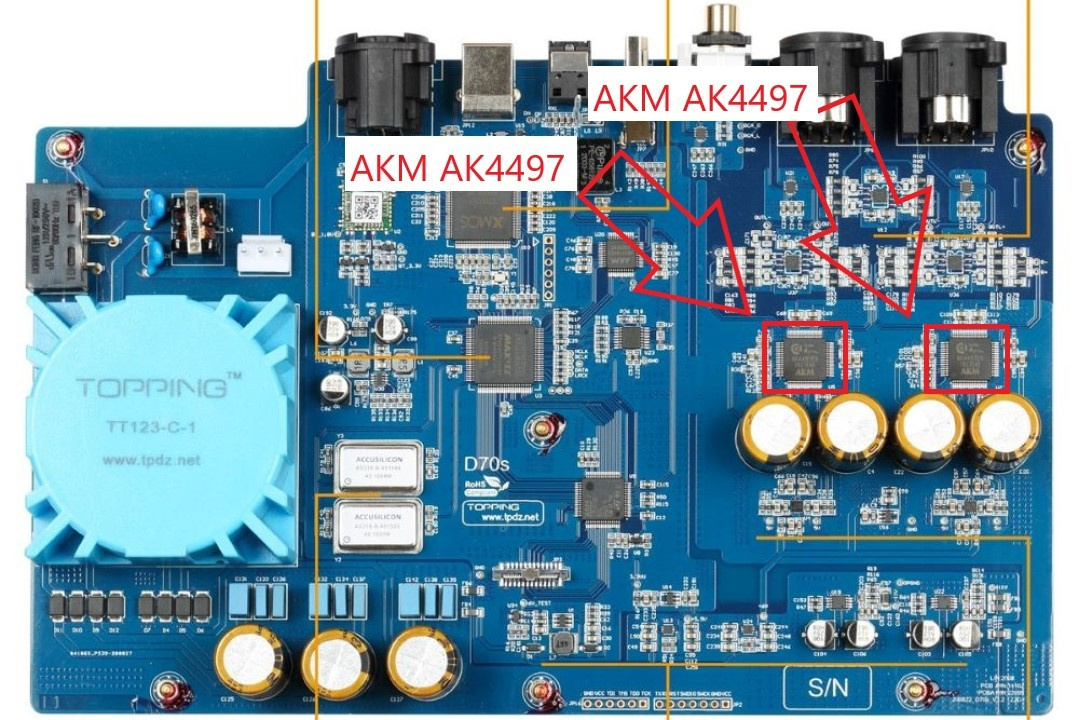
To better illustrate this, consider the image of the printed circuit board of the Topping D70S dedicated desktop DAC, which is equipped with two AKM AK4497 DAC chips and measures 24.5 cm in length by 19 cm in width.
What is a DAC used for?
In audio applications, the DAC converts the digital signal into an analog signal. This is necessary because headphones and loudspeakers only operate using analog signals. However, conversion alone is not sufficient.
For the diaphragm of the headphone or loudspeaker driver to vibrate and generate sound in an “ideal” manner, it is necessary for an amplifier to amplify the analog signal converted by the DAC.
Where are DACs found?
DACs are present in different forms in devices that handle audio files in formats such as MP3, FLAC, WAV, OGG, among others. These devices may or may not include an amplifier (amp).
If there are OP-AMPs (operational amplifiers) or a tube amplifier, the device is classified as a DAC/amp. In this case, within the same chassis there is one area dedicated to the DAC circuitry and another area dedicated to the amplifier components.
However, there are cases in which there is no amplifier in the chassis where the DAC is located. In this situation, the device is classified as a “dedicated DAC,” and the user must connect it to a dedicated amplifier or to a DAC/amp, provided that the latter has the appropriate connections.
Are there devices that do not have a DAC?
Yes, there are devices that do not have an internal DAC. The most common case is that of a dedicated amplifier, in which there is no DAC inside the chassis. In addition, there are devices called “streamers” that can perform only the function of a “transport,” and these do not include a Digital-to-Analog Converter chip.
In audio, the classification of “transport” is given to a device whose role is to execute music files, whether through music streaming from applications such as Spotify or through local audio files stored, for example, on a microSD card or SSD. In this situation, not only a storage medium is required, but also an embedded operating system.
How can one know whether a device has a DAC?
There are some ways to infer that a device has an internal DAC. They are as follows:
• The device plays music from digital files stored in internal memory or via music streaming and has a built-in loudspeaker. Example: TVs, smartphones, and tablets (with or without a 3.5 mm headphone output).
• The device does not execute audio files, but has a USB port or connector and an analog output, such as a 3.5 mm headphone jack or RCA outputs to connect an amplifier. Example: dongles (“USB-to-headphone adapters”) and desktop DAC/amps.
• The electronic device plays music locally or via streaming and features some type of analog output, whether headphone, RCA, or XLR. Example: a streamer with a built-in DAC/amp and a Digital Audio Player (DAP).
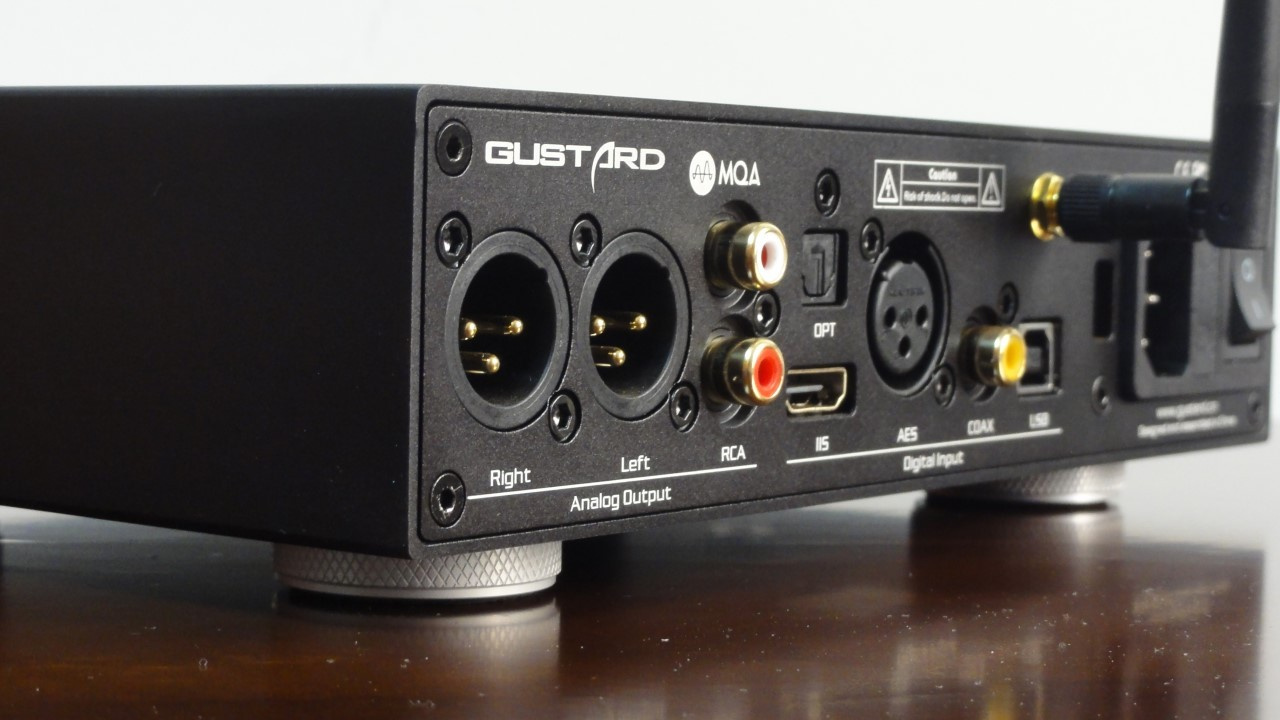
• The product does not play album tracks locally or via streaming, does not have an internal amplifier, but includes digital inputs (USB, coaxial, and optical) and analog outputs (RCA and XLR). Example: a dedicated DAC.
How can one tell if a DAC is good?
A good DAC has:
• “At least reasonably good” DAC chips, which is not difficult to achieve nowadays.
• A dedicated power supply for the DAC with good quality so as not to introduce noise into the audio signal (for example, a linear power supply).
• Galvanic isolation to isolate the power, analog, and digital sections in order to avoid interference.
• High-quality microcontrollers (for example, XMOS for the USB interface).
• A high-precision clock to minimize jitter [1].
• A variety of digital connections (for example, AES/EBU, Bluetooth, coaxial, I²S, optical, USB).
[1] Jitter is a variation in the clock period that can cause distortion in the conversion from digital to analog signals and in the conversion from analog to digital signals.
How can problems be avoided when connecting DACs to noisy audio sources?
There are audio sources that can generate significant noise, such as computers. To avoid problems of this nature, one can:
• Connect the computer to a properly grounded power outlet.
• Connect the computer to the DAC via an optical cable.
• Use streamers or DAPs (Digital Audio Players).
Share:


No comments have been made yet, be the first!