

Lossless Audio: Which Apps Deliver True Lossless Sound in 2026
From: Vitor Valeri
A headphone hobbyist for over 15 years, he founded the Hi-Fi Hub website and is an administrator of the "Fones High-End" and "Fones Low-End" groups on Facebook.


Published in: 02/02/26 at 19:43
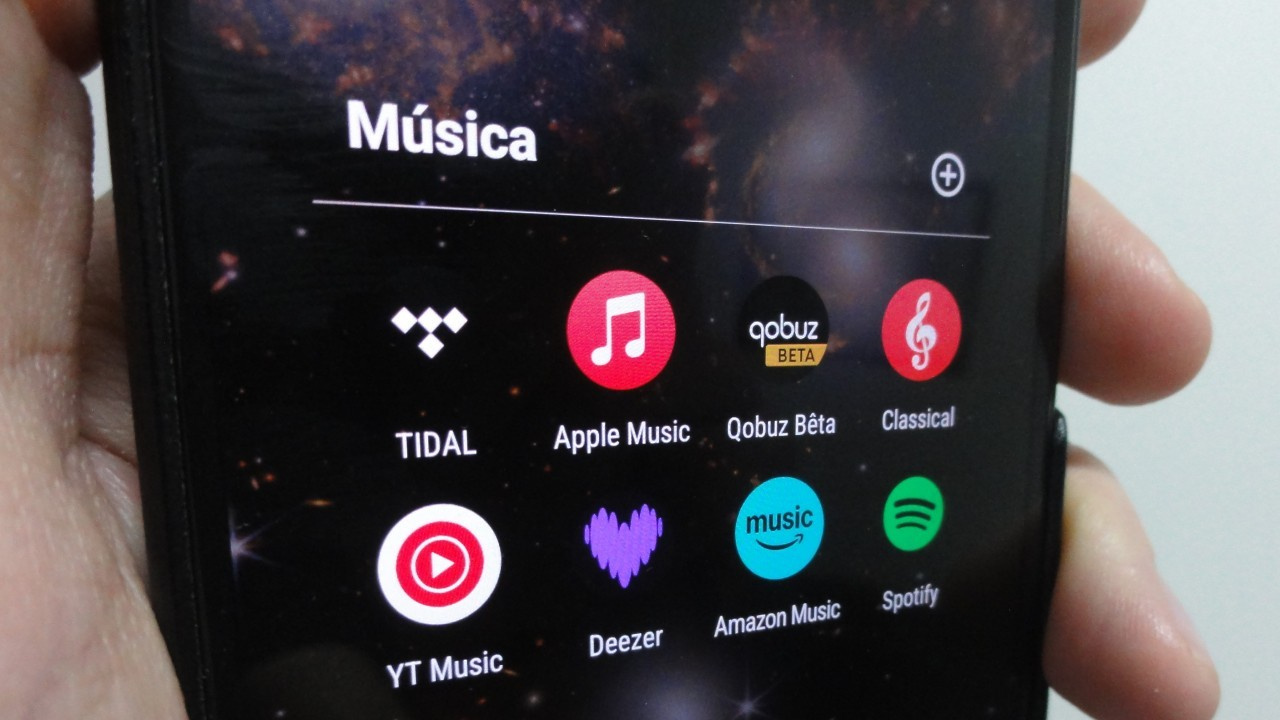 Illustrative image about lossless audio in apps that deliver sound without quality loss in 2025 (Image: Vitor Valeri/Hi-Fi Hub)
The number of music streaming apps offering lossless audio increased with the arrival of Spotify. However, although the service provides lossless streaming, users are unable to access it due to the lack of features that enable interference-free playback (bit-perfect). This limitation also affects other platforms. In this article, I present a test that demonstrates which apps deliver true lossless sound in 2026.
What was used for the test?
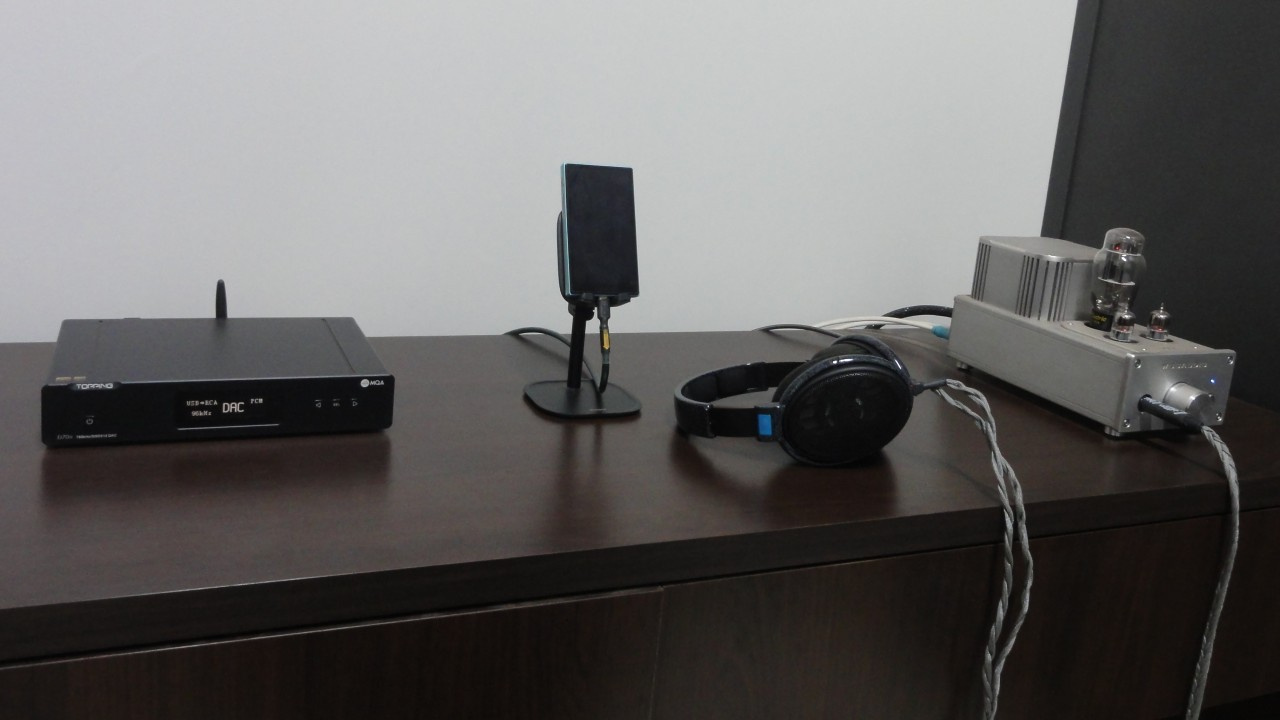
To conduct the test and determine which apps deliver audio without quality loss, the following equipment was used:
• Woo Audio WA3 amplifier
• Asus Zenfone 9 smartphone
• Topping D70S DAC
• FiiO JM21 DAP
• Sennheiser HD600 headphones
• Asus Zenbook UX431FAC laptop
Recommended reading: What Is a DAC (Digital-to-Analog Converter)? Understanding Digital Audio Conversion
How was the test conducted?
To perform the test, volume normalization was disabled in the music streaming apps, audio quality was set to the maximum available, and data-saving modes were disabled when applicable. Next, the Topping D70S DAC was connected via a USB-B to USB-C cable to the devices responsible for music playback (Asus Zenfone 9, FiiO JM21, and Asus Zenbook UX431FAC). During playback, the following aspects were observed:
• Changes in the sample rate displayed on the D70S screen according to the track information shown in the streaming app.
• Changes in volume when attempting to adjust it using the physical buttons on the Zenfone 9, JM21, and Zenbook UX431FAC.
What must occur to confirm true lossless audio delivery?
To confirm that a music streaming app delivers audio without quality loss, the following conditions must be met:
• Automatic sample-rate switching when advancing to a track with a different resolution. For example, if the first track has a sample rate of 192 kHz and the next track is 96 kHz, the D70S display must change from 192 kHz to 96 kHz, strictly following the resolution reported by the streaming app.
• The volume must not change when adjusted via the playback device’s buttons. Volume control should only be effective when adjusted through the amplifier or external DAC/amp. For example, pressing the volume buttons on the JM21 should not alter the sound level, leaving volume control exclusively to the WA3.
Music streaming apps that deliver lossless sound in 2026
Depending on the platform, the behavior of audio transmission from music streaming apps may vary. Below is an overview of how each app behaves on Windows and Android, which are the operating systems used by the equipment employed in this test.
Amazon Music
Bit-perfect: No
Platforms that deliver lossless sound: None
Amazon Music for Windows allows the system volume control to be disabled; however, the sample rate does not change according to the resolution reported by the app.
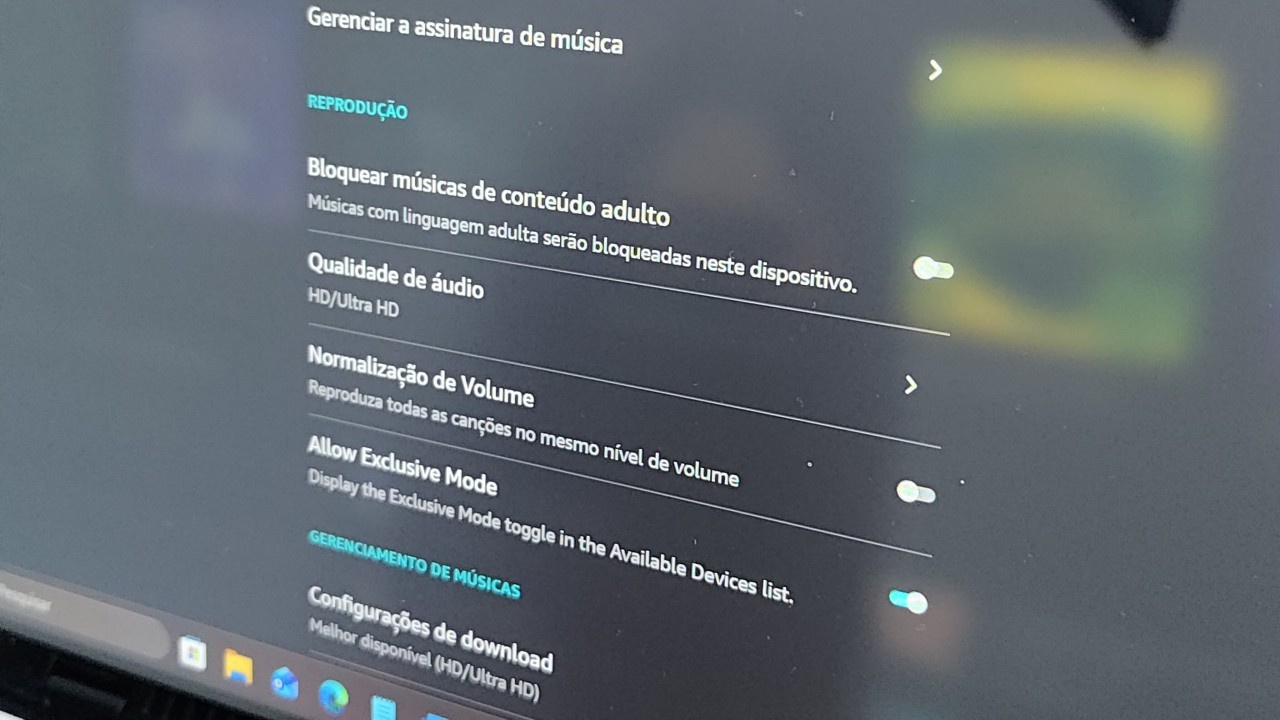
On Android smartphones, Amazon Music remains fixed at 48 kHz regardless of track resolution, and the smartphone’s volume still affects playback. When using an Android DAP, lossless transmission could not be achieved either: the sample rate is locked at 192 kHz and does not change, although volume control is disabled in this case.
Apple Music
Bit-perfect: Yes
Platforms that deliver lossless sound: Android DAPs
Apple Music was able to change the sample rate and disable system-level volume control on Android DAPs. However, the same behavior was not observed on Android smartphones, where the sample rate remained fixed at 48 kHz and system volume control remained active.
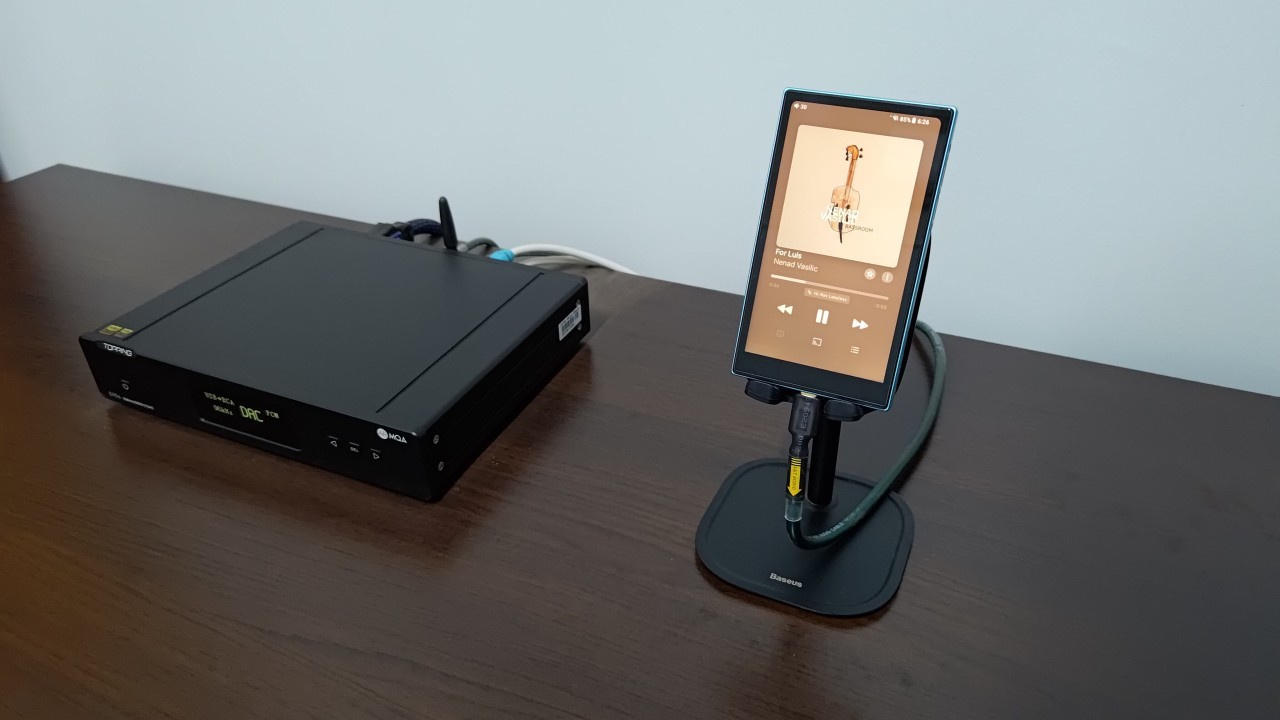
In the Windows version of Apple Music, interference-free transmission could not be achieved. The sample rate did not follow the resolution displayed in the app, and system-level volume adjustments continued to affect playback.
Deezer
Bit-perfect: Possibly
Platforms that deliver lossless sound: Android DAPs
On both Windows and Android smartphones, Deezer did not match the reported sample rate. However, on Android DAPs, volume changes via the device buttons did not affect playback.
When playing the first track on an Android DAP, the sample rate changed, but regardless of track changes, it always displayed 44.1 kHz, since Deezer streams only at 16-bit/44.1 kHz. Therefore, it is not possible to definitively determine whether Deezer transmits audio in bit-perfect mode.
Qobuz
Bit-perfect: Yes
Platforms that deliver lossless sound: Windows and Android DAPs
Only on Android smartphones does Qobuz fail to operate in bit-perfect mode. On Google’s mobile operating system, the sample rate remains fixed at 48 kHz and volume control remains active. Interference-free playback on smartphones is still possible via the USB Audio Player Pro app.
On Windows and Android DAPs, Qobuz successfully transmitted audio without interference. The sample rate changed automatically according to the app’s reported resolution, and system-level volume control was disabled.
Spotify
Bit-perfect: Possibly
Platforms that deliver lossless sound: Android DAPs
Spotify behaves similarly to Deezer and does not deliver interference-free transmission on Windows or Android smartphones. On Android DAPs, volume control is disabled, but it is not possible to verify automatic sample-rate switching, as only 44.1 kHz is displayed (the sample rate of the “Lossless” audio quality made available in 2025 in selected countries).
Tidal
Bit-perfect: Yes
Platforms that deliver lossless sound: Windows and Android DAPs
Tidal previously transmitted audio in bit-perfect mode when an external DAC was connected to Android smartphones, but for reasons unknown, this feature was removed in 2024. Currently, only Android DAPs are capable of providing bit-perfect playback using Tidal’s native app. Interference-free playback on smartphones is still possible via the USB Audio Player Pro app.
On Windows, when an external DAC is connected, enabling exclusive mode in Tidal by accessing Settings, navigating to Playback > Sound Output, and selecting More information disables system volume control and allows the sample rate to change automatically in accordance with the app.
Lossless audio, Bluetooth headphones, and operating system mixers
It is important to understand that accessing lossless audio requires avoiding Bluetooth headphones. However, this alone is not sufficient, as the operating system’s mixer (“audio controller”) can degrade audio quality by unifying resolution and volume across all application audio streams.
Lossless audio and bit-perfect transmission
For audio to be truly lossless, bit-perfect transmission must occur, meaning the files are transmitted without interference. One of the main factors affecting this process is the operating system’s mixer, which influences volume, sample rate, and bit depth, as explained in more detail throughout this article.
What is lossless audio in digital music?
Lossless audio in digital music refers to audio file formats in which the sound data of a track is preserved, with or without compression.
When no compression is applied, the file is referred to as “uncompressed.” These formats encapsulate raw PCM (Pulse-Code Modulation) data along with metadata, representing analog audio signals in digital form. Examples include WAV and AIFF.
Some files undergo compression while preserving all sound data, removing only information from sections where no sound is present. This is achieved through a technique known as “silence compression.” These compressed files are commonly referred to as “lossless,” although, technically, some data reduction occurs. Examples include FLAC and ALAC.
Recommended reading: What Is Lossless Audio? How Music File Formats Work
Is every lossless audio file Hi-Res?
No. Audio files labeled as Hi-Res require a minimum resolution of 24-bit/96 kHz, whereas a 16-bit/44.1 kHz file (equivalent to CD quality) is already considered lossless.
How can lossless sound be reproduced and obtained in streaming apps?
To reproduce audio without quality loss and obtain lossless playback in music streaming apps, the following conditions must be met:
• Wired headphones must be used.
• The operating system must be modified to allow audio transmission to bypass the OS mixer.
• The music streaming app must include features that bypass the operating system’s audio controller (mixer).
Why do Bluetooth headphones not transmit lossless audio?
Bluetooth wireless transmission applies lossy compression to audio files, meaning sound-related data is discarded. Bluetooth codecs compress the file and, during decompression, attempt to artificially reconstruct the removed information using algorithms. Furthermore, Bluetooth bandwidth is insufficient to support the data flow (bitrate) required for lossless audio.
Using the aptX Lossless Bluetooth codec, a data rate of up to 1,200 kbps can be achieved. However, lossless audio requires a minimum transfer rate of 1,411 kbps, which corresponds to 16-bit/44.1 kHz audio, equivalent to CD quality.
Is it possible to modify the operating system so audio bypasses the mixer?
Yes. Manufacturers of Android-based Digital Audio Players (DAPs) modify the operating system so that audio bypasses the mixer. This enables interference-free (bit-perfect) transmission when wired headphones are connected directly to the DAP.
Why should the operating system’s audio controller (mixer) be avoided?
The operating system’s audio controller applies the following modifications during audio file transmission:
• Volume adjustment
• Automatic sample-rate conversion
• Automatic bit-depth conversion
As a result, the following issues may occur:
• Audio distortion
• Unintended volume changes
How does the operating system’s audio controller (mixer) work?
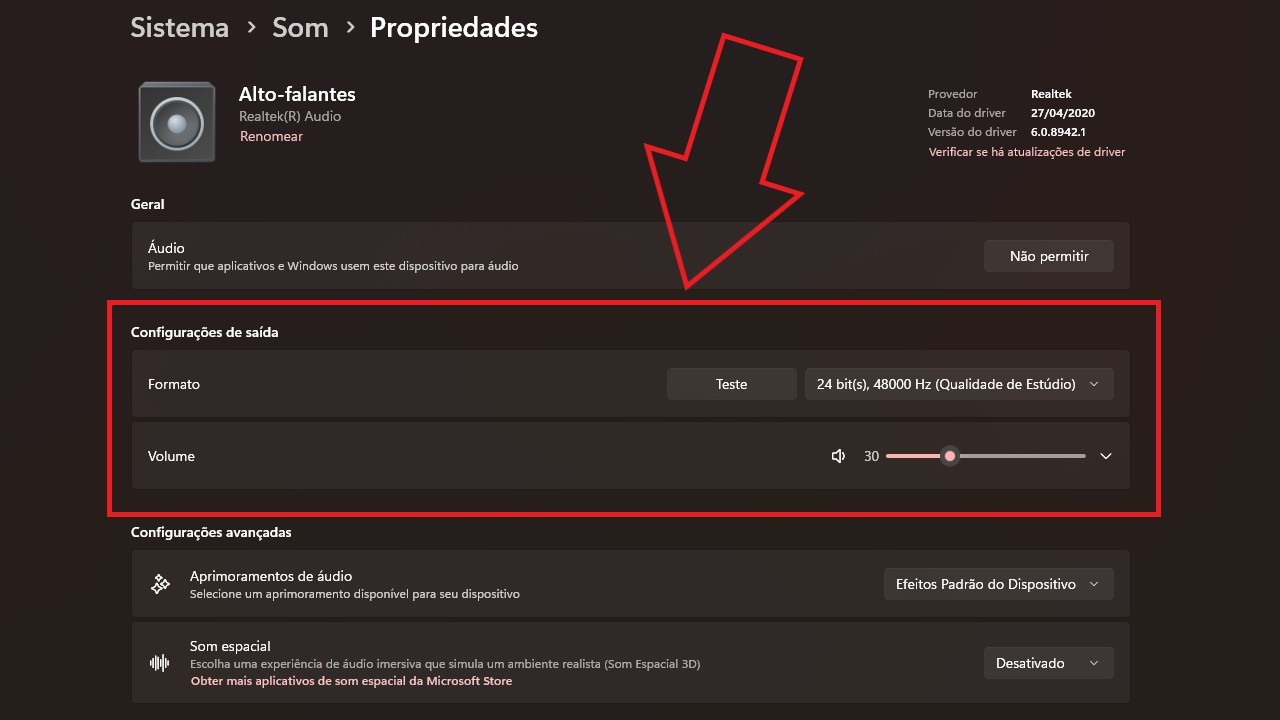
The operating system’s audio controller manages all audio generated by installed apps, unifying it into a single output. It alters the sample rate (e.g., 44.1 kHz), bit depth (e.g., 16-bit), and volume. Consequently, all application audio streams are output at the same volume, sample rate, and bit depth.
Example:
Audio is originally transmitted by Apple Music on Windows at a resolution of 24-bit/192 kHz but reaches the DAC at 24-bit/48 kHz with the volume set to 30. In this situation, volume adjustments made on the DAC/amp or amplifier are still influenced by the operating system’s mixer.
How do music streaming apps bypass the OS mixer?
Music streaming apps bypass the OS mixer by using dedicated drivers to transmit data to external DACs or, in devices with headphone outputs, to internal DACs.
What is the advantage of bypassing the OS mixer?
By bypassing the OS mixer, volume, sample rate, and bit depth remain unaltered, preventing distortion and ensuring true lossless audio delivery. Everything transmitted by the app or program reaches the DAC exactly as intended, without modification.
Share:


No comments have been made yet, be the first!